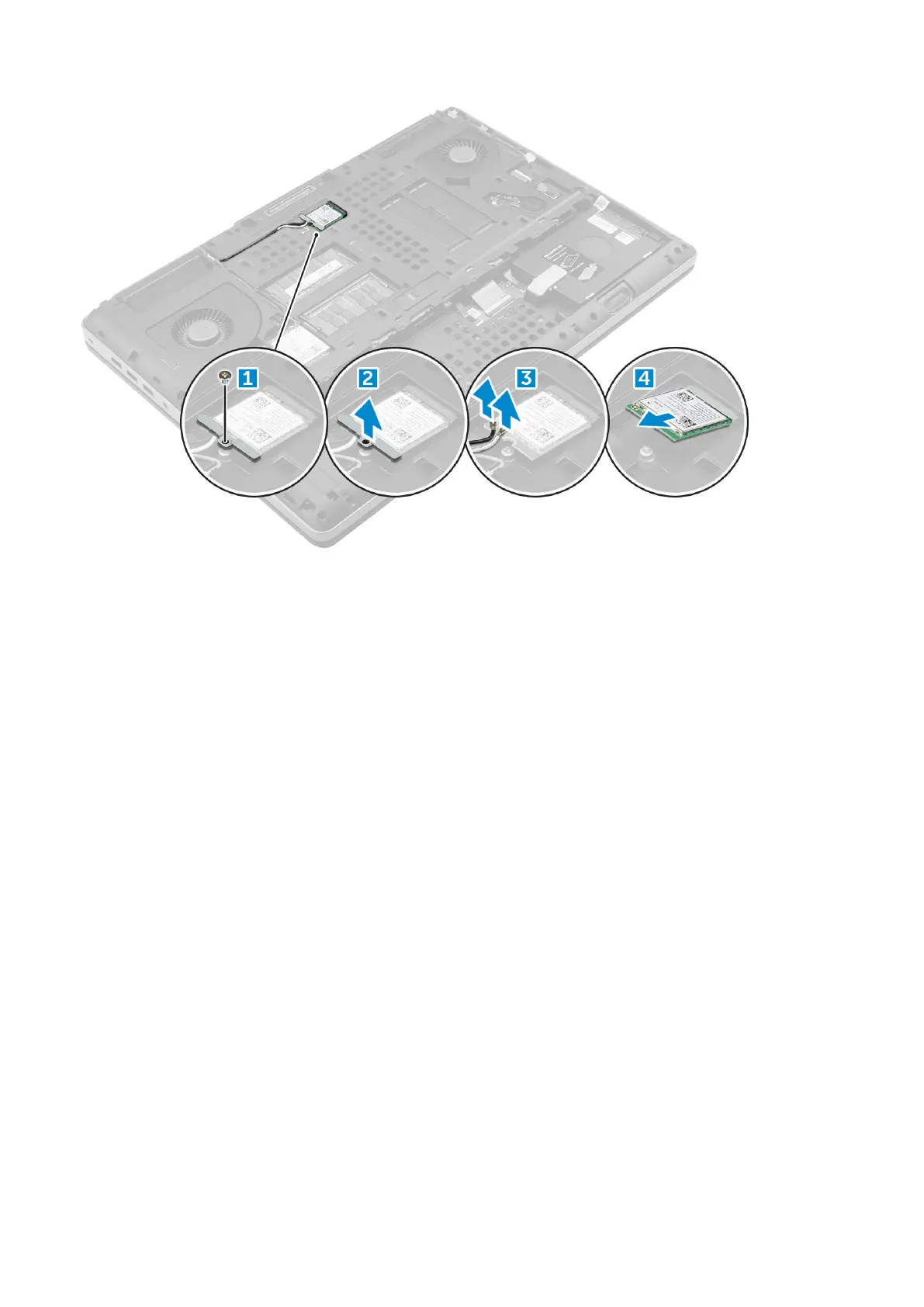
Installing the WLAN Card
1. Insert the WLAN card in its slot on the computer.
2. Route the antenna cables through the routing channel and connect them to the WLAN card.
3. Align the shield and tighten the M2.0x3.0 screw to secure the WLAN card to the computer.
4. Install the:
a) base cover
b) battery
c) battery cover
5. Follow the procedures in After working inside your computer.
Solid State Drive
Removing the M.2 Solid State Drive -SSD module
1. Follow the procedures in Before working inside your computer.
2. Remove the:
a) battery cover
b) battery
c) base cover
3. To remove the SSD module:
a) Remove the M2.0x3.0 screw that secures the thermal plate to the computer.
b) Remove the thermal plate from the computer.
c) Remove the M2.0x3.0 screw that secures the SSD to the computer.
d) Remove the SSD away from the computer.
22
Disassembly and reassembly















 To Next Page