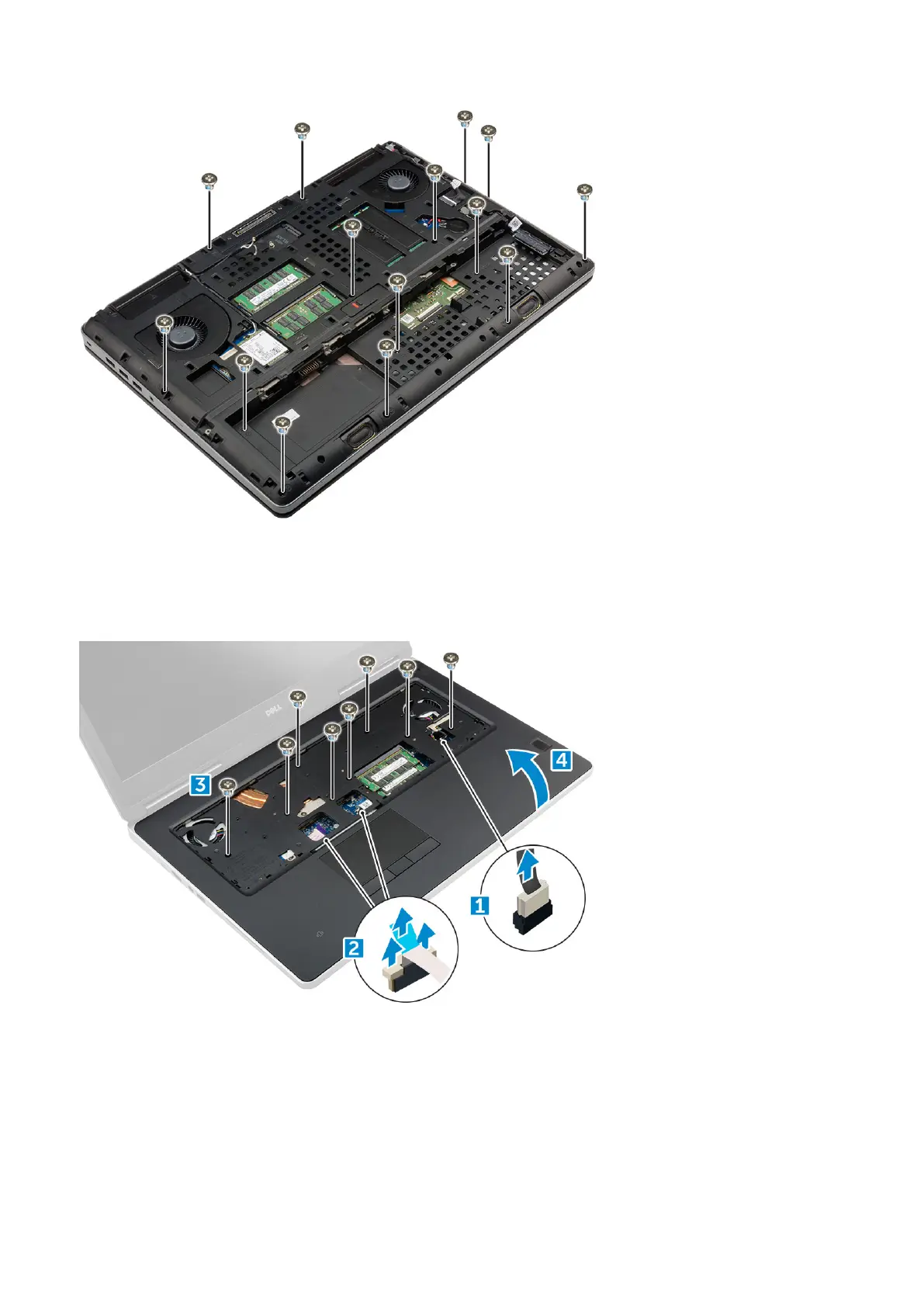
4. To remove palmrest:
a) Lift the tab and disconnect the fan cable [1] and system board cable [ 2].
b) Remove the 11 screws (M2.5x5.0)that secure the palmrest to the computer [3].
c) By using plastic scribe release the tabs on the edges of the palmrest and remove the palmrest from the computer [4].
Installing the palmrest
1. Align the palmrest on the computer and press until it snaps in its place.
2. Replace the 11 screws (M2.5x5.0) that secure the palmrest to the computer.
3. Connect the following cables:
a) system board cable
b) fan cable
26
Disassembly and reassembly















 To Next Page