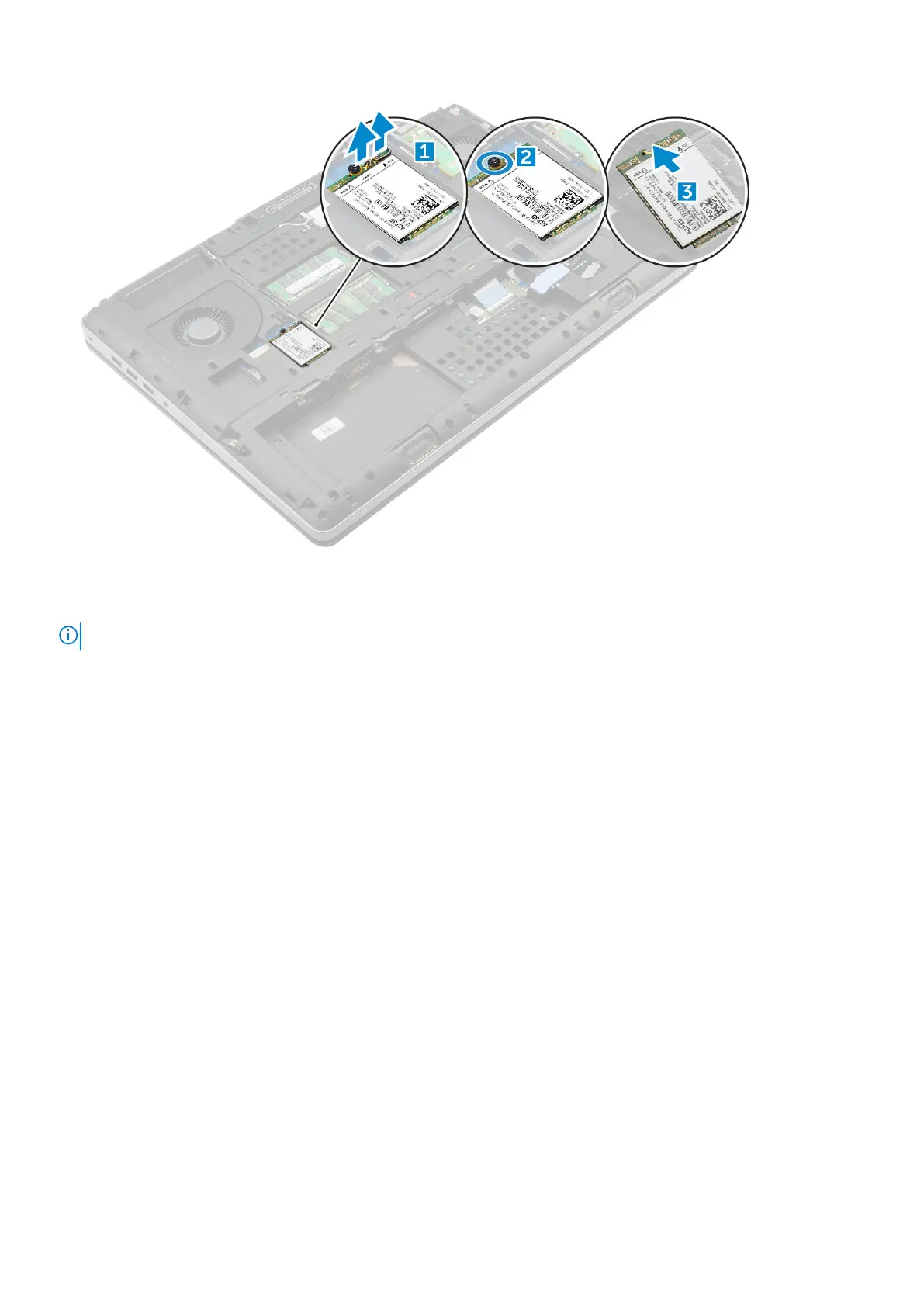
Installing the WWAN card
NOTE: Depending on the configuration you choose, you may or may not have WWAN card.
1. Slide the WWAN card to the WWAN card slot.
2. Replace the M2.0x3.0 screw to secure the WWAN card to the computer.
3. Route the antenna cables through the routing channels and connect them to the WWAN card.
4. Install the:
a) base cover
b) battery
c) battery cover
5. Follow the procedure in After working inside your computer.
WLAN card
Removing the Wireless Local Area Network - WLAN card
1. Follow the procedure in Before working inside your computer.
2. Remove the:
a) battery cover
b) battery
c) base cover
3. To remove the WLAN card from the computer:
a) Remove the M2.0x3.0 screw that secures the WLAN card to the computer [1].
b) Remove the shield that secures the antenna cables [2].
c) Disconnect and un-route the antenna cables connected to the WLAN card and remove the WLAN card from the computer [3,4].
Disassembly and reassembly
21















 To Next Page