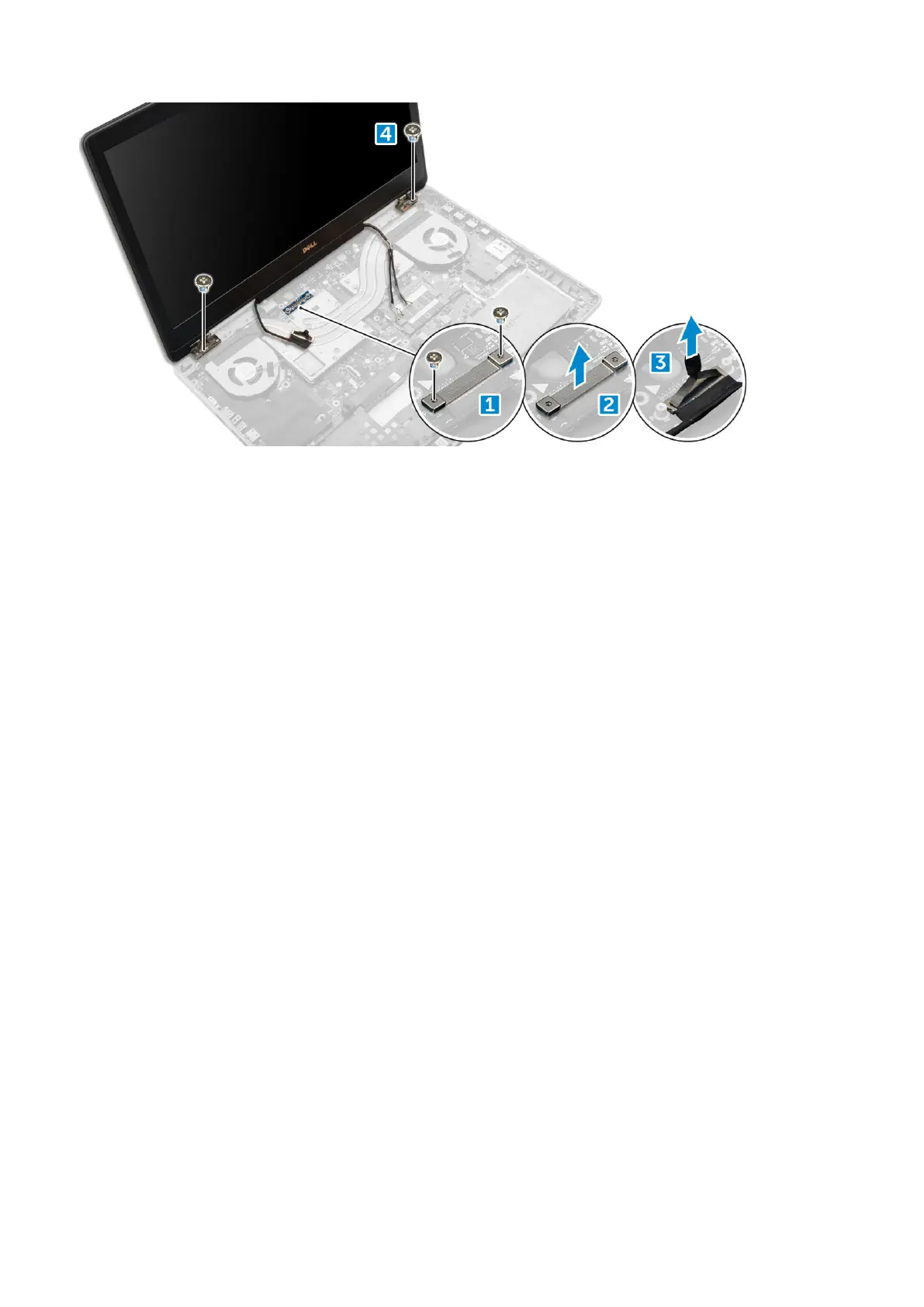
Installing the display assembly
1. Insert the display assembly into the slots on the computer.
2. Replace the M2.0X3 screws to secure the display assembly in place.
3. Affix the tape on the heat sink.
4. Connect the eDP cable to the connectors on the system board.
5. Insert the wireless antenna cables through the routing hole on the chassis.
6. Replace the display assembly M2.0X3 screws at the bottom and back of the computer.
7. Align the display hinge cap and tighten the M2.5x4.0 screws to secure it to the computer.
8. Connect the antenna cables to the connectors.
9. Install the:
a) palmrest
b) WWAN card
c) WLAN card
d) keyboard
e) hard drive
f) base cover
g) battery
h) battery cover
10. Follow the procedure in After working inside your computer.
Display bezel
Removing the display bezel
1. Follow the procedure in Before working inside your computer.
2. Remove the:
a) battery cover
b) battery
c) base cover
d) hard drive
e) keyboard
f) palmrest
42
Disassembly and reassembly















 To Next Page