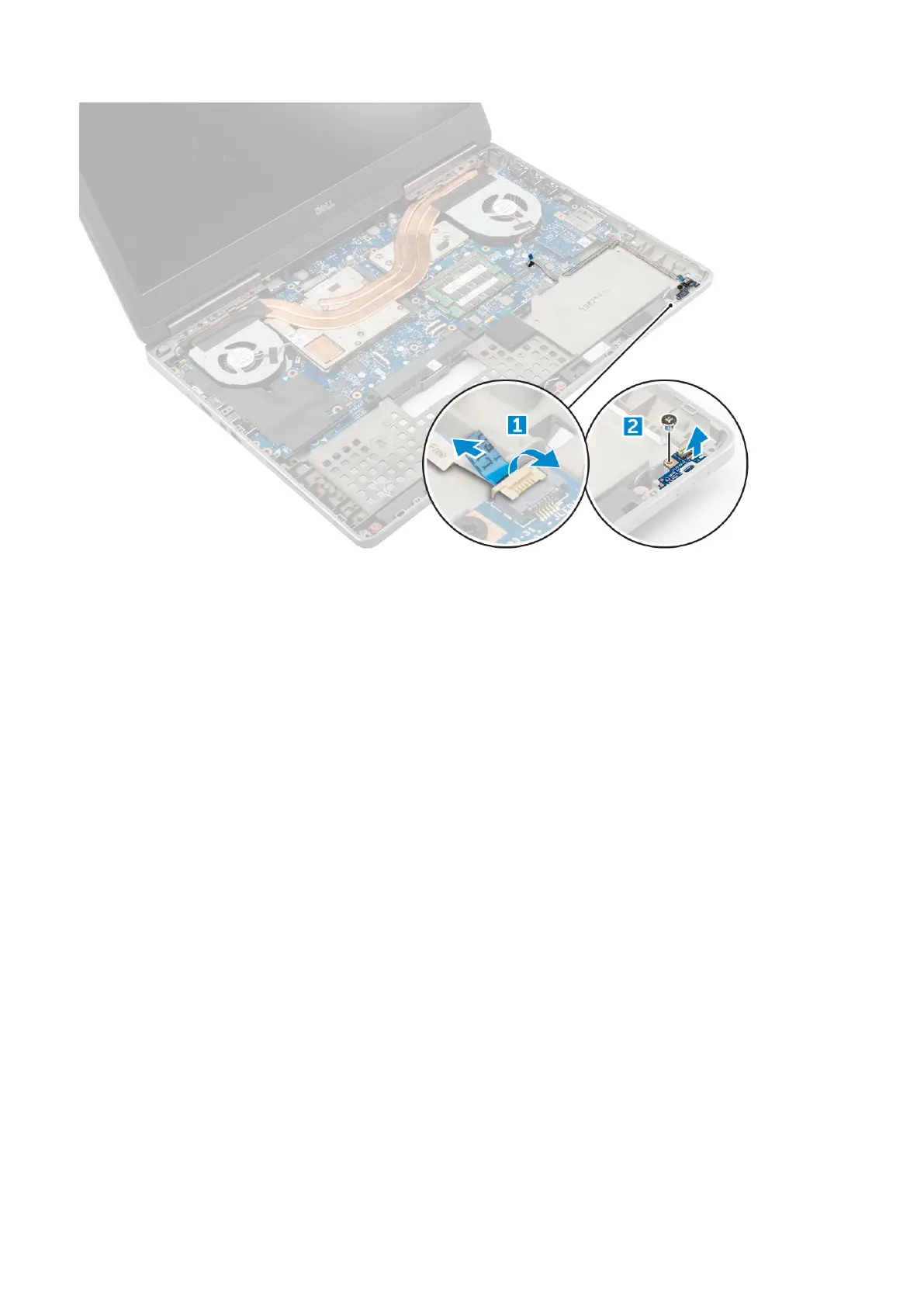
Installing the LED board
1. Align the LED board to its original position on the computer.
2. Replace the M2.0x3.0 screw to secure the LED board to the computer.
3. Connect the LED-board cable to the LED board and secure it through the routing channel.
4. Install the:
a) palmrest
b) secondary memory
c) keyboard
d) hard drive
e) base cover
f) battery
g) battery cover
5. Follow the procedure in After working inside your computer.
Speaker
Removing the speakers
1. Follow the procedure in Before working inside your computer.
2. Remove the:
a) battery cover
b) battery
c) base cover
d) hard drive
e) keyboard
f) palmrest
3. To remove the speaker:
a) Disconnect the speaker cable from the system board [1].
Disassembly and reassembly
39















 To Next Page