h) display bezel
3. To remove the display panel:
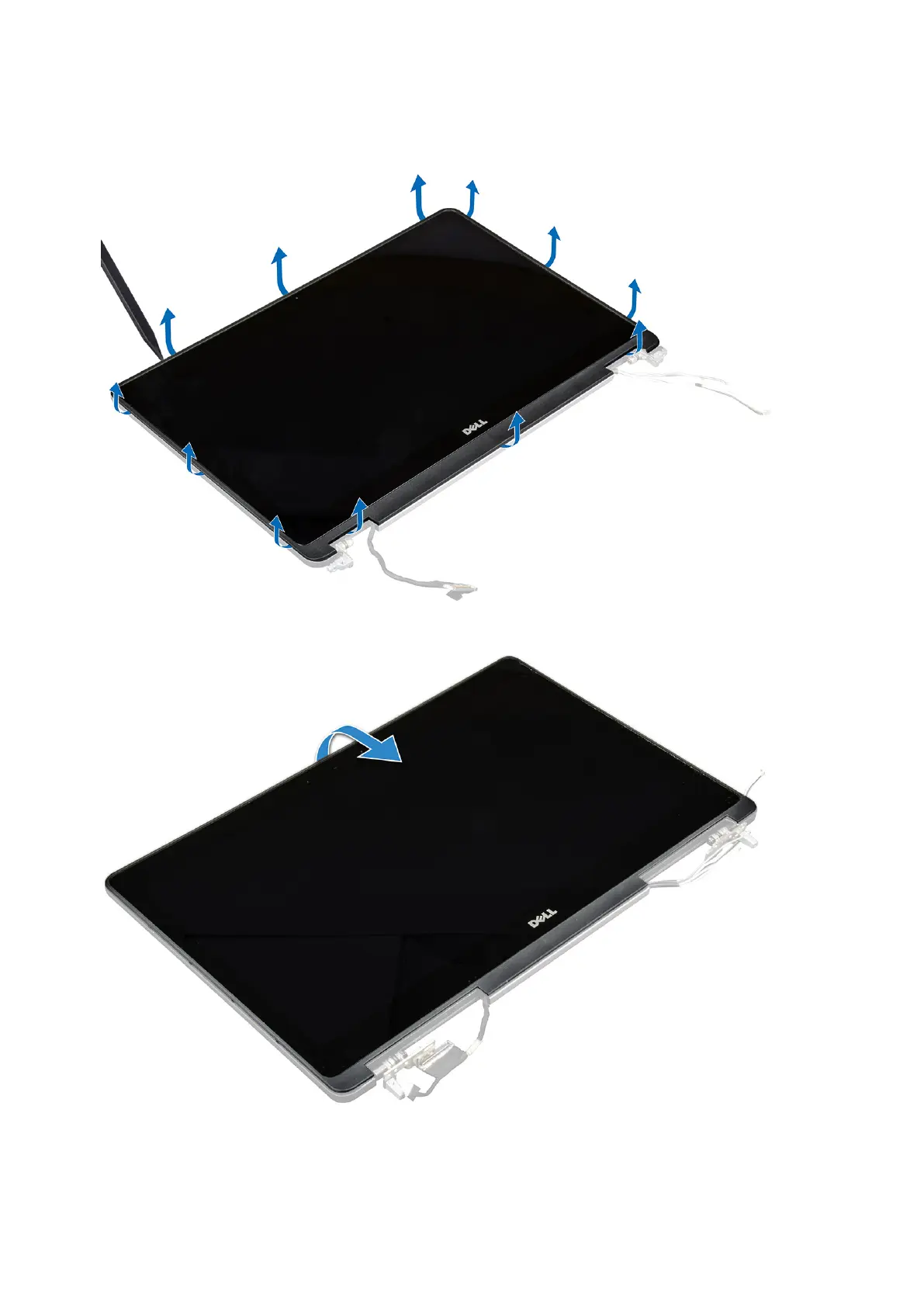
a) Using a plastic scribe lift the edges of the display panel to disengage it from the display assembly.
b) Lift the display panel and turn the display panel over to access the eDP and display cables.
c) Peel the adhesive tape to access the eDP cable [1, 5].
d) Disconnect the eDP and display cables from the connector on the back of the display panel [2, 3, 4, 6].
46
Disassembly and reassembly















 To Next Page