EasyManua.ls Logo

Dell Precision R5500 - Page 81

Dell Precision R5500
104 pages
Print Icon
To Next Page IconTo Next Page
To Previous Page IconTo Previous Page
Loading...
Light Pattern
Problem Description Troubleshooting
Steps
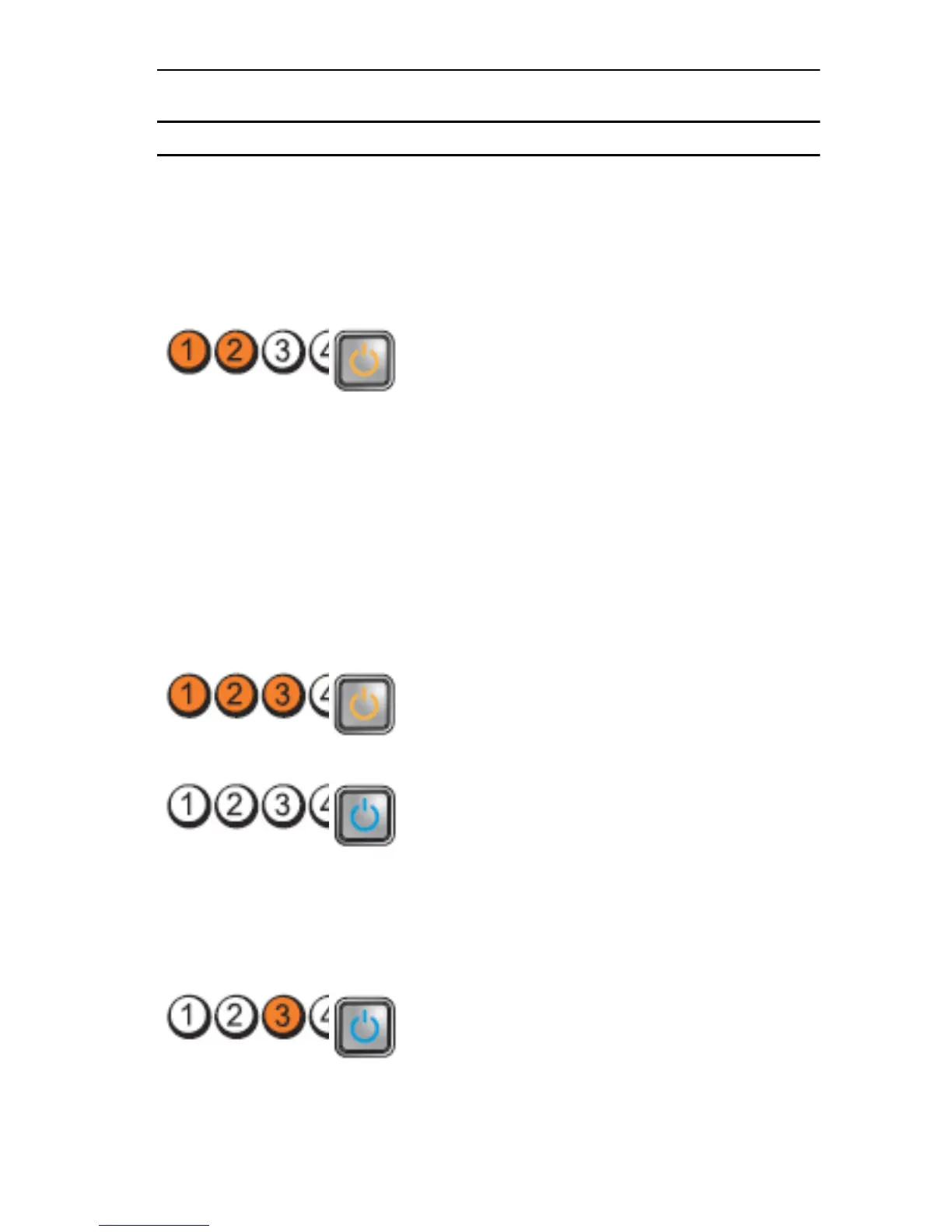
Diagnostic LEDs Power Button LED
If the computer
boots, add the
peripheral cards
back one by one
until you find the
bad one.
A possible system
board failure has
occurred.
Disconnect all
internal and
external
peripherals, and
re-start the
computer. If the
computer boots,
add the
peripheral cards
back one by one
until you find the
bad one.
If the problem
persists, the
system board is
faulty.
A possible coin cell
battery failure has
occurred.
Remove the coin
cell battery for one
minute, reinstall the
battery, and restart.
The computer is in a
normal
on
condition.
The diagnostic
lights are not lit
after the computer
successfully boots
to the operating
system.
Ensure that the
display is connected
and powered on.
A possible
processor failure
has occurred.
Re-seat the
processor.
81

Table of Contents

Other manuals for Dell Precision R5500

Related product manuals