Component Screw type Quantity Screw image
System board M2x2 Big Head 4
Base cover
Removing the base cover
1 Follow the procedure in Before working inside your computer.
2 To remove the base cover:
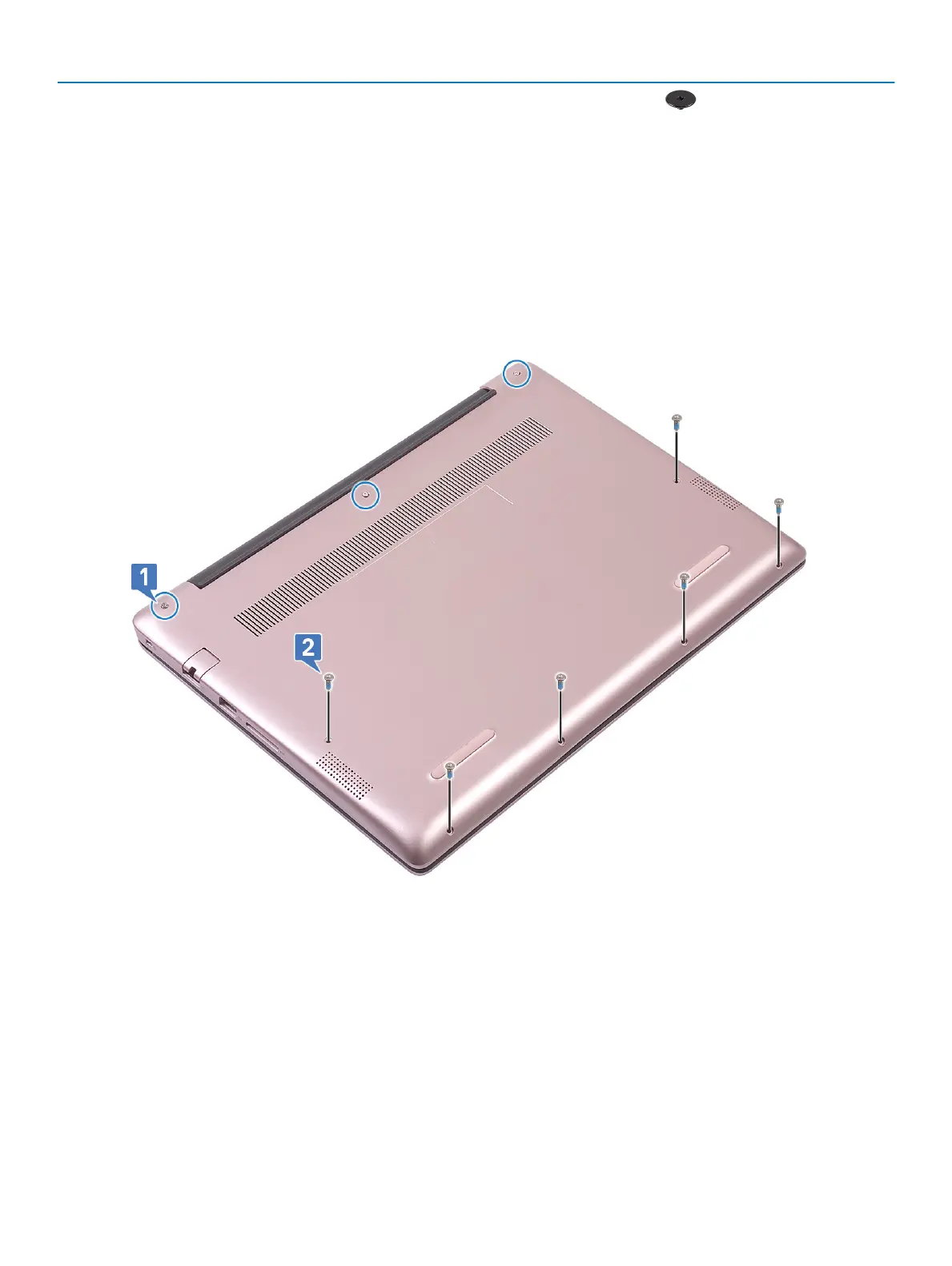
a Loosen the 3 captive screws that secure the base cover to the palmrest and the keyboard assembly [1].
b Remove the 6 (M2x5) screws that secure the base cover to the palmrest and the keyboard assembly [2].
c Using a plastic scribe, pry the base cover starting from the top-left corner and working through the edges of the system. [1].
d Lift the base cover away from the system [2].
16
Removing and installing components





 To Next Page