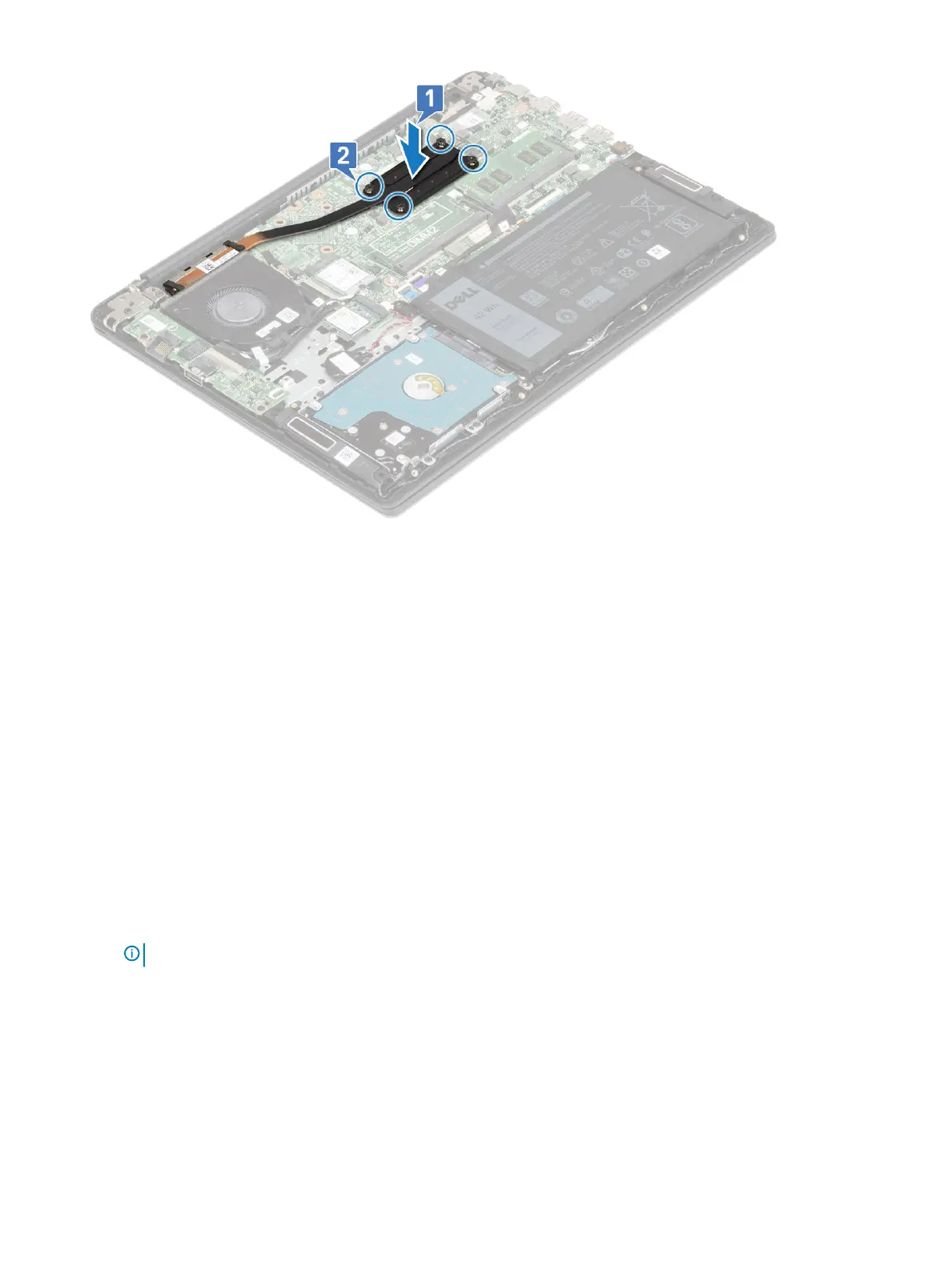
4 Install the:
a battery
b base cover
5 Follow the procedure in After working inside your computer.
Input output board
Removing the Input and Output board
1 Follow the procedure in Before working inside your computer.
2 Remove the:
a base cover
b battery
c system fan
3 To remove the IO board:
a Peel the adhesive tape that secures the IO board connector [1].
b Open the IO board connector latch and disconnect IO board cable from the connector on the IO board [2].
c Disconnect the ngerprint reader cable from the connector on the IO board [3].
NOTE
: This step is applicable only to the systems that are shipped with power button with ngerprint reader.
d Remove the two (M2x3) screws that secure the IO board to the palmrest and keyboard assembly [4].
e Lift the IO board away from the system [5].
Removing and installing components
43





 To Next Page