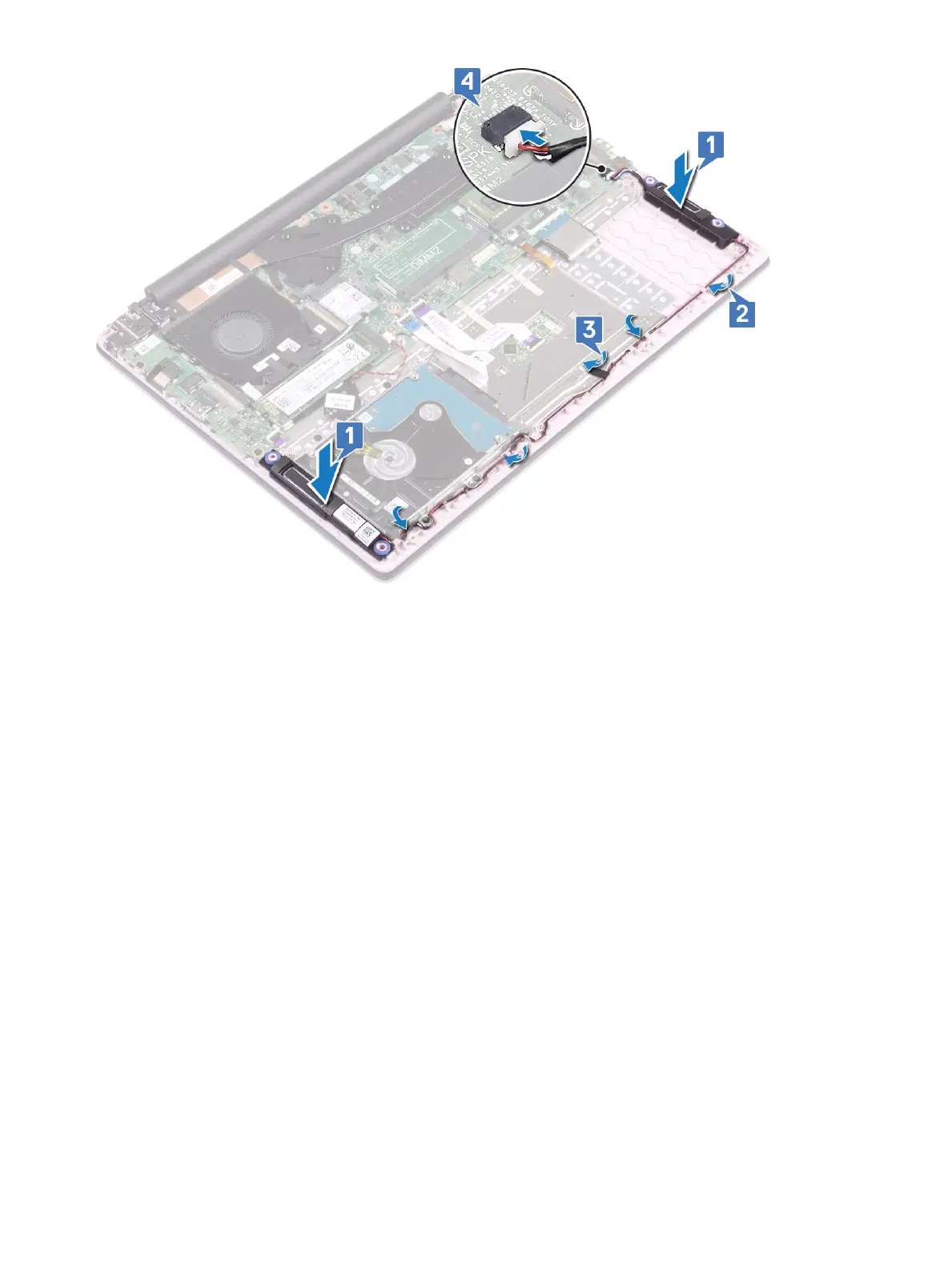
5 Install the:
a battery
b base cover
6 Follow the procedure in After working inside your computer.
System fan
Removing the system fan
1 Follow the procedure in Before working inside your computer.
2 Remove the:
a base cover
b battery
3 To remove the system fan:
a Peel the adhesive tape that secures the system fan cable to the heatsink [1].
b Disconnect the system fan cable from the connector on the system board [2].
c Peel the adhesive tapes that secures the WLAN antenna cable from the system fan [3].
d Remove the two (M2x3) screws that secure the system fan to the palmrest and keyboard assembly [4]
e Lift the system fan away from the system [5].
38
Removing and installing components





 To Next Page