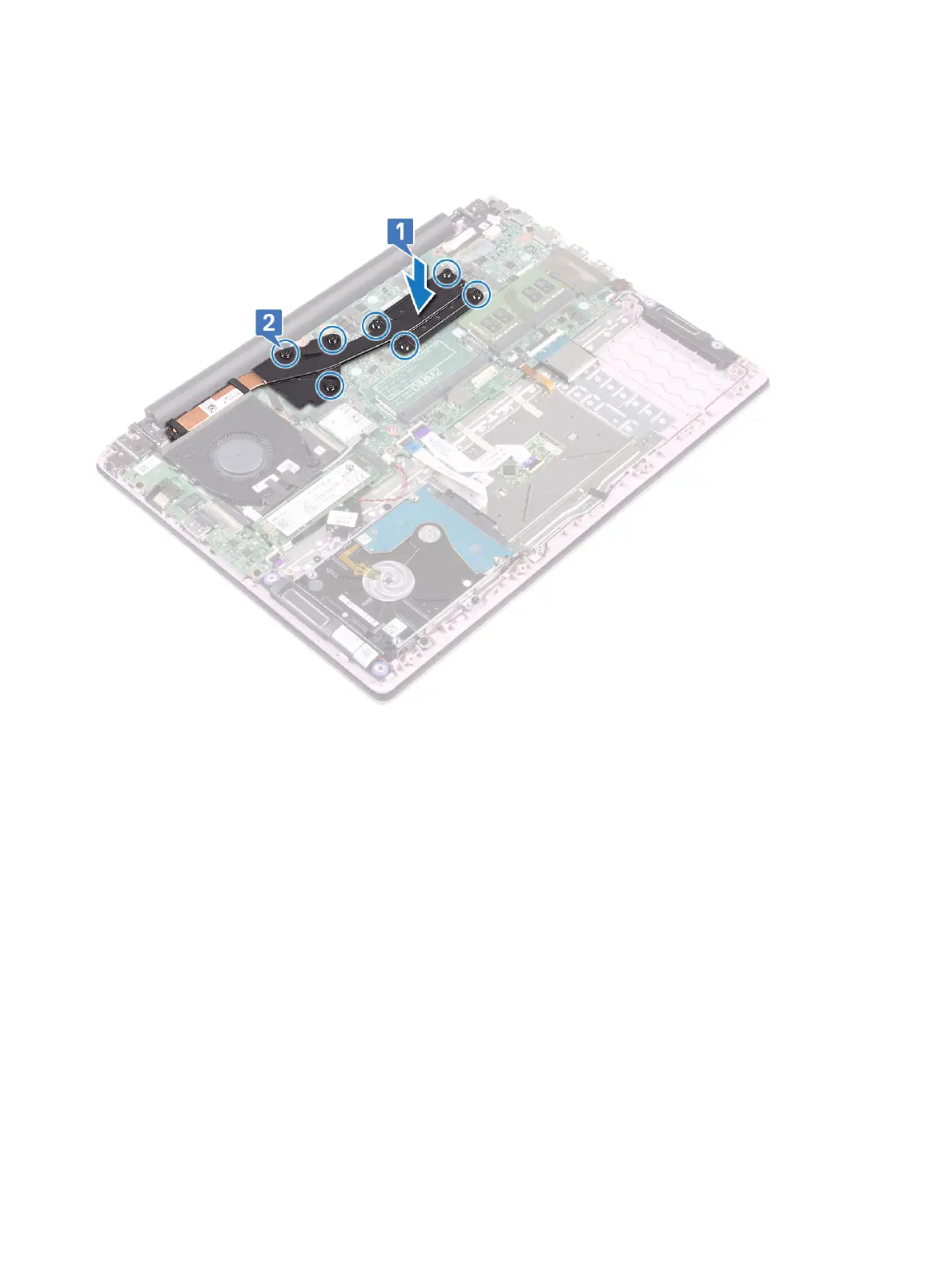
Installing the heat sink
1 Align and place the heatsink to the slot in the system board [1].
2 Tighten the 7 captive screws in sequential order as indicated on the heatsink to secure the heatsink to the system board [2].
3 For the systems shipped with UMA model, align and place the heatsink to the slot on the system board and then tighten the four
captive screws in sequential order as indicated on the heatsink to secure the heatsink to the system board [1, 2].
42
Removing and installing components










 To Next Page