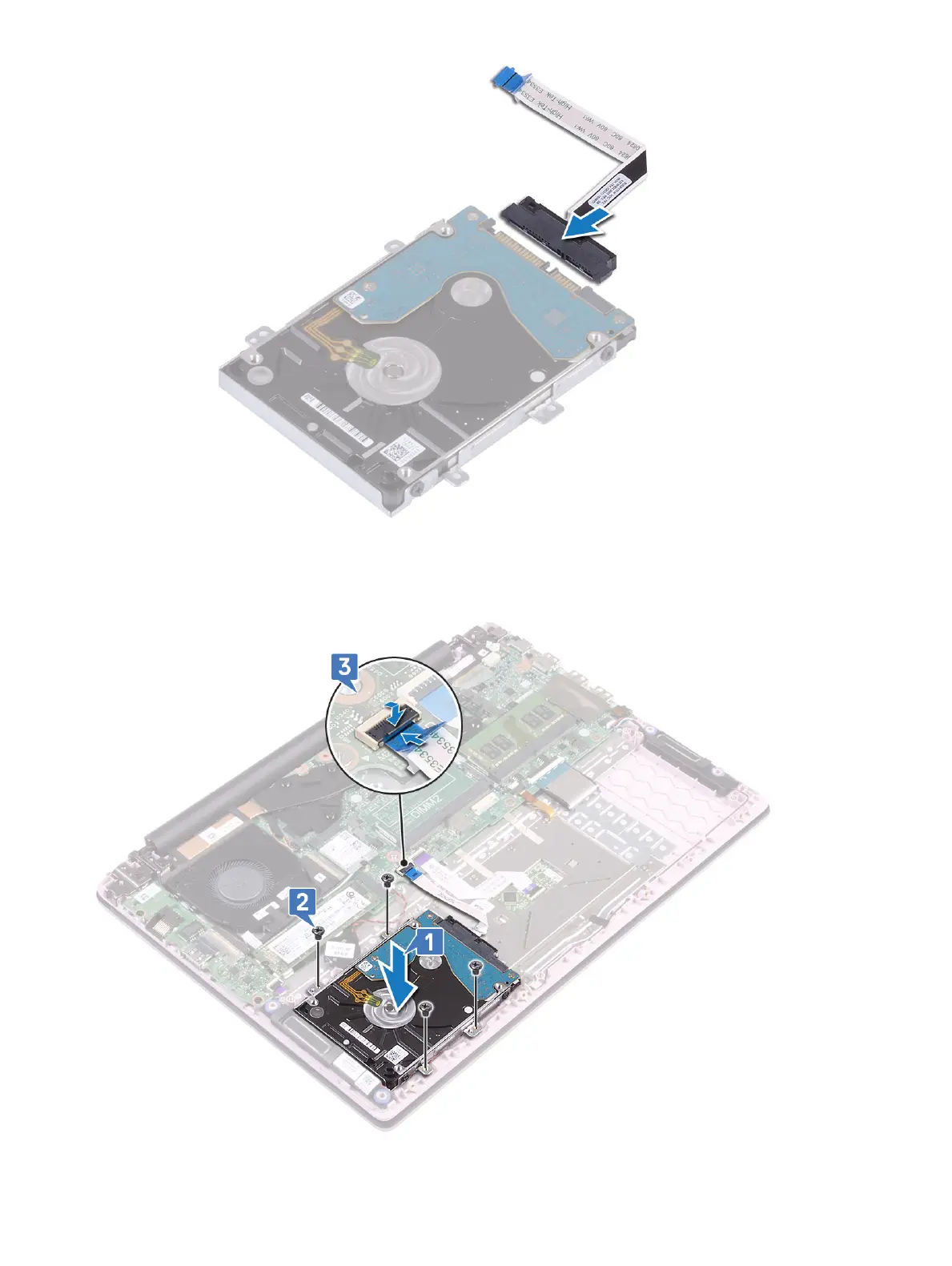
4 Place the hard drive assembly on the system and align the screw holes on the hard-drive assembly with the screw holes on the palm-
rest and keyboard assembly [1].
5 Replace the 4 (M2x3) screws to secure the hard drive assembly to the palmrest and keyboard assembly [2].
6 Connect the hard drive assembly cable to the connector on the system board and close the latch to secure the cable [3].
32
Removing and installing components









 To Next Page