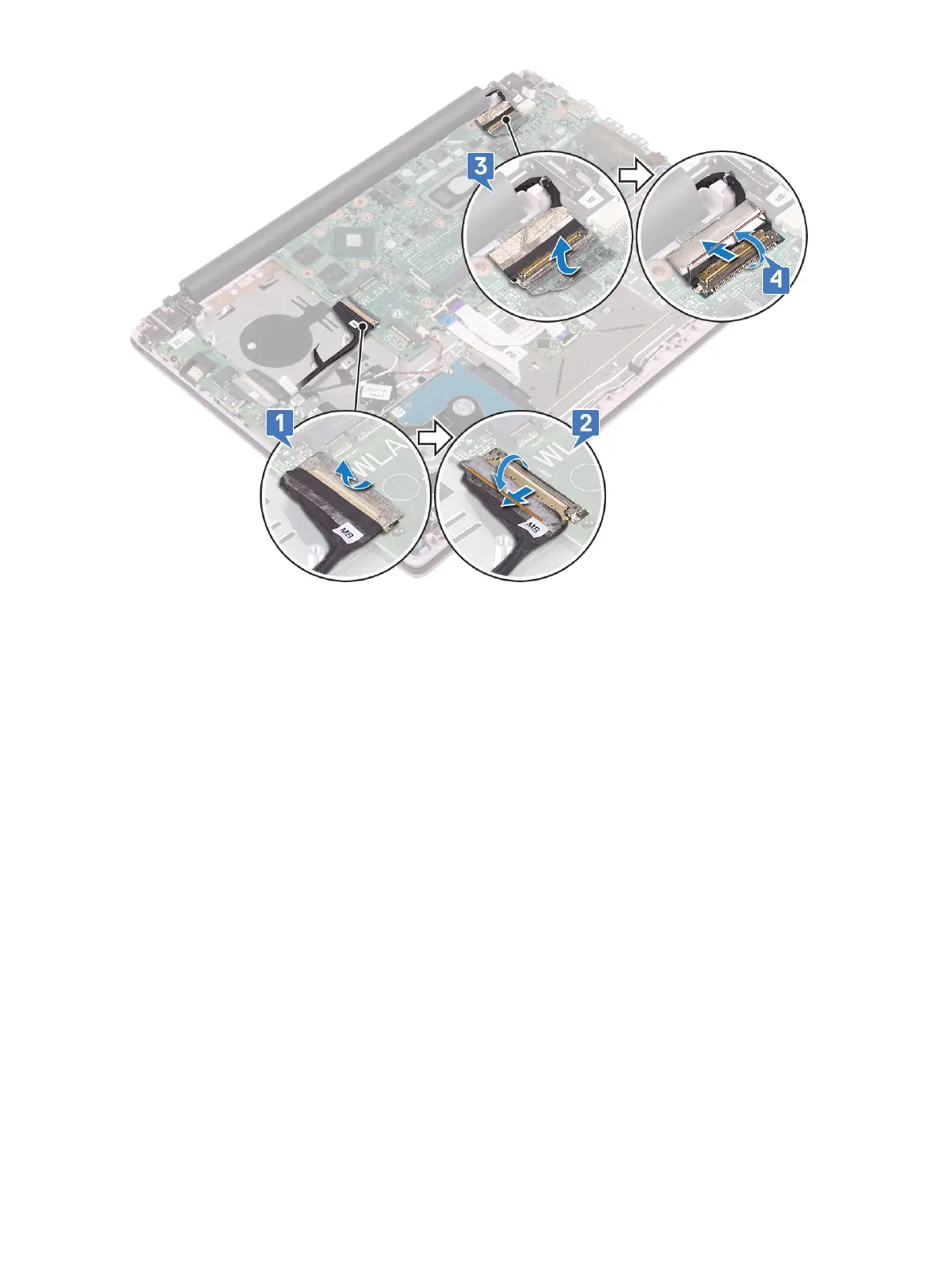
e Remove the following cables:
• coin-cell battery cable [1]
• hard drive cable [2]
• touchpad cable [3]
• power-adapter cable [4]
• speaker cable [7]
• keyboard cable [8]
• keyboard backlight cable (optional) [9]
f Remove the two (M2x3) screws that secure the USB Type-C port bracket to the system board [5].
g Lift the USB Type-C port bracket away from the system [2].
Removing and installing components
65





 To Next Page