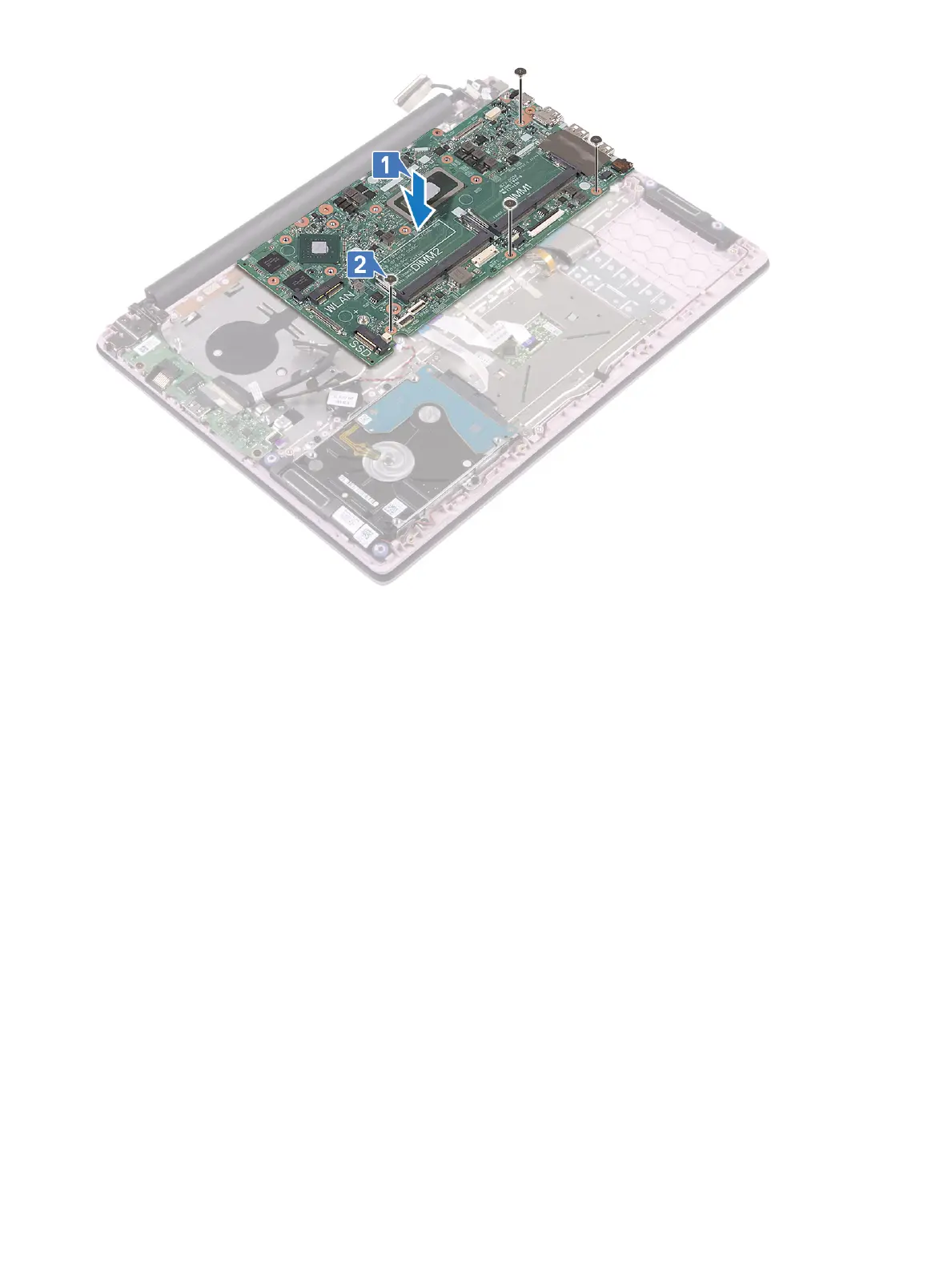
3 Connect the following cables:
• coin-cell battery cable [1]
• hard drive cable [2]
• touchpad cable [3]
• power-adapter cable [4]
• speaker cable [7]
• keyboard cable [8]
• keyboard backlight cable (optional) [9]
4 Place the USB Type-C port to the slot on the system board [5].
5 Replace the two (M2x3) screws to secure the USB Type-C port bracket to the system board [6].
68
Removing and installing components




 To Next Page