Profile Probes Moisture Meter User Manual 4.0
Reading the Profile Probe
Before Taking Readings
Check the following.
1. Set the Device type to PR2, PR1 or PR-Special. This needs to be done
whenever you change the type of device.
2. Set Soil Type for every sensor in the Profile Probe.
3. If you have not selected a Mineral or Organic soil type then define your soil
parameters using the Soil Set-Up menu.
4. Set the Root Depth and Field Capacity if you want mm Deficit.
5. Set the Clock if you have not done so for a few weeks.
6. Select the Plot and Device IDs (optional).
7. Set the Sample number (optional, it auto increments).
8. Connect the HH2 to the Profile Probe.
To take Readings
1. Press Read.
If successful the meter displays the reading, for example:
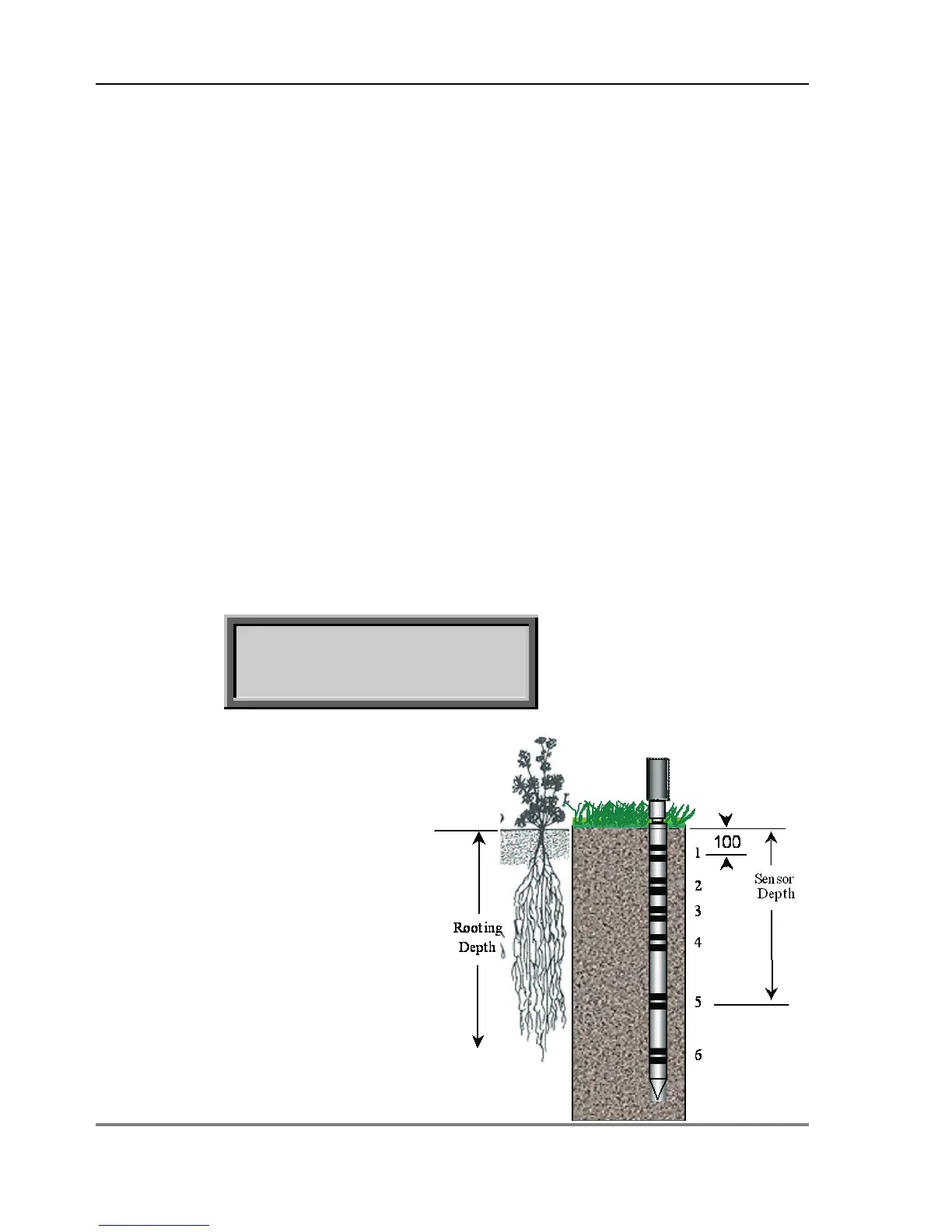
Volumetric soil moisture 100mm below
surface.
The meter displays the reading from the first
sensor, nearest the surface, at 100 mm.
2. Press
or to scroll the
display for other sensor depths and
secondary units (if selected in Options,
Display). The distance displayed is the
sensor depth from the surface.
3. Press Store to save the reading.
Press Esc if you do not want to save the
reading.



 To Next Page