61
Connect PC to HH2
Attach the 25 to 9 way adapter to the HH2 Moisture Meter.
Plug the RS232 cable into this adapter and into serial port COM1 or COM2 of your
PC.
(If your PC does not have a COM port with a 9-way D connector, purchase a USB-
RS232 adapter and install it on your PC).
Select Remote from the HH2 Options menu. The HH2 should display "Connecting to
PC"
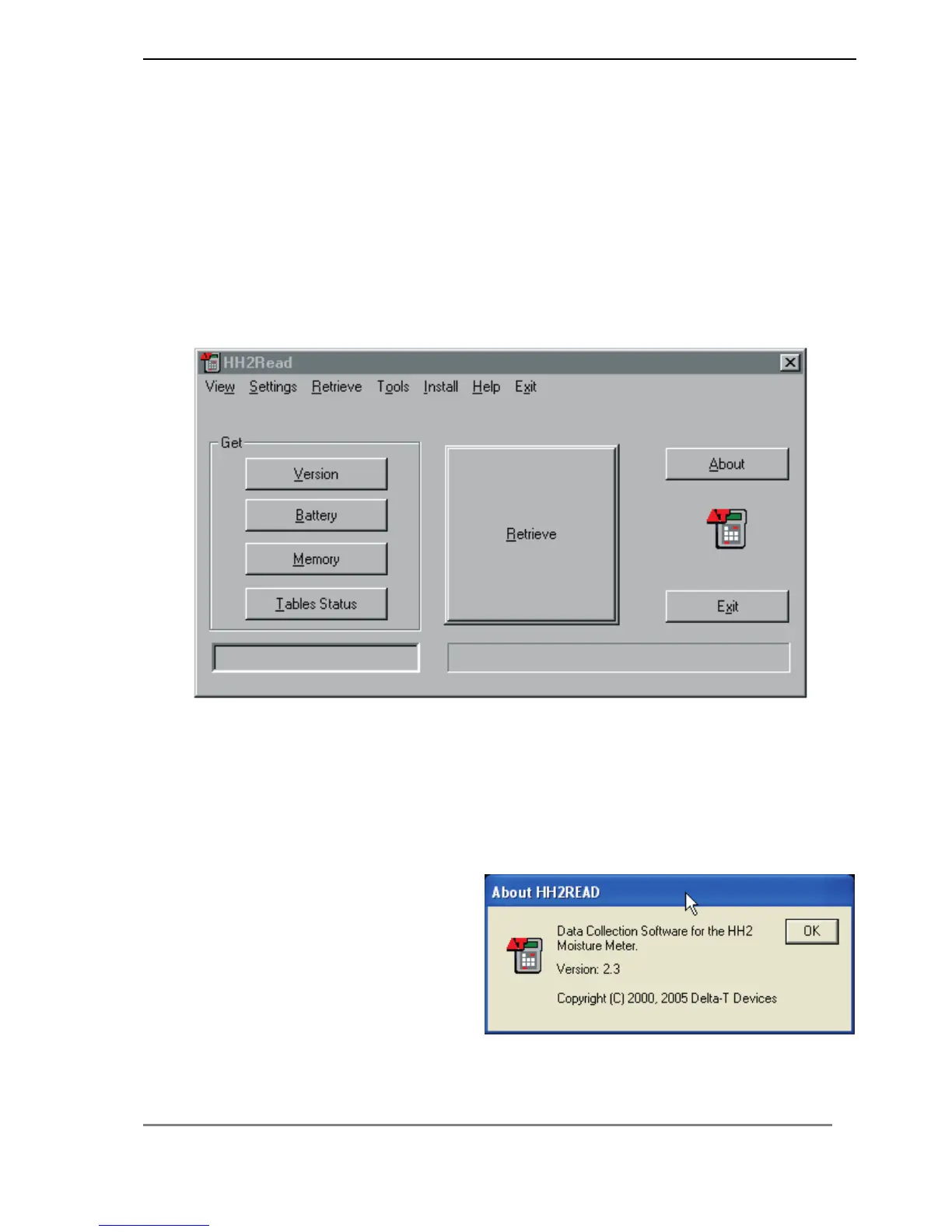
Run HH2Read on your PC.
The applications main window should appear, as follows
The software has 6 menus at the top of the application window and matching buttons
within the window itself.
Select Settings, COM1 or COM2.
Test the Connection
Press the Version button on the HH2Read window.
The following screen should appear:
The HH2 firmware version should be
2.3 or later.



 To Next Page