EasyManua.ls Logo

Delta Amplon RT Series - User Manual

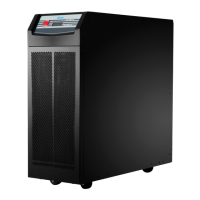
Delta Amplon RT Series
128 pages
Print Icon
To Next Page IconTo Next Page
Loading...
Delta UPS - Amplon Family
The power behind competitiveness
www.deltapowersolutions.com
RT Series, Three Phase
10/ 15/ 20 kVA
User Manual
ESC

Other manuals for Delta Amplon RT Series

Questions and Answers

Delta Amplon RT Series Specifications

General IconGeneral
TopologyDouble Conversion
Output Frequency50/60 Hz
Battery TypeSealed Lead-Acid (SLA)
Transfer Time0 ms
Power Rating1kVA to 20kVA
Power Factor0.9
Communication PortsRS232, USB, SNMP (optional)
Operating Temperature0°C to 40°C
Operating Humidity0% to 95% (non-condensing)
Form FactorTower/Rackmount
DimensionsVaries depending on the specific model
WeightVaries depending on the specific model
ModelDelta Amplon RT Series
TypeOnline Double Conversion

Summary

Important Safety Instructions

Installation Warnings

Guidelines for safe installation of the UPS to prevent hazards.

Connection Warnings

Precautions for safely connecting the UPS to power sources and loads.

Usage Warnings

Important warnings for safe and correct operation of the UPS.

Battery Precautions

Safety guidelines for handling and managing UPS batteries.

Storage Procedures

Procedures and conditions for storing the UPS before and after usage.

Introduction

Product Description

Overview of the RT series UPS models, features, and capabilities.

Exterior and Dimensions

Physical dimensions and exterior views of the RT series UPS models.

Package Contents

List of items included in the UPS package.

Operation Panel

LED Indicators

Description of the status and fault indicators on the UPS operation panel.

Multi-function Buttons

Explanation of the functions of the ON/OFF, Enter, Scrolling, and Escape buttons.

LCD Display Icons

Details on icons and display definitions shown on the UPS LCD screen.

Operation Mode Diagrams

Visual representations and explanations of different UPS operating modes.

Rear Panel

Rear Panel Ports and Connections

Identification and function of terminals and connectors on the UPS rear panel.

Communication Interfaces

Mini Slot

Description of the mini slot for optional communication cards.

RS-485 Port

Details on the RS-485 port for lithium-ion battery communication.

USB and Other Communication Ports

Information on USB, Parallel, REPO ports for UPS management and connectivity.

Dry Contacts

Configuration and function of input and output dry contacts for monitoring.

Installation

Rack Mounting Procedures

Instructions for installing the UPS in a standard 19-inch server rack.

Tower Mounting Procedures

Procedures for mounting the UPS in an upright, tower configuration.

UPS Connection

Pre-connection Warnings

Important warnings and guidelines before connecting UPS cables.

UPS Current and Cable Sizing

Nominal current ratings and recommended cable sizes for UPS models.

Protection Devices

Guidance on installing circuit breakers and backfeed protection.

UPS Wiring Terminals and Functions

Identification and function of UPS wiring terminal blocks.

Wiring Configurations

Specific wiring instructions for various input/output phase configurations.

Parallel Unit Wiring

Guidelines for connecting multiple UPS units in parallel.

Common Battery Wiring

Connecting multiple UPS units to share the same lead-acid battery packs.

Optional Accessory Connections

Connecting optional MBB and PDB accessories to the UPS.

External Battery Pack

External Battery Pack Options

Overview of available Delta lead-acid, lithium-ion, and customer-owned battery packs.

Battery Pack Types

Details on Delta lead-acid, lithium-ion, and customer-owned battery pack options.

Battery Overcurrent Protection

Requirements for DC breakers or fuses for customer-owned battery overcurrent protection.

Delta Standard Battery Pack

Parameters for Delta lead-acid and lithium-ion standard battery packs.

Connecting Delta Standard Battery Packs

Procedures for connecting Delta lead-acid and lithium-ion battery packs to the UPS.

Battery Setup (Initial Setting Screen)

Configuring battery parameters via the UPS initial setting screen.

Customer-Owned Battery Pack Specifications

Specifications for customer-owned lead-acid and other battery types.

External Battery Pack Precautions

Important precautions for connecting and using external battery packs.

Battery Replacement (Standard Battery Pack)

Procedures for replacing standard battery packs by qualified service personnel.

UPS Battery Alarm

Information on UPS battery alarms and how to initiate a battery test.

Operation

UPS Start-up Procedures

Steps for starting up the UPS in AC mode and cold start scenarios.

Shutdown Procedures

Steps for safely shutting down the UPS and its components.

Alarm and Silence Functions

Understanding UPS alarms and how to silence audible warnings.

UPS Operation Modes

Details on Initial Setting, Standby, and Bypass modes.

Normal UPS Operation Modes

Details on Online, Battery, ECO, and Frequency Conversion modes.

LCD Display and Settings

Initial Setting Screen

Configuration steps for Language, Date/Time, Output, and Battery settings.

Main Menu Navigation

How to navigate and use the UPS Main Menu for settings and measurements.

Main Menu Sections

Overview of Measurement, Setup, Control, and Maintenance menus.

Measurement Menu

Displays UPS status readings like output, input, and battery parameters.

Output and Input Settings

Configuring output and input parameters like voltage, frequency, and phase.

Mode and Parallel Settings

Settings for ECO Mode, Parallel UPS configuration, and On/Off options.

Battery Settings

Configuring battery tests, warnings, charge modes, and battery types.

General and Dry Contact Settings

Settings for language, alarms, LCD backlight, dry contacts, and remote control.

Component Life Prediction Settings

Settings for predicting fan life.

Control Menu Functions

Enabling UPS functions like charger and alarm settings via the Control Menu.

Maintenance Menu Functions

Performing tests, managing logs, and viewing UPS information.

Optional Accessories

Optional Accessories Overview

List and functions of optional accessories like dust filters, communication cards, and boxes.

Troubleshooting

Troubleshooting Common Issues

Identifies common UPS problems, causes, and solutions.

Maintenance

UPS Cleaning and Inspection

Regular cleaning and inspection procedures for the UPS unit.

Battery Maintenance

Guidelines for battery inspection, replacement, and charging to ensure longevity.

Fan Maintenance

Ensuring proper fan operation and replacement to maintain cooling.

Technical Specifications

Input Specifications

Details on UPS input voltage, frequency, power factor, and connection.

Output Specifications

Details on UPS output voltage, frequency, power factor, and overload capacity.

Efficiency and Battery Specifications

UPS efficiency ratings and battery/charger voltage and current.

Physical and Environmental Specifications

Physical dimensions, weight, operating altitude, temperature, and humidity.

Warranty Information

Sellers Warranty Terms

Details on product warranty coverage, exclusions, and maintenance services.

Related product manuals