Chapter 5 Configuring in DIADesigner-AX
5-9
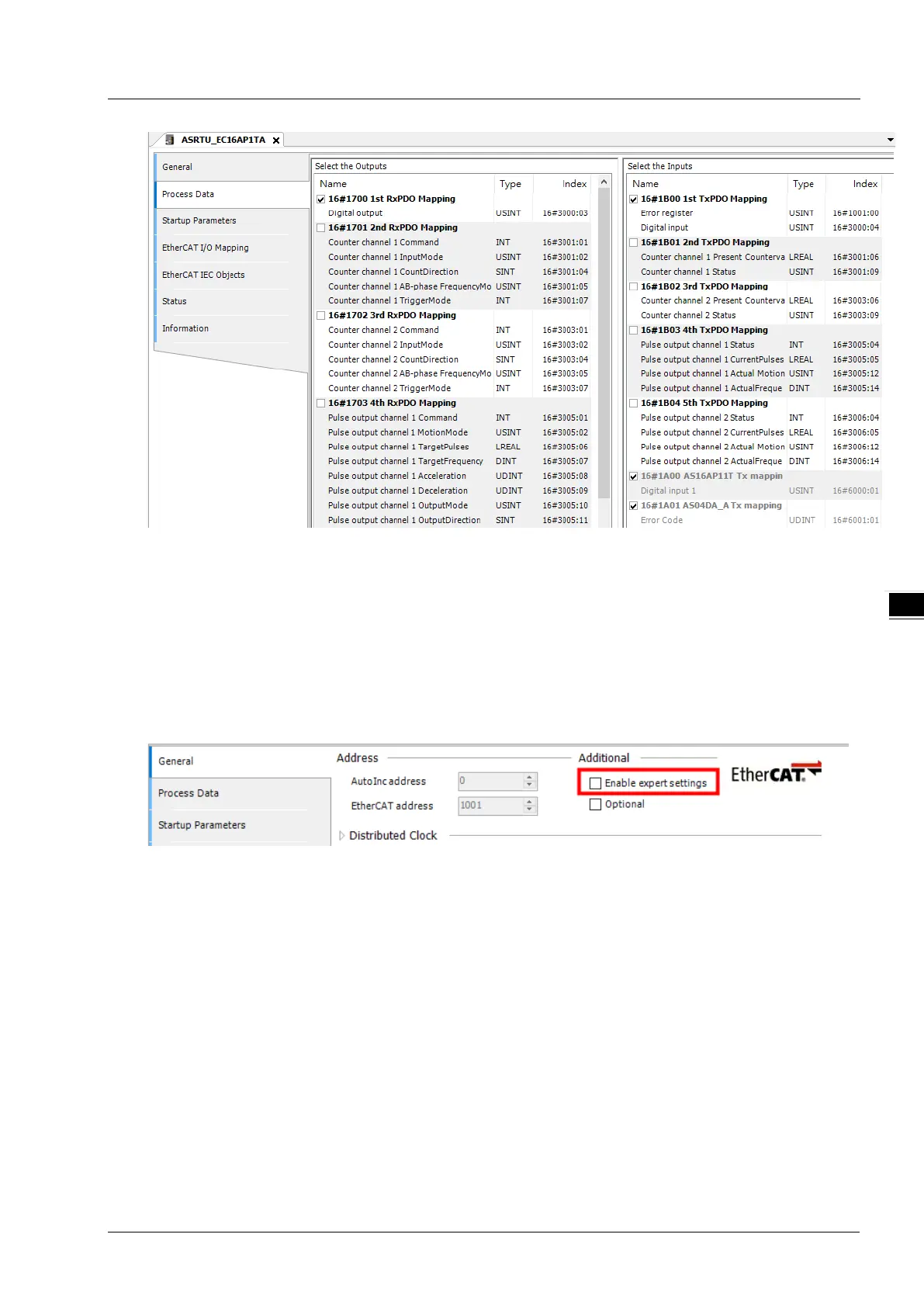
ASRTU-EC16AP1TA provides five TxPDO Mappings and five RxPDO Mappings for option. Users could
choose desired ones on the page. Refer to Section 6.5 for details on parameters for each PDO mapping.
Apart from configuring five default TxPDO Mappings and five default RxPDO Mappings, users could
also configure the parameters for each PDO Mapping in the following steps.
1. In the main configuration interface of ASRTU-EC16AP1TA, click on “General” tab and tick the
checkbox of “Enable expert settings”.
2. After ticking the checkbox of “Enable expert settings”, the “Expert Process Data” tag is added to the
main configuration interface of ASRTU-EC16AP1TA.



 To Next Page