VFD-MS300/MH300 EtherNet/IP Communication Card CMM-EIP01
CMM-EIP01 Operation Manual
42
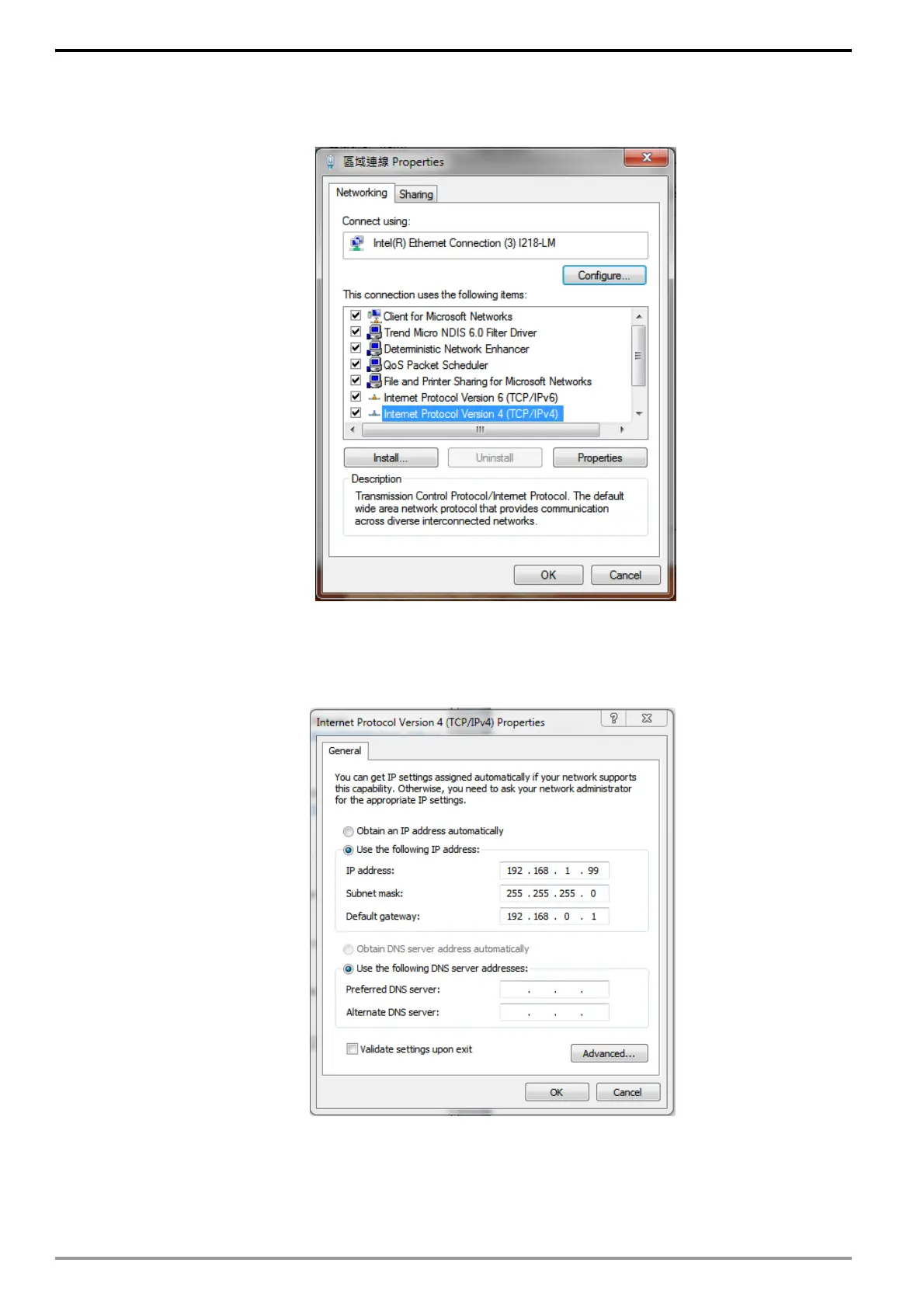
3. Select "Internet Protocol Version 4 (TCP / IPv4)" and click on "Properties" as
indicated in the diagram.
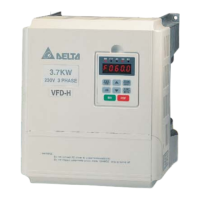
4. Enter "192.168.0.1" into the IP address field. Click "OK" to complete the IP
address configuration for the PC.






 To Next Page