VFD-MS300/MH300 EtherNet/IP Communication Card CMM-EIP01
CMM-EIP01 Operation Manual
51
7.6 Keypad Operation (2)
Function Description Modifying network parameters while under password protection by using the keypad
Network
environment
(1) The password for CMM-EIP01 is set to "1234"
(2) Set IP address to "Static": Set the static IP address to "192.168.1.16", netmask
to "255.255.255.0", and gateway to "192.168.1.1".
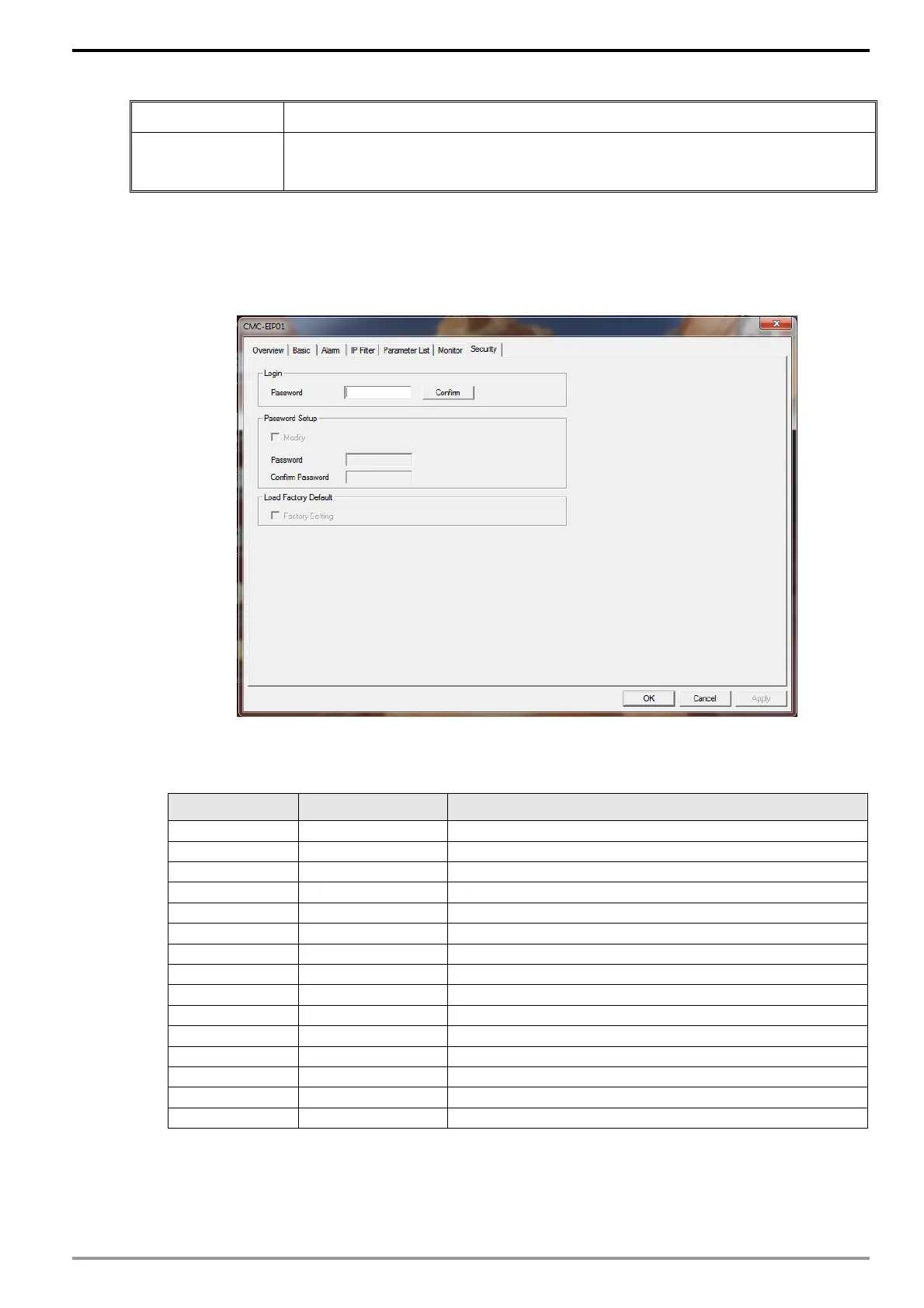
1. Refer to Section 7.8 on how to set up the password for CMM-EIP01.
2. Launch the setup dialog box again. At this time, the password status is "locked" and
no settings can be modified. In addition, there is no way to revert to factory default
settings.
3. Enter the corresponding value in each address with the keypad according to the table
below, and then press the "Enter" key on the keypad.
Keypad address Setting Value Description of Function
09-75 0 Set IP address to "Static"
09-76 192 IP Address 1
09-77 168 IP Address 2
09-78 1 IP Address 3
09-79 16 IP Address 4
09-80 255 Netmask 1
09-81 255 Netmask 2
09-82 255 Netmask 3
09-83 0 Netmask 4
09-84 192 Gateway 1
09-85 168 Gateway 2
09-86 1 Gateway 3
09-87 1 Gateway 4
09-88 34 Password Low
09-89 12 Passwrod High
4. Enter "6" into the address 09-91 with the keypad and press "Enter" on the keypad to
complete the setup of network parameters.
Caution: Password operation on the keypad allows only parameter modification via Login. It is not
possible to set/change the password via the keypad.






 To Next Page