VFD-MS300/MH300 EtherNet/IP Communication Card CMM-EIP01
CMM-EIP01 Operation Manual
41
6.2 PC Network Setup
The first step for a network device to be connected to the network is to assign an IP
(Internet Protocol) address. The IP address is similar to a serial number and can be used
to uniquely identify each piece of equipment on the network.
Assigning a static IP address to the PC
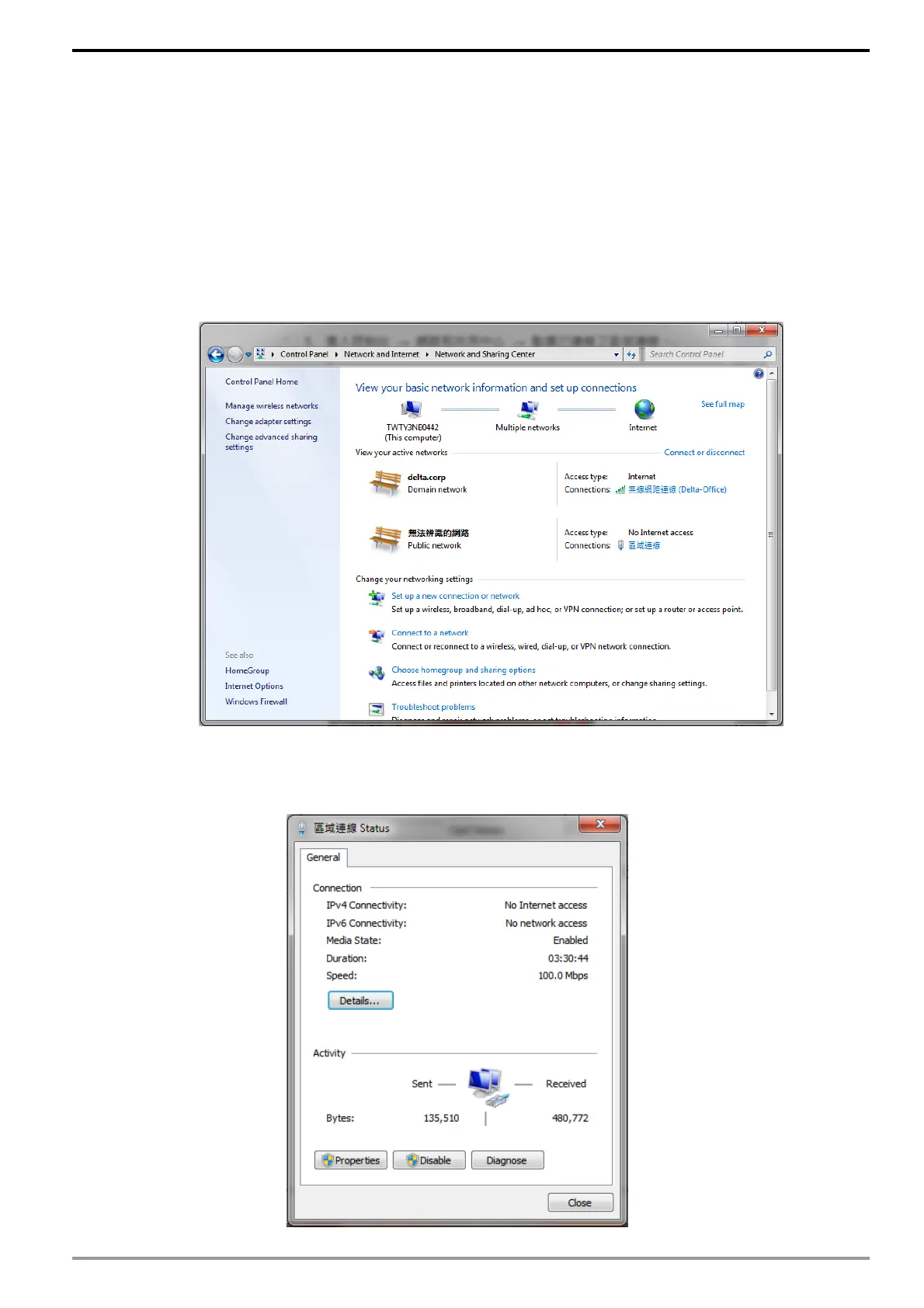
1. Enter Control Panel → Network and Sharing Center → Click on the local
network the PC is connected to.
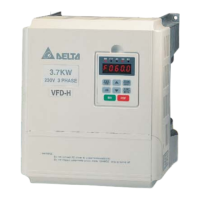
2. Click to enter the "Local Area Connection Status" window as shown in the
diagram.






 To Next Page