VFD-MS300/MH300 EtherNet/IP Communication Card CMM-EIP01
CMM-EIP01 Operation Manual
47
7.3 IP Filter Protection
Function Description Setting up IP filter protection
Network
environment
(1) IP address of CMM-EIP01 is 192.168.0.4
(2) Allow only devices with IP addresses in the range 192.168.0.7 and 172.16.0.1
– 172.16.0.254 to establish connections with CMM-EIP01
1. Please refer to Section 7.1 for the connection diagram and communication settings.
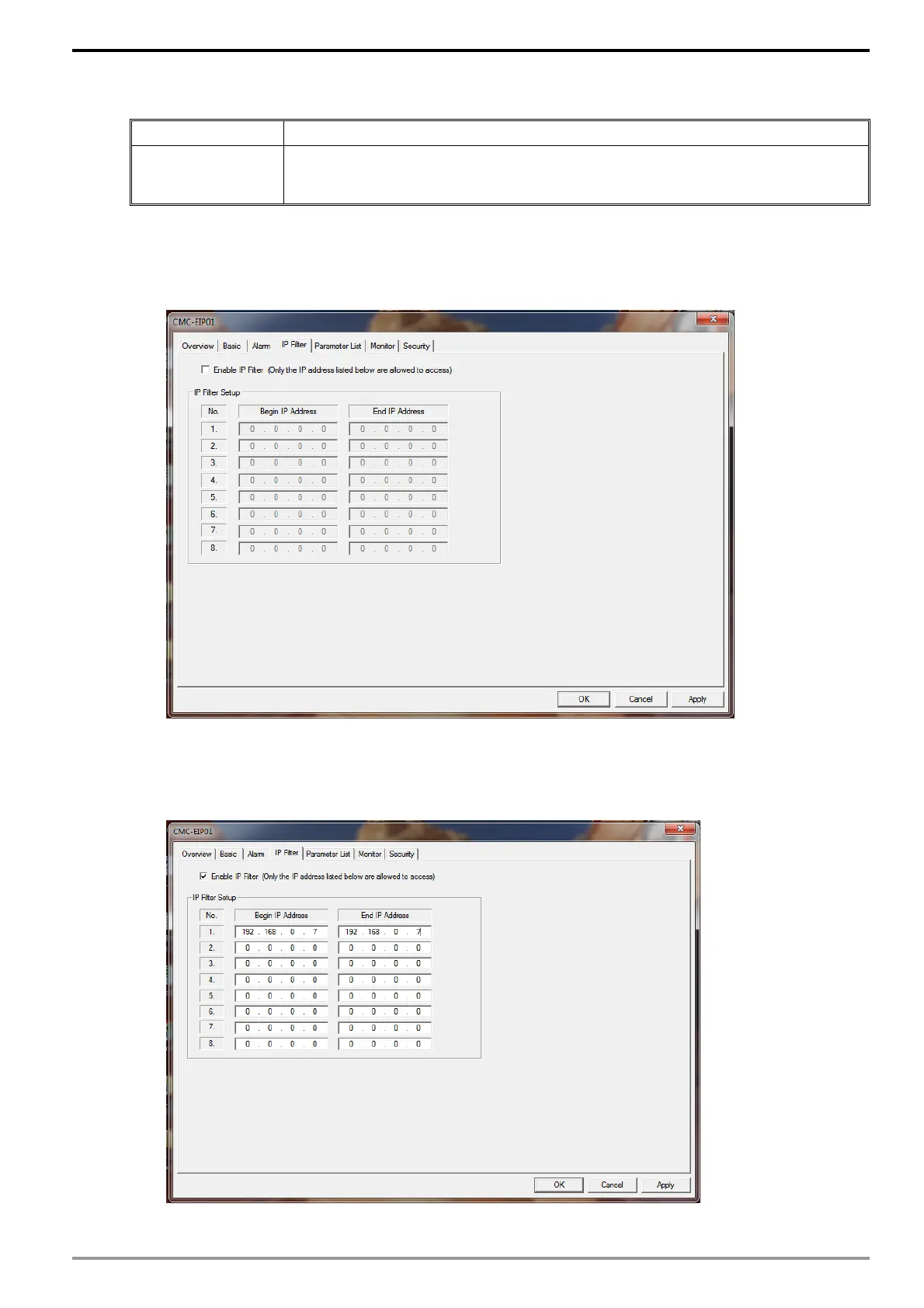
2. Launch the setup dialog for CMM-EIP01 and click on the "IP Filter" tab.
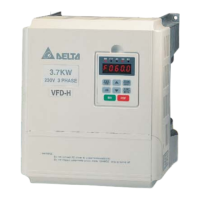
3. Check "Enable IP Filter". Enter "192.168.0.7" into Group 1's "Starting IP address" and
"Ending IP address".






 To Next Page