VFD-MS300/MH300 EtherNet/IP Communication Card CMM-EIP01
CMM-EIP01 Operation Manual
53
8 Troubleshooting
In this section, we describe the scenario where the CMM-EIP01 communication card is
not functioning properly. LED indicators on the CMM-EIP01 will provide information on how to
deal with the problem and the meanings of error codes displayed on the drive's panel.
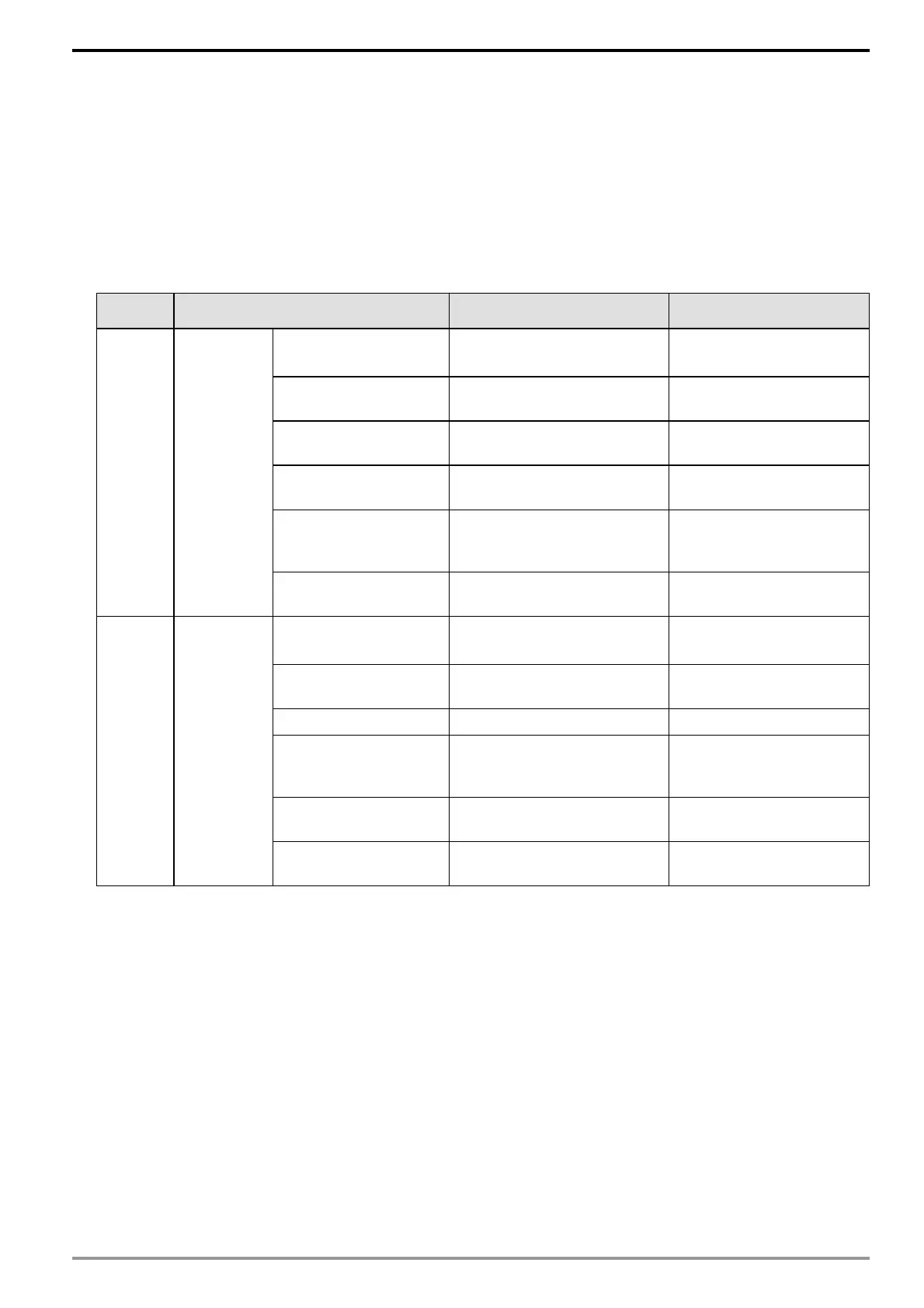
8.1 Explanation of LED Indicators
Name Indicator status Indication Handling method
Power
indicator
Green /
Red LEDs
Flashing red /
green alternately
Product status self-testing No action required
Red LED always on
Device has experienced an
unrecoverable error
Hardware error; contact
the product distributor
Green light always on
Device parameter
configuration is complete
No action required
Flashing red light
A recoverable error has
occurred
Verify if the parameter
settings are correct
Flashing green light
Device parameters not
configured
Refer to instructions in the
manual to configure
parameters
LED is off No power supply
Check if the power supply
is connected properly
Link
indicator
Green LED
Flashing red /
green alternately
Network status self-testing No action required
Red LED always on Duplicate IP address
Check if the IP address is
correct
Green LED always on Network connection normal No action required
Flashing red light
Communication time
out/disconnected/IP changed
Check if the
communication settings
are correct
Flashing green light
Network packets
transmitting/receiving
No action required
LED is off Not connected to a network
Check if the network cable
is connected properly






 To Next Page