Chapter 2 Getting Started the BHT and System Mode
91
[ 6 ] System Information
[6.1] Displaying the BHT system information
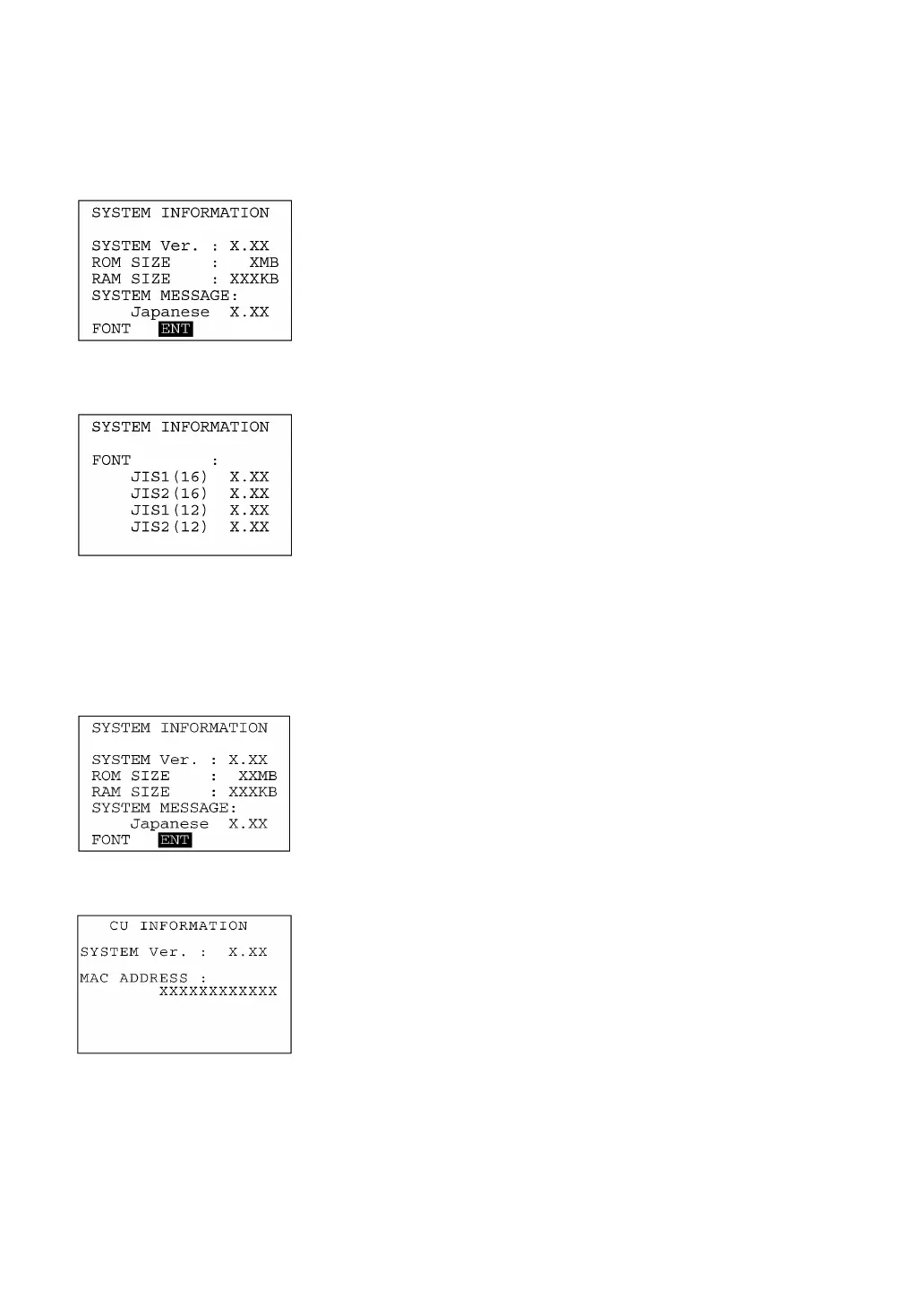
Selecting the "6:VERSION" on the SYSTEM MENU calls up the
screen shown at left, displaying the system program version, ROM
and RAM sizes, system message version, and font types and thei
versions.
Press the C key to return to the SYSTEM MENU.
BS key ⇑ ⇓ ENT key
The following font types are displayed:
JIS1 (16): JIS Level 1 font, 16-dot
JIS2 (16): JIS Level 2 font, 16-dot
JIS1 (12): JIS Level 1 font, 12-dot
JIS2 (12): JIS Level 2 font, 12-dot
[6.2] Displaying the CU-8011 system information
(Available in LAN-support BHT system only)
M1 key ⇑ ⇓ M2 key
If placed on the CU-8011, the BHT may display the CU-8011 system
information.
On the SYSTEM INFORMATION screen (that can be called up b
selecting "6:VERSION" on the SYSTEM MENU), press the M2 key.
The CU INFORMATION screen will appear where the CU-8011
system version and MAC address are displayed.
To return to the SYSTEM INFORMATION screen, press the M1 key.



 To Next Page