Chapter 5 Handling the CU-8000 (Option)
163
[ 1 ] Fully Discharging and then Charging—"Refreshing"
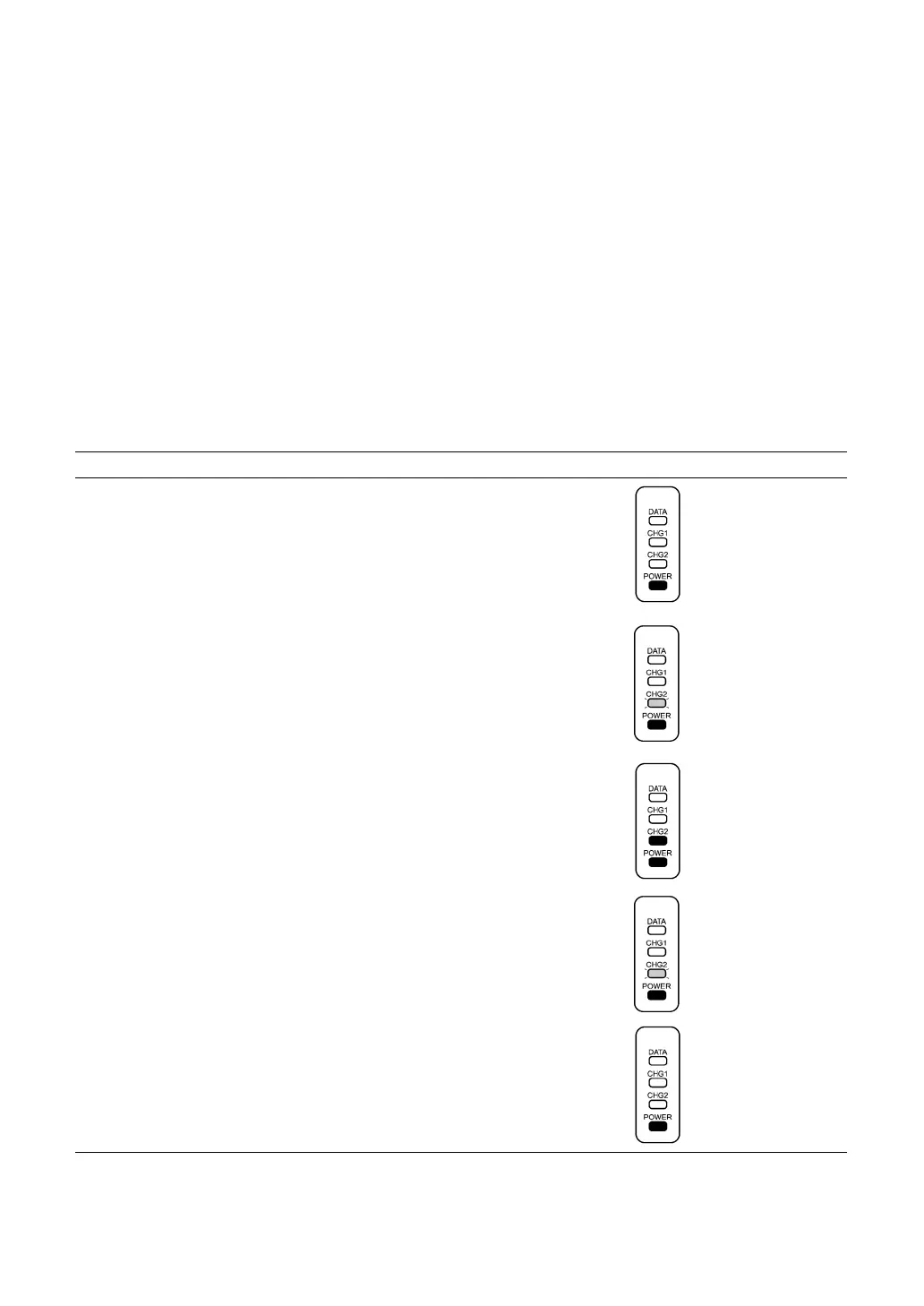
(1) Turn the CU-8001/8021/8011 on. The POWER LED comes on.
(2) Load a Ni-MH battery cartridge into the CU-8001/8021 from the battery cartridge slot.
The CU-8001/8021/8011 flashes the CHG2 LED at 0.5-second intervals and starts discharging the
cartridge. The discharging time differs depending upon the battery condition, but never more than 3
hours.
Upon completion of discharging, the CHG2 LED comes to stay on and the CU-8001/8021/8011
starts charging. The charging time is approx. 8 hours.
Upon completion of charging, the CHG2 LED starts flashing at 2-second intervals.
(3) Remove the battery cartridge from the CU-8001/8021/8011.
" Discharging & Charging Operations and LED Indication
Operator's Action CU-8001/8021/8011 Status LED Indication
Turn on the CU-8001/8021/8011.
⇓
On standby
⇓
Load a battery cartridge
into the CU-8001/8021/8011.
⇓
Discharging
⇓
After discharging
⇓
Ordinary charging
⇓
After approx. 8 hours
⇓
Trickle charging*
⇓
Take out the battery cartridge. On standby
* "Trickle charging" is a slow continuous charge for a battery, which compensates for the slight amount of
discharge happening even when batteries are not in use.
Flashing at 0.5-second
intervals
ON
ON
ON
Flashing at 2-second
intervals
ON
ON
OFF
ON



 To Next Page