Chapter 2 Getting Started the BHT and System Mode
53
[ 3 ] Uploading
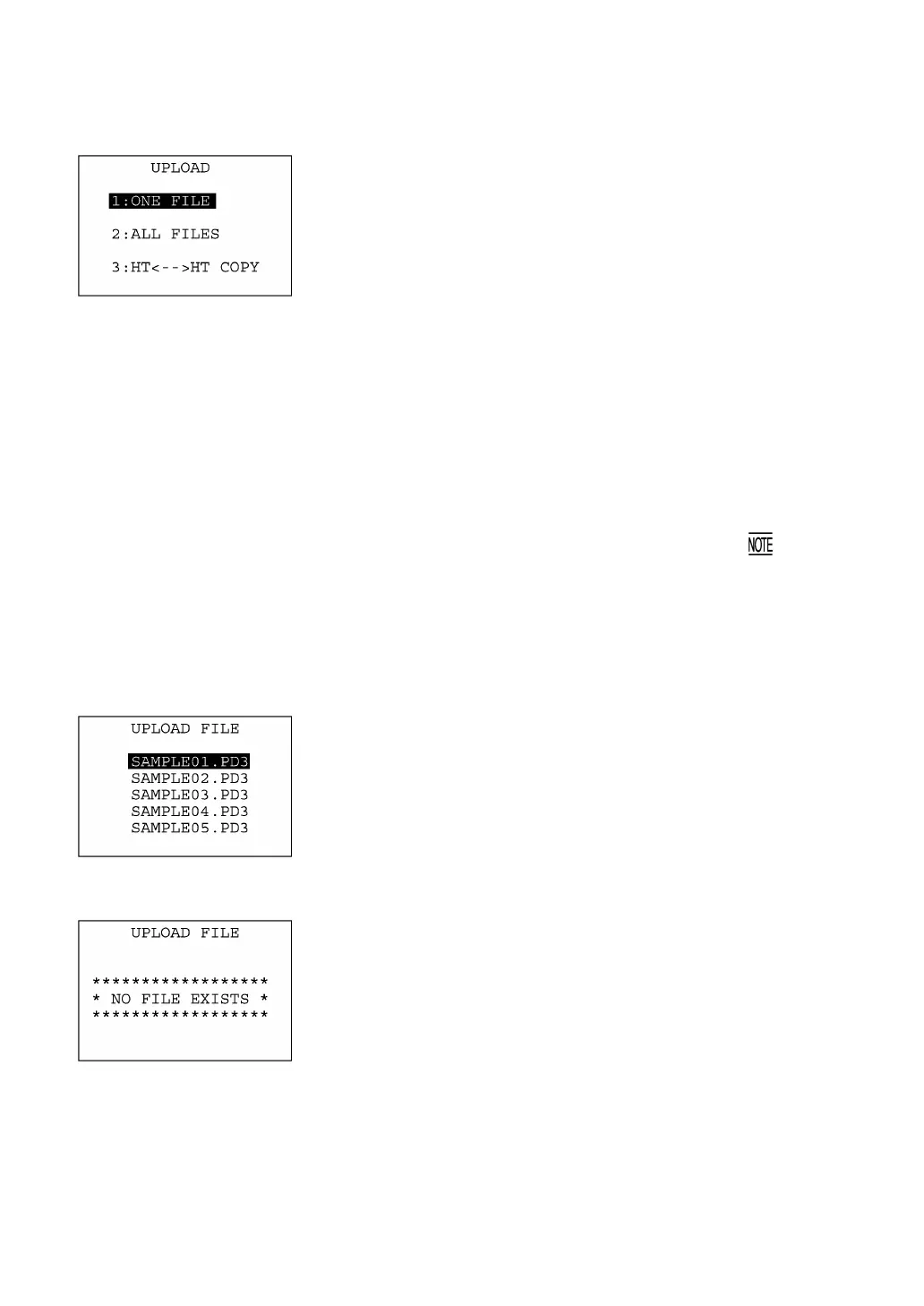
Selecting "3: UPLOAD" on the SYSTEM MENU calls up the screen
shown at left.
[1] ONE FILE: Uploads a user program file or data file stored
in the memory.
[2] ALL FILES: Uploads all of user program files (objec
programs) and data files stored in the
memory.
[3] HT<-->HT COPY: Uploads all of the files, system parameters,
and calendar clock data stored in the BHT, t
another BHT.
This function enables copying between the
BHTs. At the receiving BHT, select "2:
DOWNLOAD" and "2: HT<-->HT COPY" in
System Mode.
For the preparation to be made preceding the
start of this function, refer to given on
page 47.
Select a desired item by using the numerical keys or F5 and F6 keys,
and the selected item becomes highlighted. Then press the ENT key.
To return to the SYSTEM MENU, press the C key.
If you select "1:ONE FILE" on the UPLOAD menu, the file selection
screen as shown at left will appear, listing all of the program files and
data files stored in the memory. Select a file(s) you want to upload
and press the ENT key.
If you select "2:ALL FILES" or "3:HT<-->HT COPY" on the UPLOAD
menu, the "ALL" or "HT<-->HT" will appear in the center of the 2nd
line, respectively.
If you select "1:ONE FILE" or "2:ALL FILES" on the UPLOAD menu
when no files are stored in the memory, then the message shown at
left will appear.
Pressing the C key returns to the UPLOAD menu.



 To Next Page