54
Upload screens
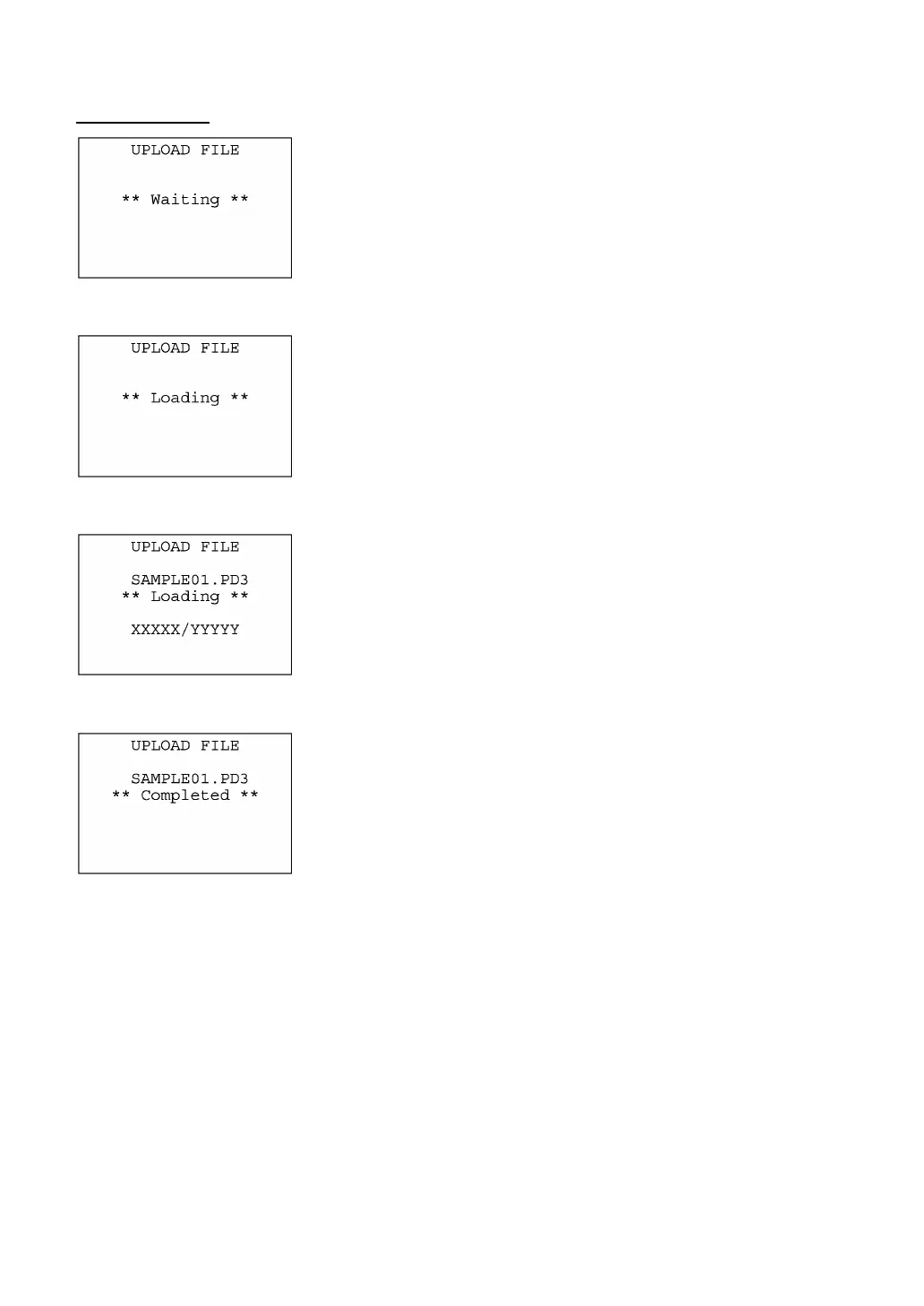
If you select "1:ONE FILE" and choose a file to be uploaded or if you
select the "2:ALL FILES" or "3:HT<-->HT COPY" on the UPLOAD
menu, then the screen shown at left will appear.
If you select "2:ALL FILES" or "3:HT<-->HT COPY," the "ALL" o
"HT<-->HT" will appear in the center of the 2nd line, respectively.
Showing this screen, the BHT waits for a file(s) to be uploaded.
⇓
Upon start of optional Ir-Transfer Utility C/Ir-Transfer Utility E/Transfe
Utility or equivalent program (upon receipt of an ACK code from the
host PC), the BHT displays the screen shown at left.
(Refer to the "Ir-Transfer Utility C Guide"/"Ir-Transfer Utility E
Guide"/"Transfer Utility Guide.")
⇓
While the uploading operation is in progress, the screen shown at lef
is displayed indicating the file name and the number of sent
records/the total number of records.
To abort the uploading operation, press the C key. The screen will
switch back to the UPLOAD menu.
⇓
Upon completion of uploading, the number of sent records becomes
equal to the total number of records and the beeper beeps once.
Press the C key to return to the UPLOAD menu.
If you have selected "2:ALL FILES" or "3:HT<-->HT COPY" on the
UPLOAD menu, a sequence of the above screens will be repeated b
the number of files to be uploaded.



 To Next Page