Chapter 2 Getting Started the BHT and System Mode
47
[ 2 ] Downloading
If you download a file having the same name as one already used in the user area of the target memor
in the BHT, then the newly downloaded file replaces the old one.
If no auto-start execution program has been specified (refer to Section 2.5.3, [4.1]), turning the BHT
on will let the directory manager start the first registered one out of user programs (.PD3) downloade
in the BHT--the program that appears on the top of the EXECUTE PROGRAM menu shown on th
previous page. Taking this into account, determine the file downloading order. For details, refer to
Section 2.7, "Starting Up User Programs."
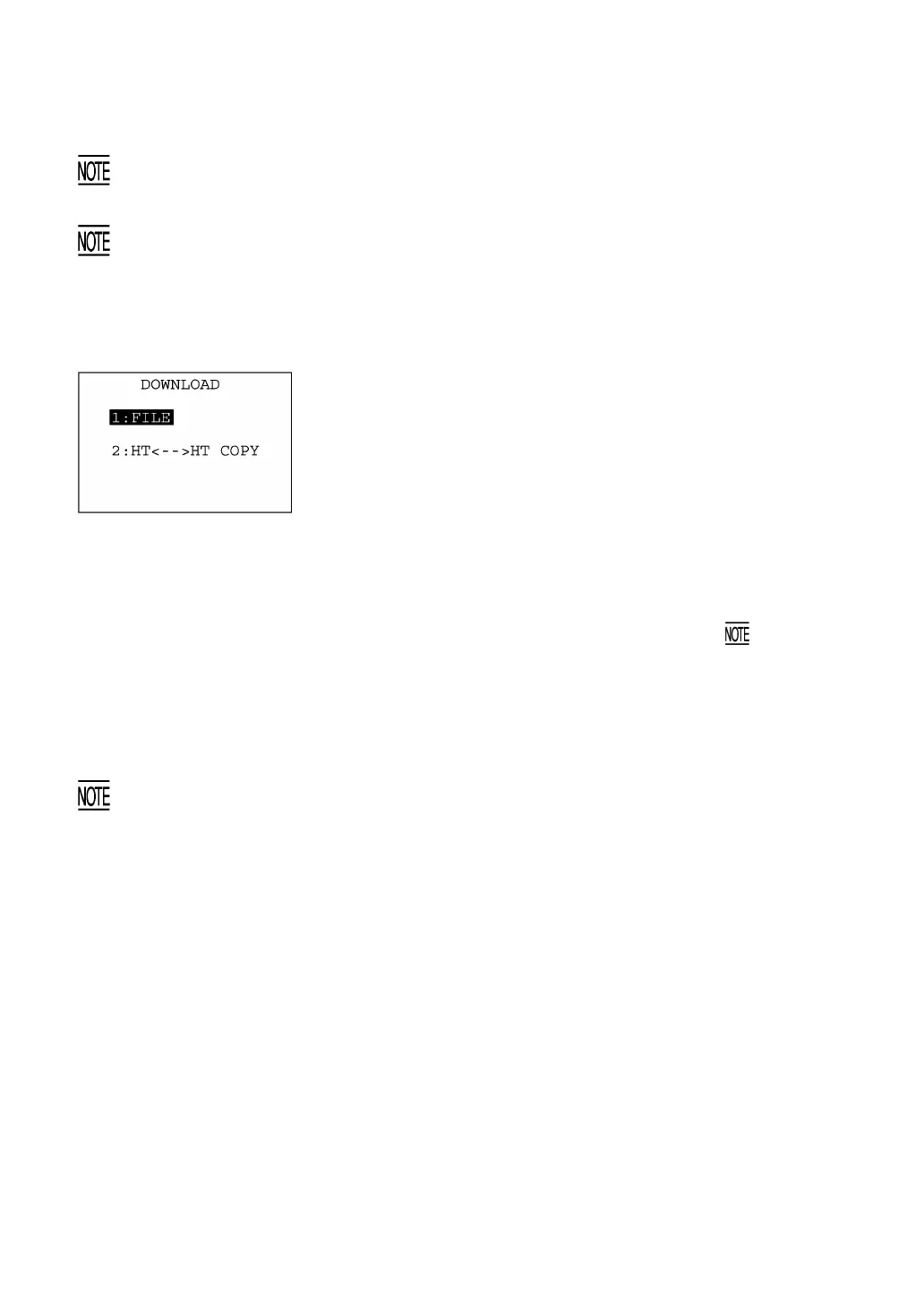
Selecting "2: DOWNLOAD" on the SYSTEM MENU calls up the
screen shown at left.
[1] FILE: Downloads a user program file or data file to
the user area of the BHT.
[2] HT<-->HT COPY: Downloads all of the files, system
parameters, and calendar clock data stored
in the connected BHT.
This function enables copying between the
BHTs.
For the preparation to be made preceding the
start of this function, refer to below.
Select a desired item by using the numerical keys or F5 and F6 keys,
and the selected item becomes highlighted. Then press the ENT key.
To return to the SYSTEM MENU, press the C key.
Preparation for Copying between the BHTs
Before downloading to the BHT from another BHT, make the following preparation:
• At each BHT, set the interface port. The default is an IrDA interface (Optical).
Interface setting procedure: Starting on the SYSTEM MENU, select "4:SET SYSTEM,"
"5:COMMUNICATION," and "3:COM PORT." On the SET COM DEFAULT PORT screen,
select the IrDA interface (Optical) or direct-connect interface (Connector) of "2:SYSTE
MODE."
• At each BHT, set the FIELD SPACE to "Ignore" on the communications protocol option screen to
trim trailing spaces in data fields. The default is "Ignore." For the setting procedure, refer to Section
2.5.3, [4.5].
• When using the direct-connect interface, pull out the connector cover on each BHT to expose the
direct-connect interface port. Connect the BHTs via those ports with the direct-connect interface
cable (having 3-pole mini stereo plugs). For the details about the cable, refer to Chapter 3, Section
3.2.
• On the uploading BHT, run System Mode and select "3:UPLOAD" and "3:HT<-->HT COPY."



 To Next Page