2
1.1 Reading Bar Codes
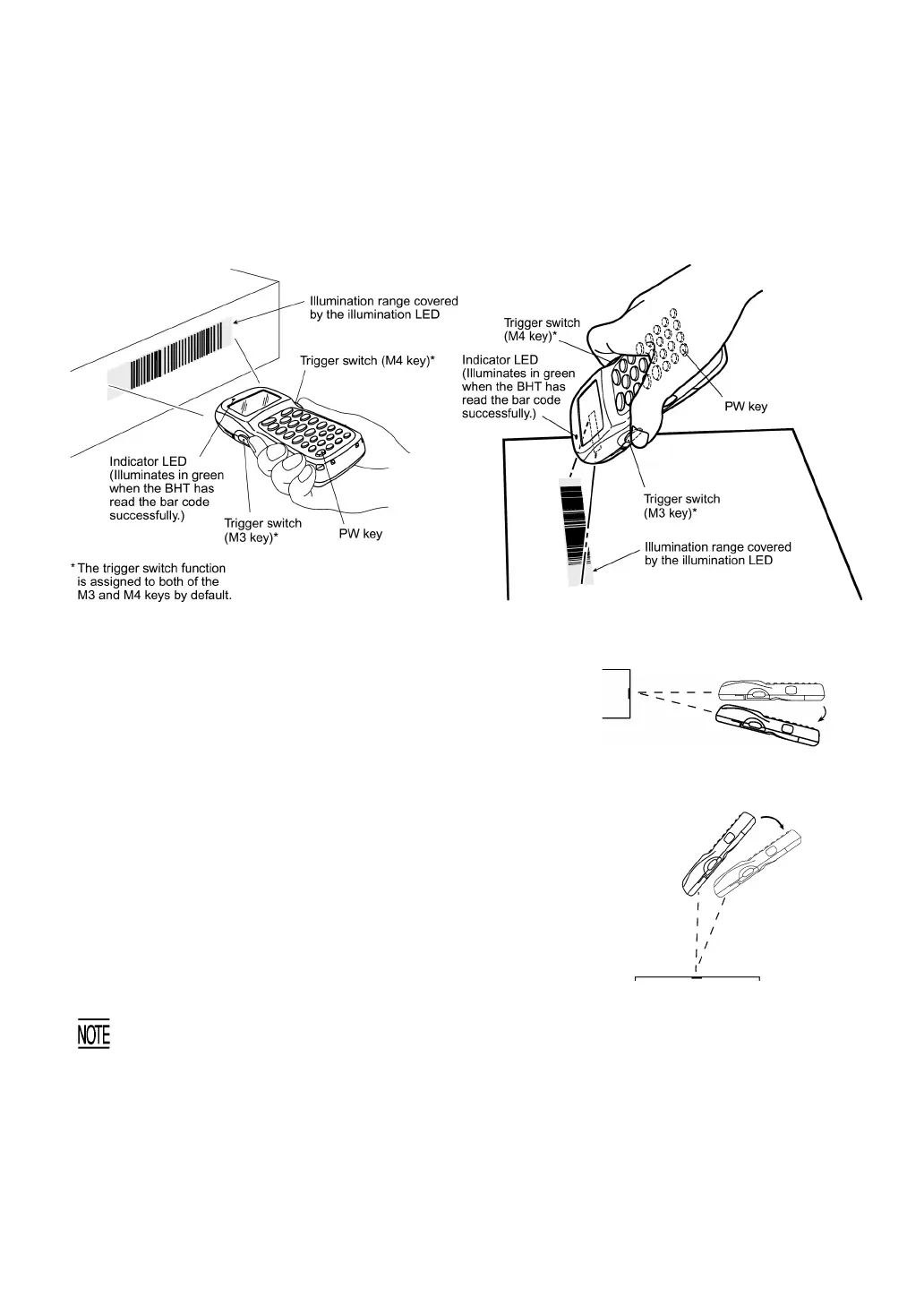
Turn the BHT on, bring the bar-code reading window to the bar code to be scanned, and press the
trigger switch. The BHT turns on the illumination LED to scan the bar code.
When the BHT has read the bar code successfully, the indicator LED will illuminate in green.
BHT-8000/8000D (Straight beam type) BHT-8100 (Slant beam type)
• If the BHT fails to read due to specular effects or other factors,
change the scanning angle of the bar-code reading window or the
distance from codes as shown at right, and try it again. (Specular
effects occur when the reflection of the light from the bar code
becomes excessively strong. This can easily happen when the
reflecting surface is polished or covered with vinyl.)
• To read bar codes wider than the readable area of the bar-code
reading window, pull the bar-code reading window away from bar
codes.
**For the detailed scanning conditions, refer to Appendix A.
• The bar code reading procedure may differ depending upon the
application used, so follow the application’s manual.
BHT-8000/8000D (Straight beam type)
BHT-8100 (Slant beam type)
• Before reading labels, clean them if stained.
• Avoid using the BHT in direct sunlight. The BHT might fail to read correctly.
• To read bar codes on curved surfaces, apply the bar-code reading window to the center of each bar
code at a right angle.
• If you pull the bar-code reading window away from bar codes, the actual scanning range will
become narrower than the range covered by the illumination LED.
• The light intensity of the illumination LED will vary depending upon the scanning conditions an
variation of its elements.



 To Next Page