106
[ 12 ] Downloading/Uploading the System Message File
The system message file (named "_B80MSG.FN3") stores system messages, e.g., "Shutdown in
progress. Do not remove the battery." and "Charge the battery!."
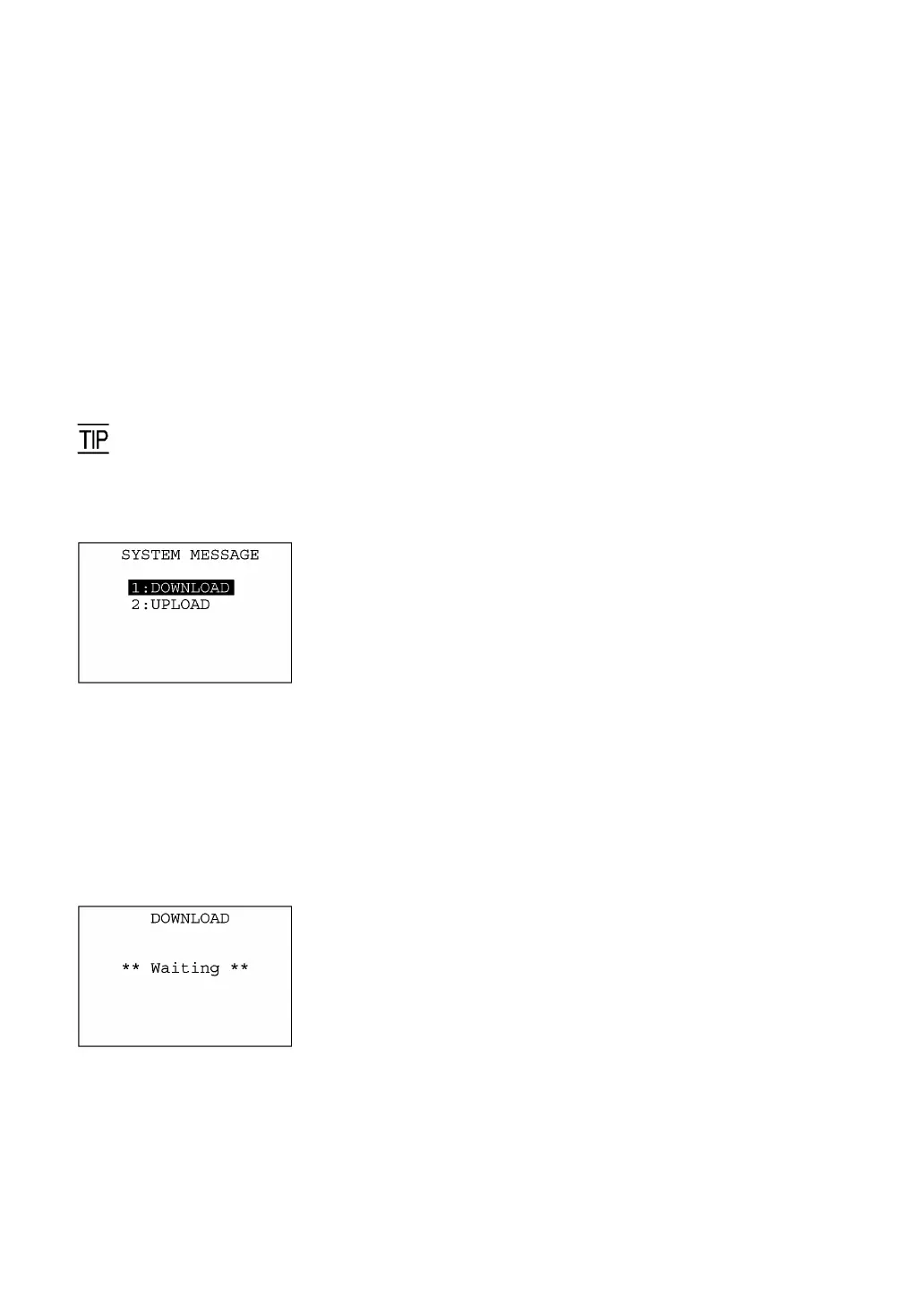
The SYSTEM MESSAGE transfer menu allows you to upload or download the system message file
to/from the host PC.
If you select the "2:UPLOAD," the system will set up the system message file based on the current
settings and upload it to the host PC. After that, the created file will be deleted.
If you select the "1:DOWNLOAD," the BHT will receive the system message file from the host PC and
read in the messages stored in the file. After that, the received file will be deleted.
For uploading/downloading, the BHT will use the communications parameters, communications protocol,
and interface port specified in Section 2.5.3, "[4.5] Setting the communications environments."
Usually you do not need to use the SYSTEM MESSAGE transfer menu since system messages have
been set at the time of delivery from the factory.
SYSTEM MESSAGE transfer menu
Pressing the 6 key while holding down the SF key on the SYSTEM
MENU calls up the screen shown at left.
[1] DOWNLOAD: Downloads the system message file to the use
area of the BHT.
[2] UPLOAD: Uploads the system message file stored in the
BHT.
Select a desired item by using the numerical keys or F5 and F6 keys,
then press the ENT key.
Press the C key to return to the SYSTEM MENU.
[12.1] Downloading the system message file
Selecting "1:DOWNLOAD" on the SYSTEM MESSAGE menu calls
up the screen shown at left. With this screen displayed, the BHT waits
for the system message file to be downloaded.
⇓



 To Next Page