44
2.5.2 Operating in System Mode
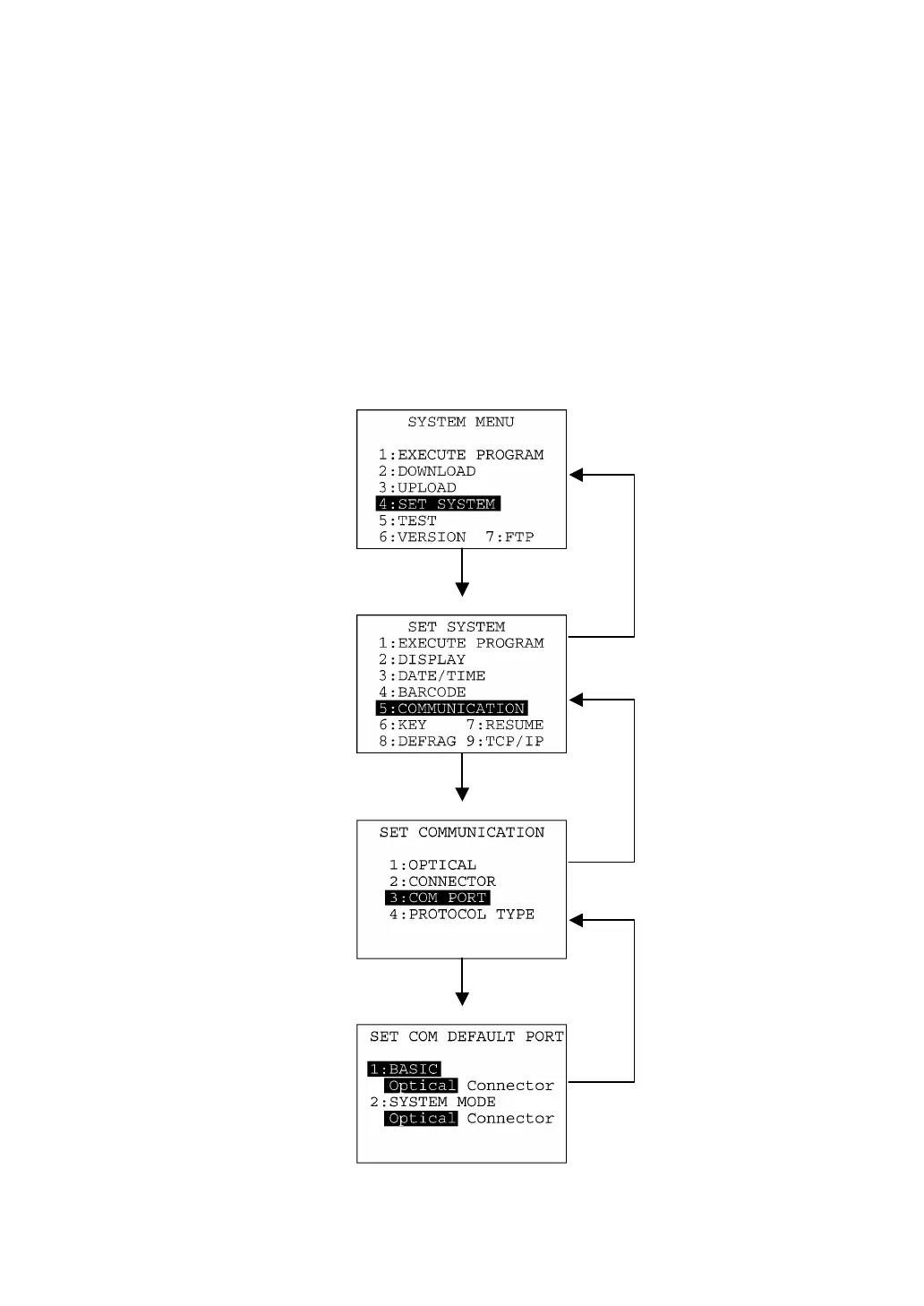
Some functions in System Mode require several screens to be shifted, as shown in the example below.
[ 1 ] Calling up the desired set screen
First, select a desired item on the current screen by using the numerical key or the cursor keys (F5 and
F6) so as to highlight the desired item.
Press the ENT key to establish the selected item and proceed to the subsequent screen.
To return to the preceding screen, press the C key.
C ke
C ke
C ke
ENT ke
Press 4 or use F5 and F6
to select "4:SET
SYSTEM."
Press 3 or use F5 and F6
to select "3:COM
PORT."
Press 5 or use F5 and F6
to select
"5:COMMUNICATION."
ENT ke
ENT ke
("7:FTP" available in
LAN-support BHT
system only)
("9:PING" available
in LAN-support
BHT system only)



 To Next Page