Chapter 5 Handling the CU-8000 (Option)
153
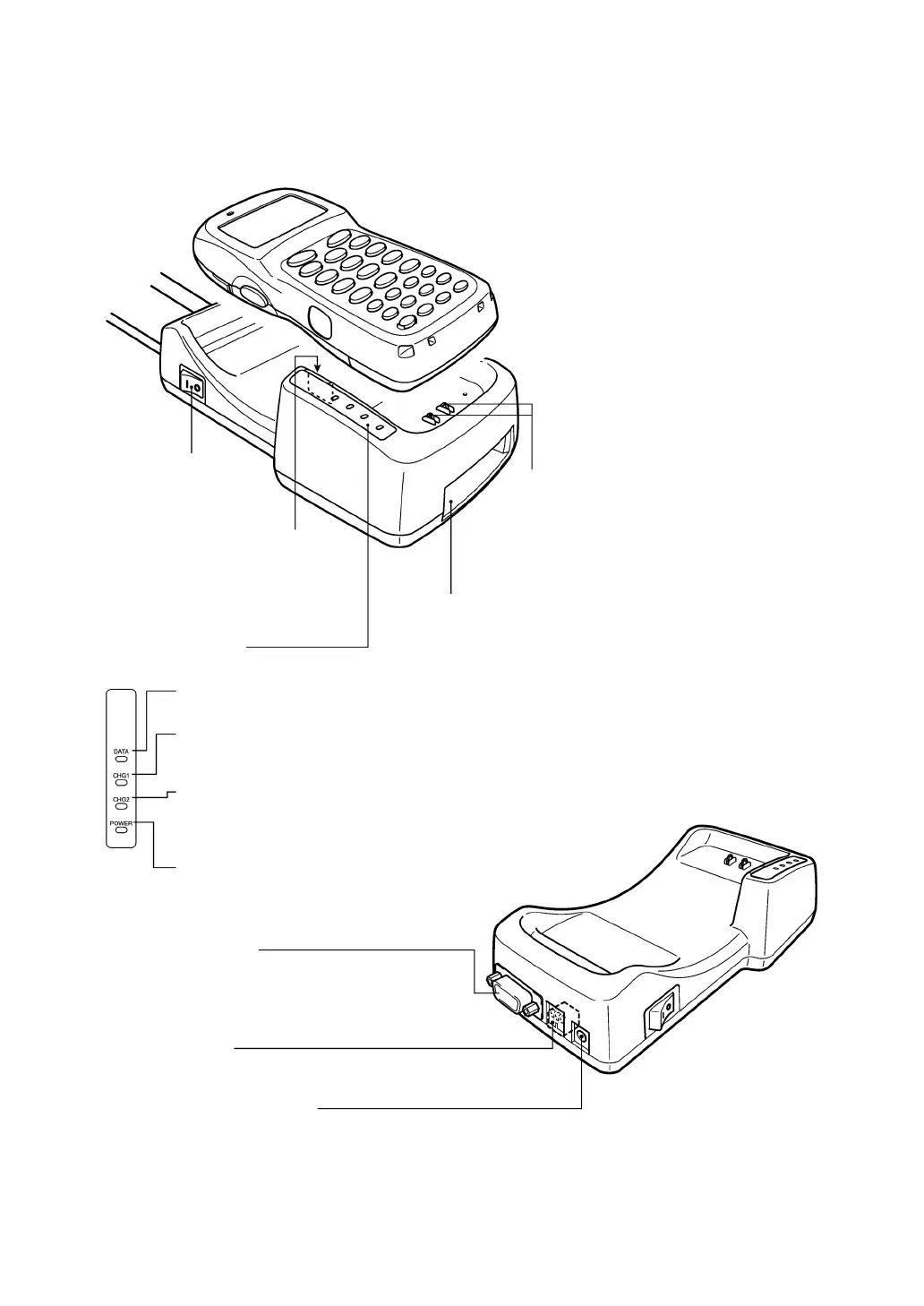
5.2 Components and Functions
Power switch
(Provided on CU-8001.)
IrD
interface port
Used to exchange data
optically with the BHT.
Status indicato
(Not provided on CU-8002.)
Interface port
Used to exchange data with the host PC or
communication station.
The CU-8001/8002 has an RS-232C port.
The CU-8021 has a USB port.
The CU-8011 has an Ethernet (10Base-T) port.
DATA communications LED (green)
Lights when the BHT is communicating with the host PC.
CHG1 LED (BHT charge lamp) (yellow)
Lights when the CU-8001/8021 is charging a battery cartridge loaded in the BHT.
Upon completion of charging, this LED flashes at 2-second intervals.
CHG2 LED (Battery cartridge charge lamp) (yellow)
Lights when the CU-8001/8021 is charging a battery cartridge all by itself.
Upon completion of charging, this LED flashes at 2-second intervals.
During discharging, this LED flashes at 0.5-second intervals.
POWER LED (green)
Lights when the power is applied to the CU-8001/8021/8011.
Battery cartridge slot
(Not provided on CU-8002.)
To discharge and charge a battery cartridge all by itself,
load it into this slot.
DIP switch
Used to set the CU's transmission speed.
(Provided on CU-8001/8002)
BHT charge terminals
(Not provided on CU-8002.)
Used to charge the battery cartridge loaded in
the BHT.
Clean these terminals periodically. If they are
stained, the charging efficiency may decrease.
Power inlet connecto
(Not provided on CU-8002.)
Plug the dedicated AC adapter into this connector.
Without connecting the AC adapter, the CU-8021 can work if the
power (5 V, 300 mA) is supplied via the USB.



 To Next Page