Chapter 2 Getting Started the BHT and System Mode
23
2.3.2 Setting-up 2: Setting the Calendar Clock
Press the PW key to turn the BHT on.
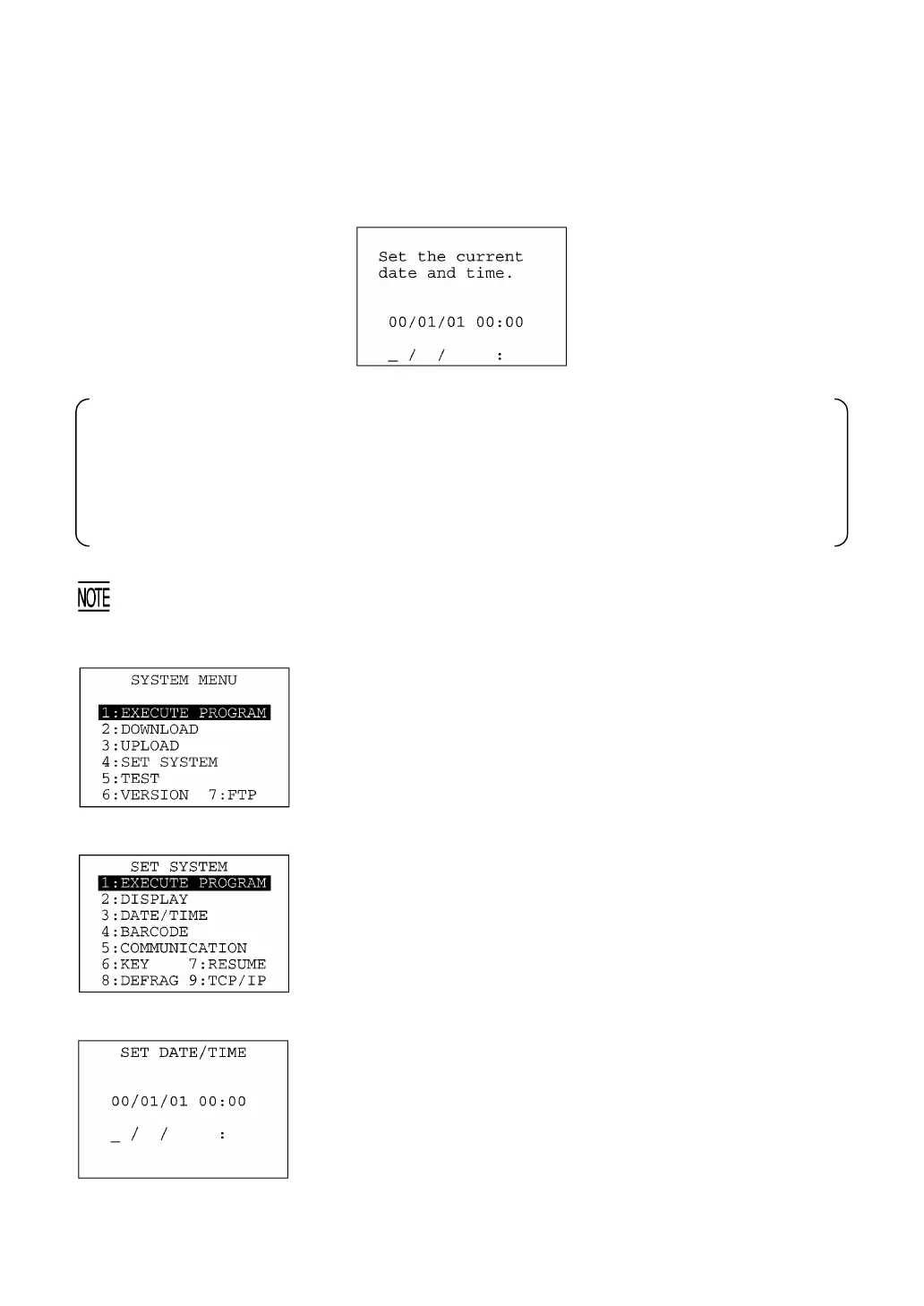
The following message will appear.
In the following cases, the above message will appear. In such instances, it is necessary to set the
date and time. (The indication "00/01/01 00:00" will differ depending upon the calendar clock
state.)
• The BHT is first turned on from the time of purchase.
• The BHT is turned on after the memory backup power source is completely discharged.
It is recommended that you upload font files beforehand for such cases that you would mistakenl
delete font files or a memory storage error would cause font files to be erased.
(1) While holding down the SF and 1 keys, press the PW key to start
System Mode. The SYSTEM MENU shown at left will appear.
("7:FTP" available in LAN-support
BHT system only)
(2) On the SYSTEM MENU, press the 4 key to select the "SE
SYSTEM" and then press the ENT key. The screen shown at lef
will appear. (To return to the immediately preceding screen
during this setting procedure, press the C key.)
("9:TCP/IP" available in LAN-support
BHT system only)
(3) On the SET SYSTEM screen, press the 3 key to select the
"DATE/TIME" and then press the ENT key, and the screen shown
at left will appear.
(4) Use the numerical keys to enter the year (only the last two digits),
month, day, hour, and minute in this order. If the data is in one
digit, add a 0 (zero) preceding the data.



 To Next Page