Chapter 2 Getting Started the BHT and System Mode
111
[ 13 ] Updating the Systems
("2:CU-F/W MODIFY" available
in LAN-support BHT system)
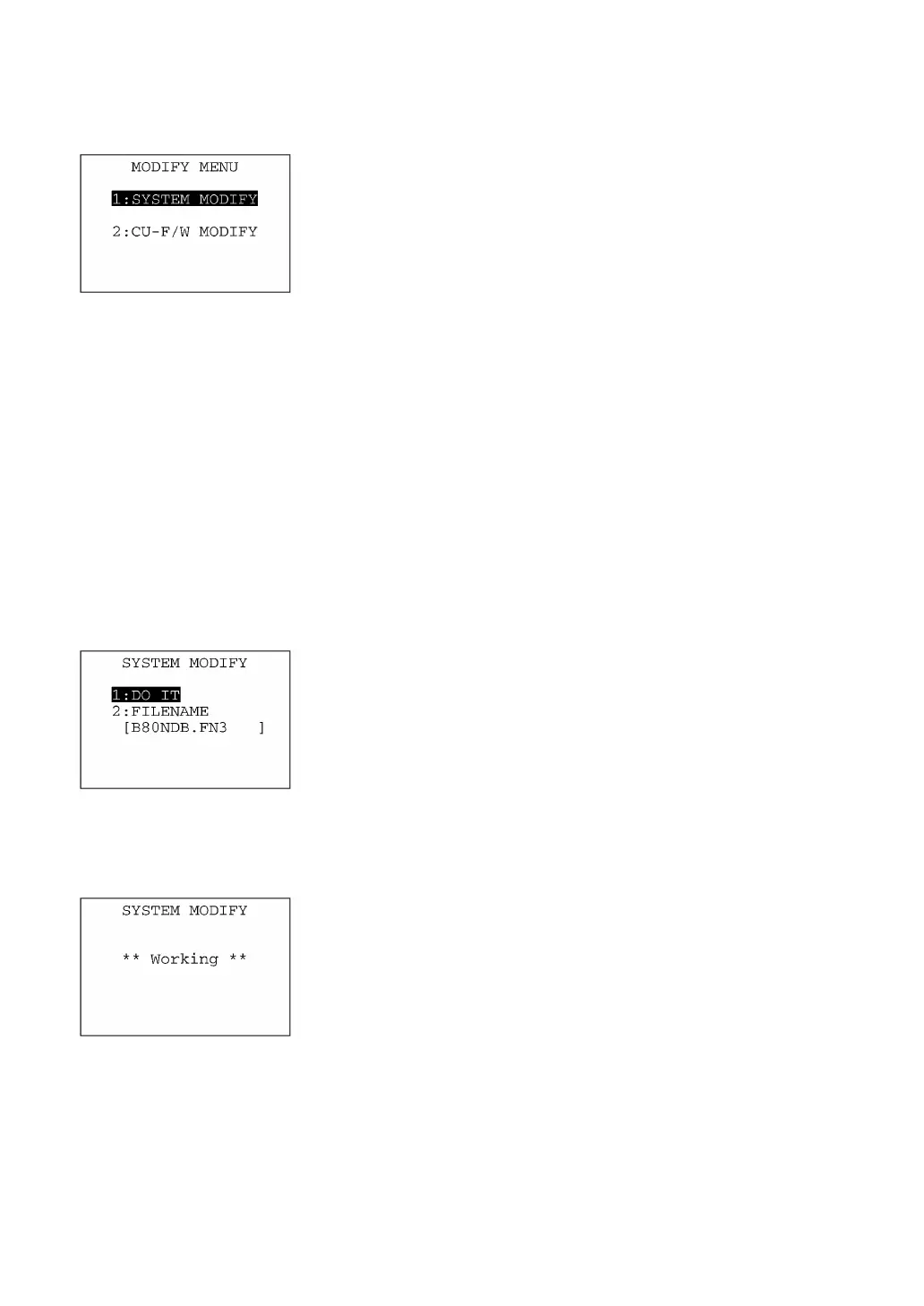
Pressing the period (.) key while holding down the SF key on the
SYSTEM MENU calls up the screen shown at left.
[1] SYSTEM MODIFY: Switches to the BHT system updating
menu.
[2]CU-F/W MODIFY: Switches to the CU-8011 system updating
menu.
Select a desired item by using the numerical keys or M1 and M2 keys,
and then press the ENT key.
To return to the SYSTEM MENU, press the C key.
[13.1] Updating the BHT system
Before proceeding to the updating procedure, you need to download a BHT system reconfig file,
referring to Section 2.6.1.
On the MODIFY MENU, selecting "1:SYSTEM MODIFY" calls up the
screen shown at left.
[1] DO IT: Starts updating the current BHT system.
[2] FILENAME: The filename to be used for updating the BHT
system will be displayed.
If it is different from the name of the BHT system
reconfig file you have downloaded, you may specif
the correct filename here. (For details, refer to the
next page.)
Select a desired item by using the numerical keys or M1 and M2 keys,
and then press the ENT key.
Selecting "1:DO IT" calls up the screen shown at left. With this screen
displayed, the BHT immediately starts updating the current BHT
system.
Upon completion of updating, the BHT will automatically turn itself off.
(Available in LAN-
support BHT system
only)



 To Next Page