Chapter 2 Getting Started the BHT and System Mode
113
[13.2] Updating the CU-8011 System via the BHT
(Available in LAN-support system only)
Before proceeding to the updating procedure, you need to download a CU-8011 system reconfig file,
referring to Section 2.6.2.
On the MODIFY MENU screen (that can be called up by pressing the
period (.) key with the SF key held down on the SYSTEM MENU),
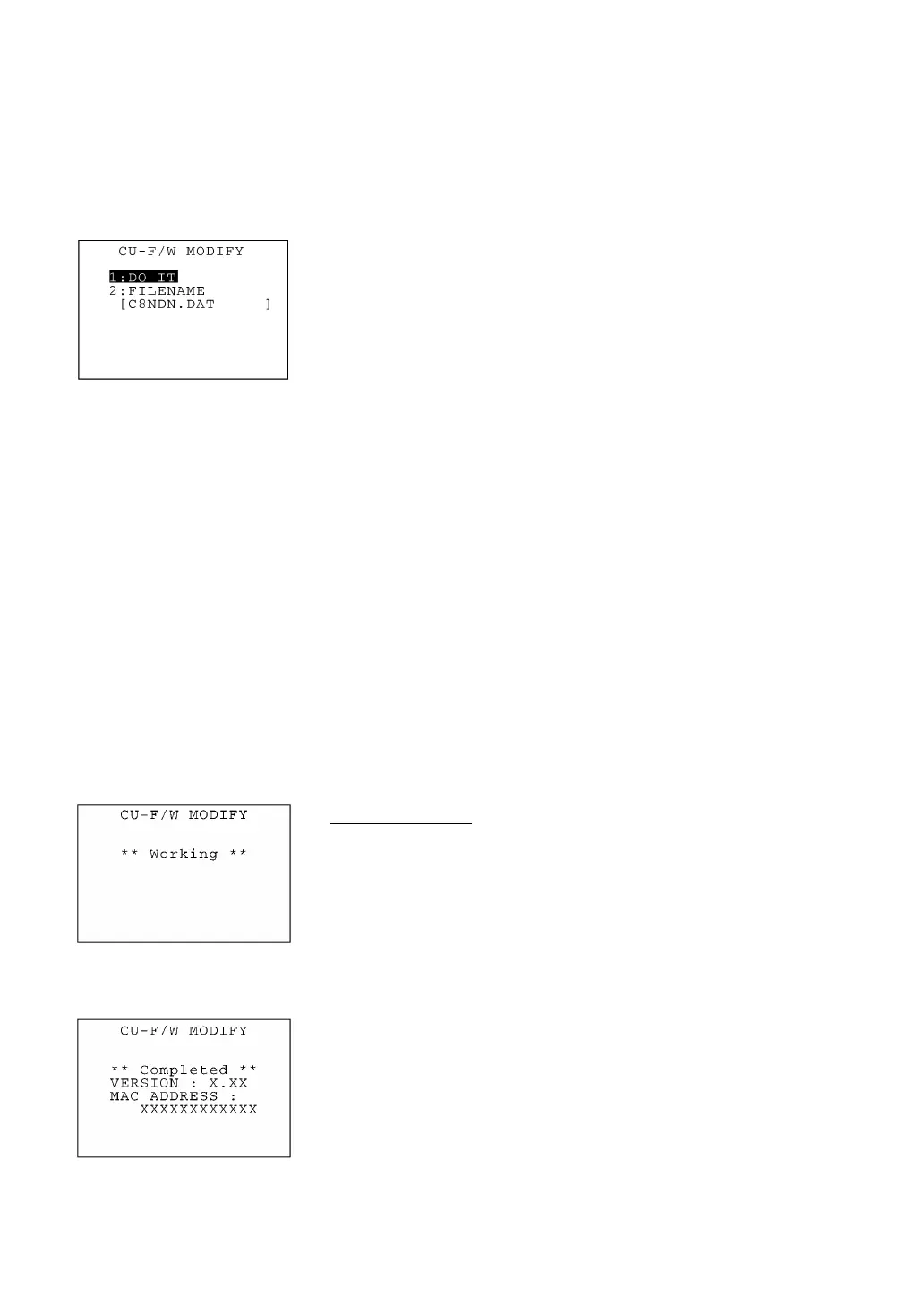
selecting "2:CU-F/W MODIFY" calls up the menu screen shown at
left.
[1] DO IT: Updates the current CU-8011 system.
[2] FILENAME: Allows you to enter the filename of a CU-8011
system reconfig file that you want to send to the
CU-8011.
Select a desired item by using the numerical keys or F5 and F6 keys,
and then press the ENT key.
To specify a CU-8011 system reconfig file to be sent, select
"2:FILENAME." The entry box becomes ready to accept entry and a
cursor appears. Enter the desired value by using the numerical keys
and period (.), and then press the ENT key.
Pressing the SF key switches the entry mode between the numeric
mode (without a guidance) and alphabet mode.
In the entry mode, to delete a single character, press the BS key. To
delete the whole entry you made, press the C key.
Updating the CU-8011 System
To start updating, select "1:DO IT." While displaying the screen
shown at left, the BHT starts updating the current CU-8011 system.
⇓
(CU system updating completion screen)
If the CU-8011 system updating completes normally, the screen
shown at left will appear.
To return to the CU-F/W MODIFY menu screen, press the C key.



 To Next Page