118
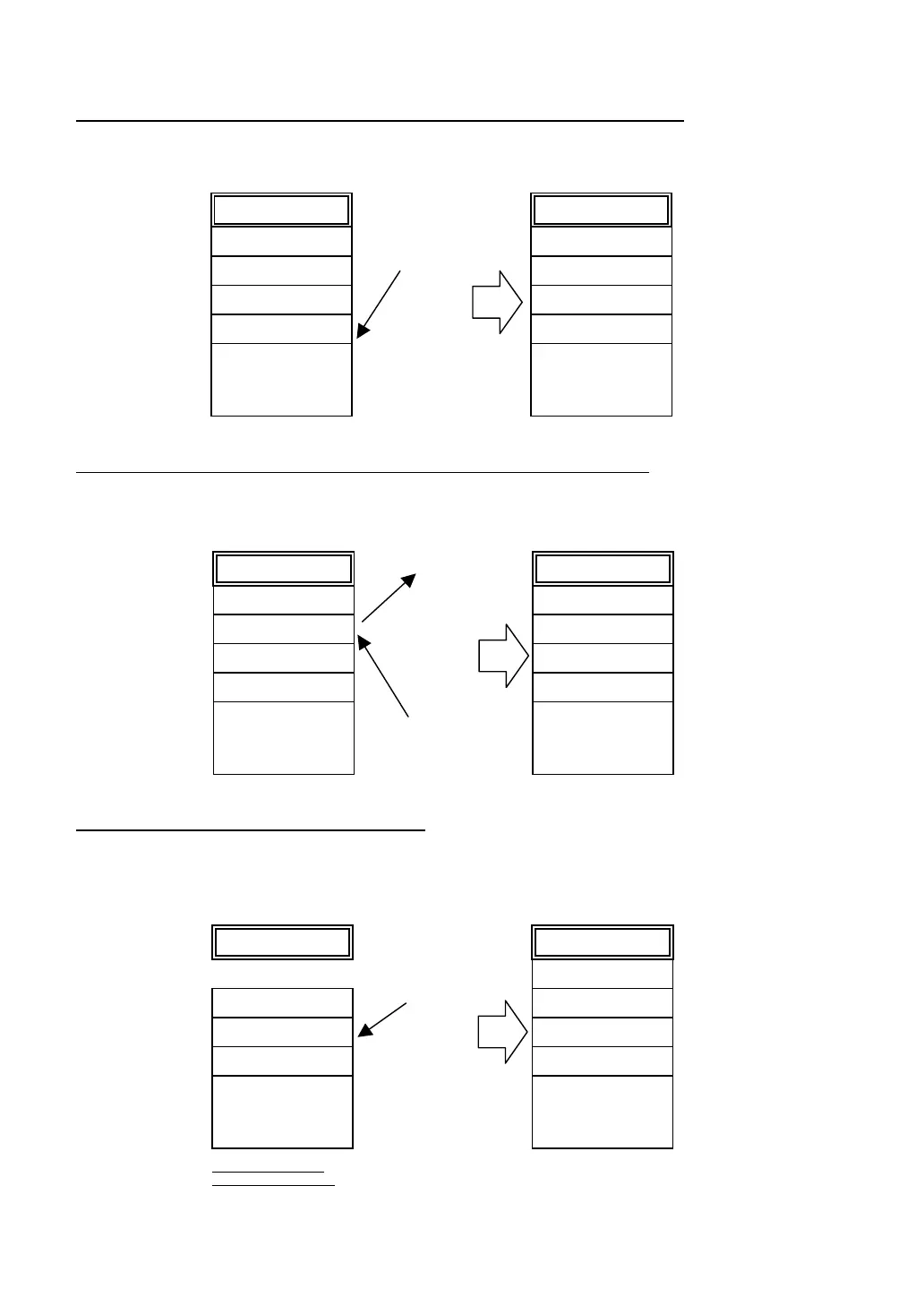
Example 1: Downloading updated versions of the MAIN.PD3 and SUBMAIN.PD3
In this case, the registration order of user programs will not change, so pressing the PW key will start the
MAIN.PD3.
Example 2: Deleting the BBBBBBBB.DAT and downloading new USER.PD3
In this case, the USER.PD3 will be registered into the position of the deleted BBBBBBBB.DAT so that
the USER.PD3 will become an execution program to be run when the PW key is pressed.
Example 3: Recommended downloading order
After system initialization, download first an execution program you want to run by pressing the PW key.
As long as you do not delete the execution program or download any other program, the execution
program is always registered in the top of the directory.
AAAAAAAA.DAT
BBBBBBBB.DAT
MAIN.PD3
SUBMAIN.PD3
.
.
.
Directory information
• MAIN.PD3
(Newer version)
• SUBMAIN.PD3
(Newer version)
DOWNLOAD
AAAAAAAA.DAT
BBBBBBBB.DAT
MAIN.PD3
SUBMAIN.PD3
.
.
.
Directory information
AAAAAAAA.DAT
BBBBBBBB.DAT
MAIN.PD3
SUBMAIN.PD3
.
.
.
Directory information
USER.PD3
DOWNLOAD
AAAAAAAA.DAT
USER.PD3
MAIN.PD3
SUBMAIN.PD3
.
.
.
Directory information
DELETE
Memory state after
system initialization
.
.
.
Directory information
1) MAIN.PD3
2) SUBMAIN.PD3
3) AAAAAAAA.DAT
4) BBBBBBBB.DAT
AAAAAAAA.DAT
BBBBBBBB.DAT
MAIN.PD3
SUBMAIN.PD3
.
.
.
Directory information
Download in
the order of 1),
2), 3) and 4).



 To Next Page