Chapter 5 Handling the CU-8000 (Option)
161
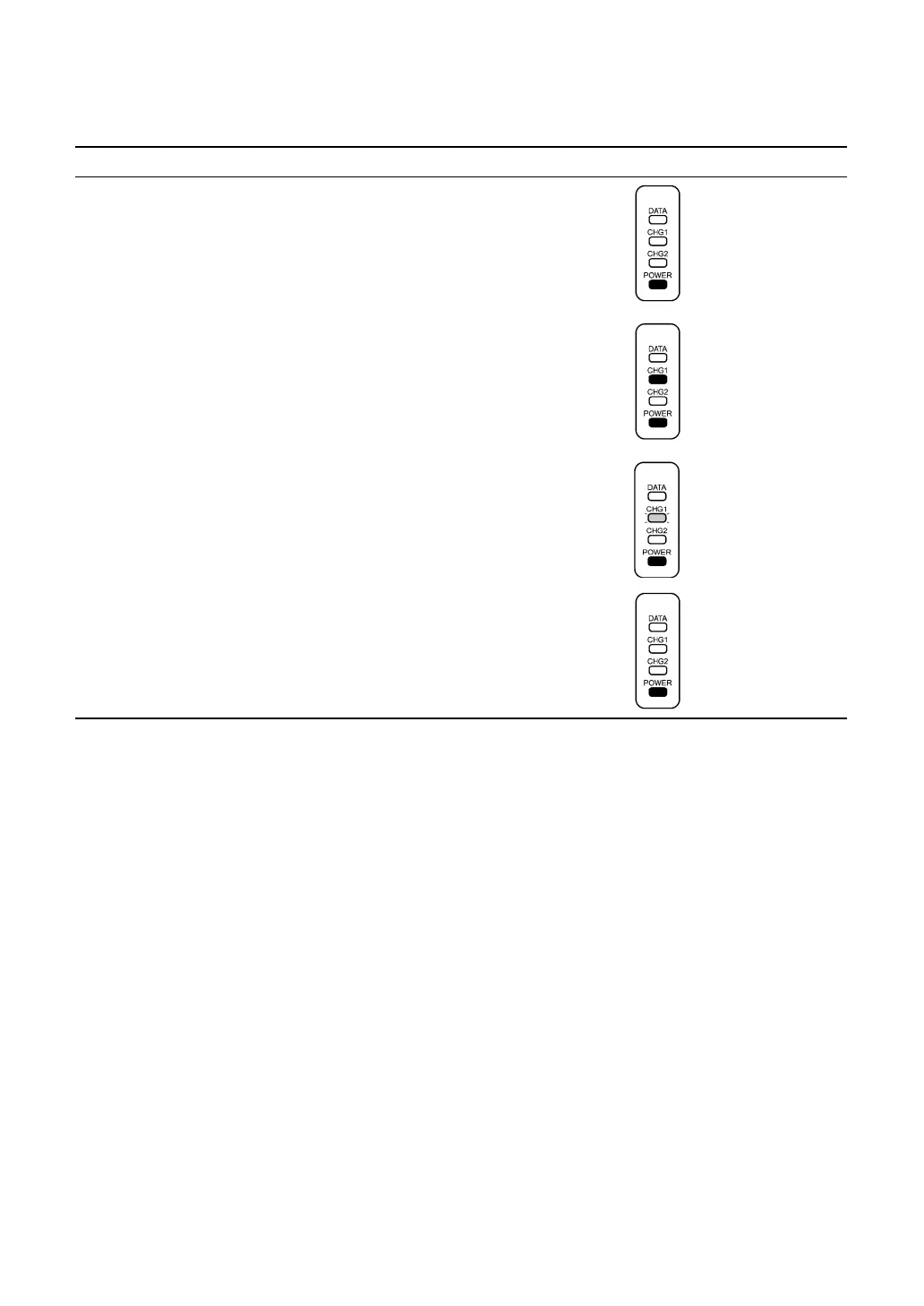
" Charging Operation and LED Indication
Operator's Action CU-8001/8021/8011 Status LED Indication
Turn on the CU-8001/8021/8011.
⇓
On standby
⇓
Place the BHT on the
CU-8001/8021/8011.
⇓
Ordinary charging
⇓
After approx. 8 hours
⇓
Trickle charging*
⇓
Take out the BHT. On standby
* "Trickle charging" is a slow continuous charge for a battery, which compensates for the slight amount of
discharge happening even when batteries are not in use.
If the CU-8021 is bus-powered via the USB interface from the USB host (PC) or USB hub and the host
PC is in the suspended mode, then the CU-8021 cannot charge the battery cartridge.
If the host PC switches to the suspended mode when the CU-8021 is charging the battery cartridge, then
the CU-8021 will stop charging. When the host PC recovers from the suspended mode, the CU-8021 will
start charging again and resume counting the charging time.
Note that if the CU-8021 is connected to such a host PC that cuts off the power to the USB line in the
suspended mode, the CU-8021 will reset the count of the charging time. When the host PC recovers
from the suspended mode, the CU-8021 will start charging again and counting the charging time from
zero. To prevent the CU-8021 from getting affected from the suspended mode of the host PC, use the
dedicated AC adapter.
ON
ON
Flashing at 2-second
intervals
ON
OFF
ON
ON



 To Next Page