74
[4.9-3] Setting the DHCP
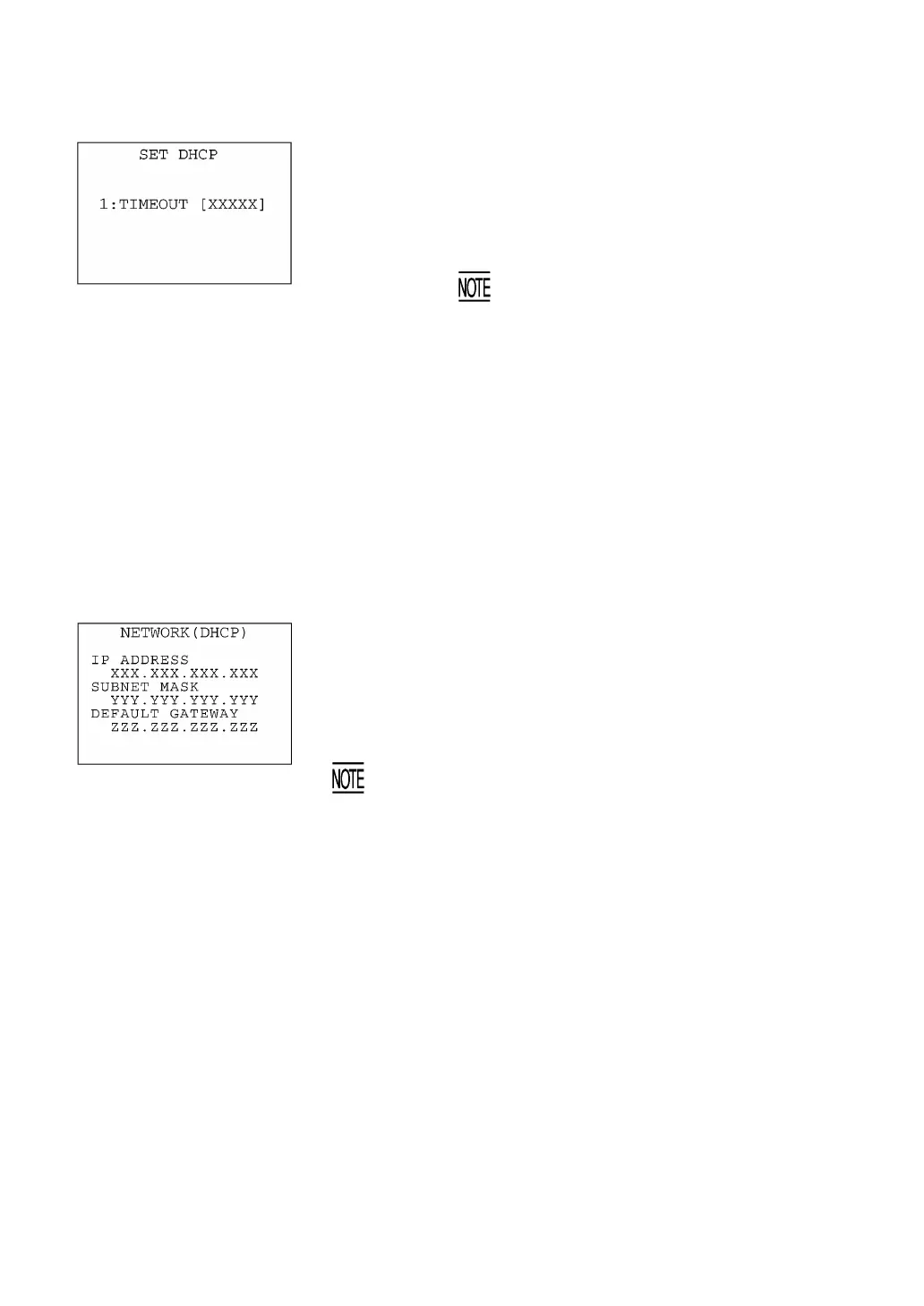
Selecting "3:DHCP" on the SET TCP/IP menu calls up the screen
shown at left. The current setting is displayed.
[1] TIMEOUT: Sets the timeout for getting the IP configuration from
the DHCP server. The entry range is from 00001 to
32767 seconds.
You can enter up to 32767 seconds, but in
actual operation, a maximum of 190 seconds
are available since the number of retries an
retry intervals are determined in your system.
C key ⇑ ⇓ Period (.) key with
SF held down
Press the ENT key. The entry box of the selected item becomes read
to accept entry and shows a cursor.
Enter the desired value by using the numerical keys and then press
the ENT key.
In the entry mode, to delete a single character, press the BS key. To
delete the whole entry you made, press the C key.
To return to the SET TCP/IP menu, press the C key when any item is
highlighted.
If you press the period (.) key while holding down the SF key, the
obtained IP configuration appears as shown at left. To return to the
SET DHCP screen shown above, press the C key.
If you display the obtained IP configuration when any of the IP
address, subnet mask and default gateway is set to any value othe
than "0.0.0.0," the (DHCP) does not appear on the screen shown
at left.



 To Next Page