17
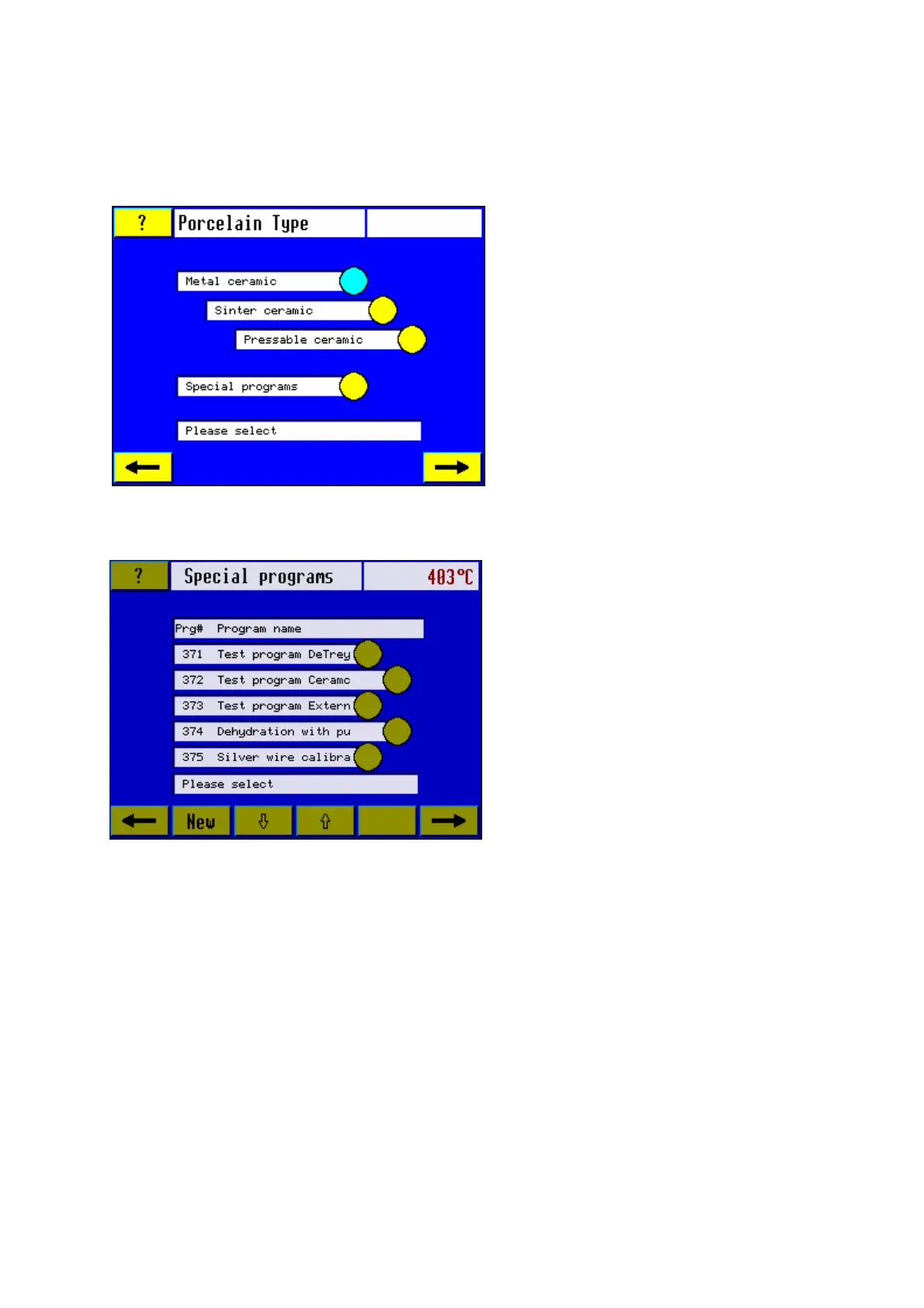
3.4.7 Porcelain type
Select from among the options shown by pressing the relevant sensor button, e.g. Special
Programs.
Note: When metal ceramics has been
selected, the furnace will first switch over
to the screen display "Firing Modes" and,
once a firing mode has been selected,
you will be asked if you want to work with
preset or individual programs. Next, the
furnace will switch over to the relevant
program list. (See section 5: Create own
program).
When selecting sinter ceramic, pressable
ceramic or special programs, the furnace
will switch over directly to the relevant
program list.
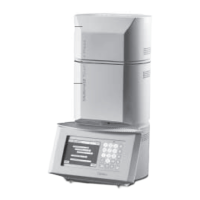
3.4.8 Program list: special programs
When the required test program has been selected, the furnace will switch over automatically
to the next screen.
select the required program from the
program list, e.g. Test program DeTrey
or Test program Ceramco by pressing
the relevant sensor button.
Note: The difference between the test
programs (DeTrey/ Ceramco/ External)
lies in the method of how the parameters
are being set. If you already own a
Dentsply DeTrey (Dentsply Ceramco)
furnace you will recognize the way the
programs are being handled.













 To Next Page