23
Night mode sensor button
This function activates the automatic final shutdown of the furnace following a firing
sequence. This function will be connected as desired with the current program by touching
the sensor button "bed". The symbol for night mode "Bed" will be displayed in the firing data
view and in program sequence view.
Following the firing sequence, the unit will switch into its “off” state (screen display off, muffle
off) and the firing chamber remains open until the Night/Standby temperature is reached.
After reaching the night/standby temperature the firing chamber closes. Press the "on/off"
sensor button to switch the furnace back on.
Quick cooling – “ “ sensor button
Manual activation of the fast cooling system when the program has ended, with open firing
chamber, press sensor button “ ”. Quick cooling remains activated until the low temperature
has been reached.
In this case the actual temperature of the firing chamber must be greater than the low
temperature. Touch button ” ” again to deactivate quick cooling.
Note: Programmed quick cooling see section 6.2.
Start/stop
To start a program the firing chamber has to be open. Press the touch button to start or abort
a program. For abortion of a program touch the “start/stop” button and wait a few seconds
until the muffle (lift) is in upper position and the screen changes into the parameter view.
Clear “C”
Press this touch button to:
" Delete an incorrect input.
" Acknowledge an information or error display message.
" Cancel the vacuum.
" Cancel after firing in the "View" function.
" Interrupt automatic self test.
4.5 Main menu
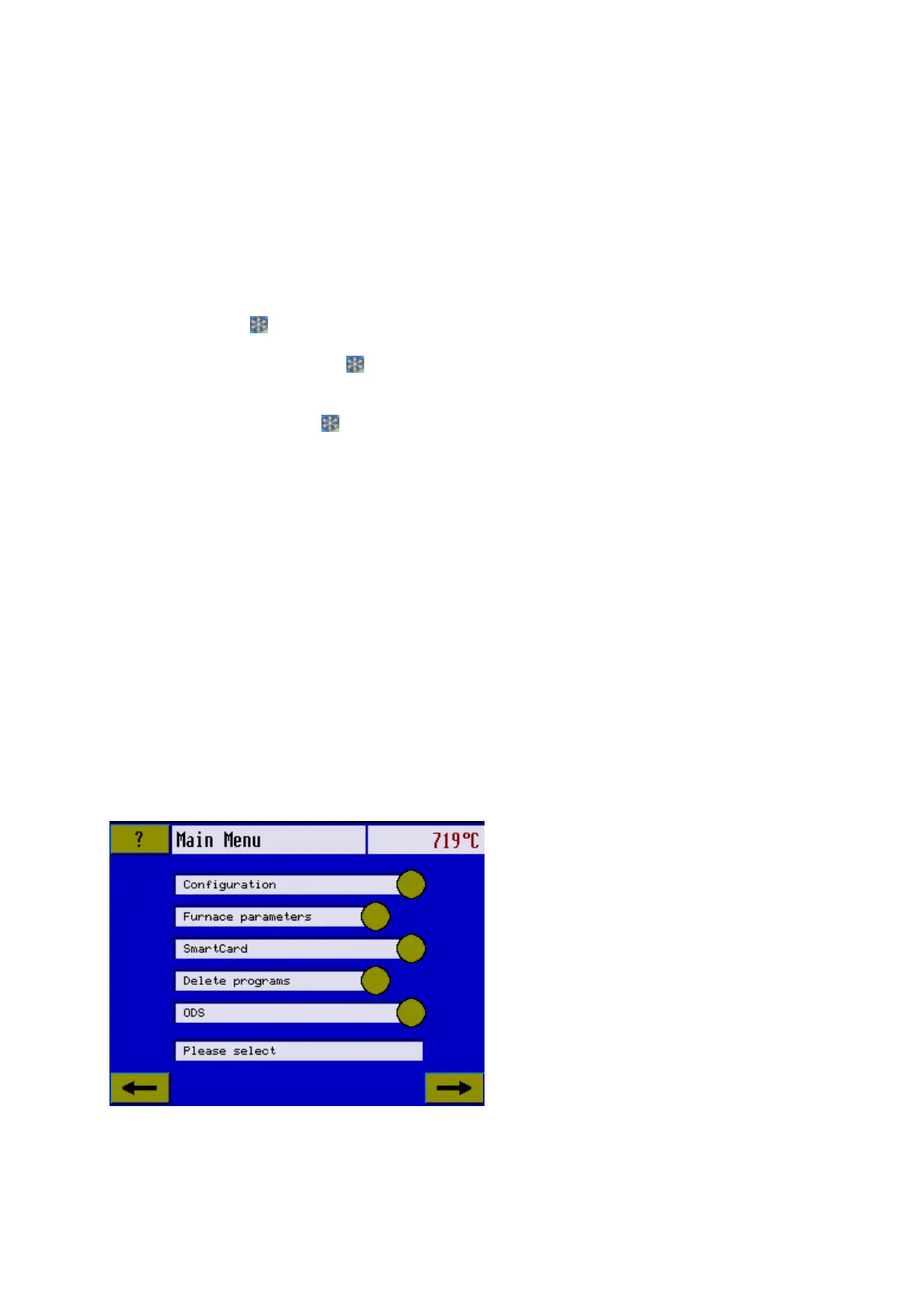
Touch the “M” sensor button to get into the Main menu.
The main menu includes all functions that cannot be executed directly. This is done from the
display screen shown below containing the menu.
4.5.1 Configuration
The various individual submenus will
be activated by pressing the submenu
touch buttons. Use the numeric keypad
to change values in the submenus if
possible. Changed values will be
accepted by selecting a new submenu
or pressing the same touch button
again. Leave the menu selection by
touching “M” again or by touching “&”
until your previous screen reappears.













 To Next Page