25
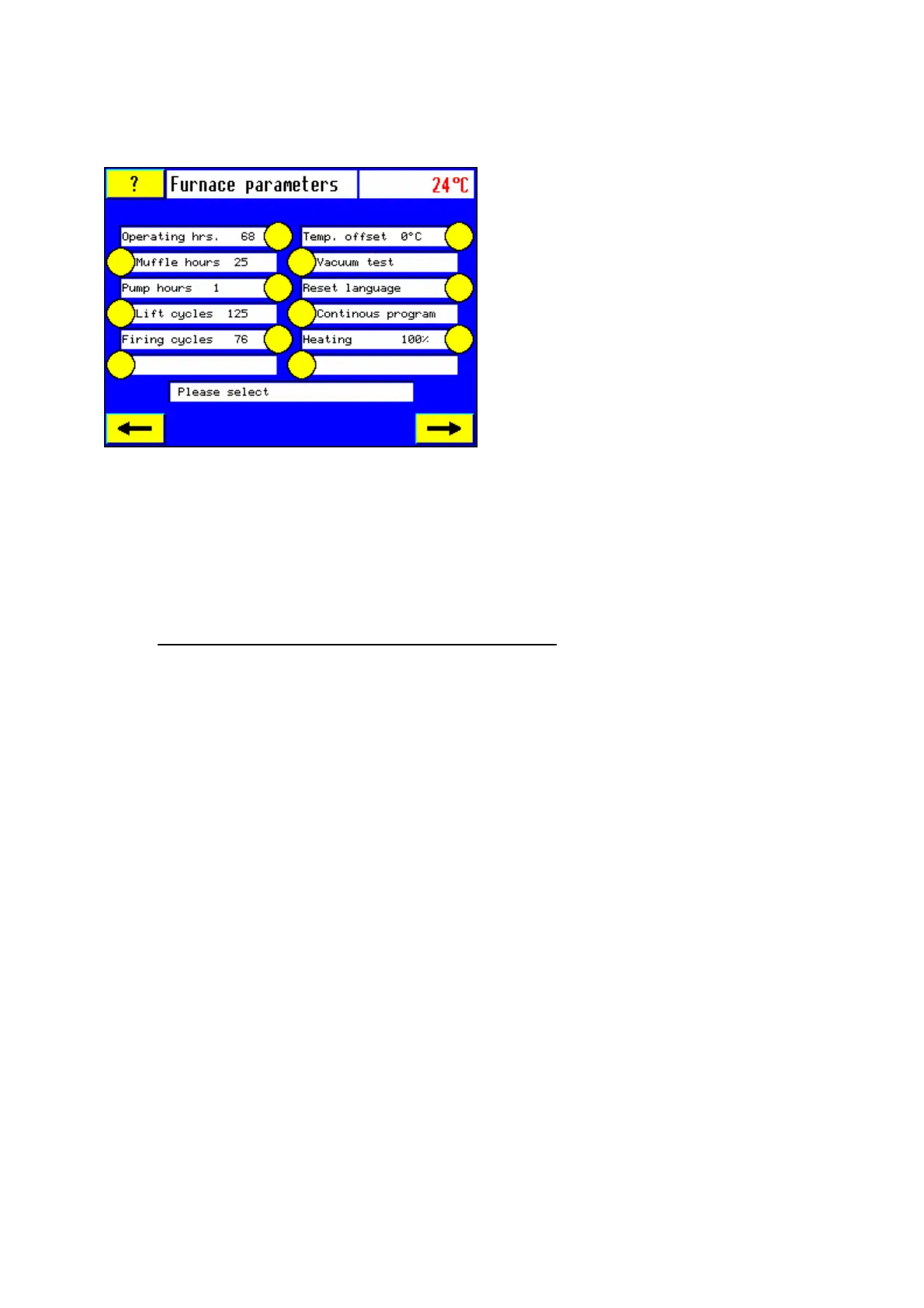
The temperature offset, muffle hours and the language can be reset. All other displays in this
menu have only an informative character and can not be changed.
4.5.2.1 Restore temperature offset
Note: Before beginning the silver test sequence, the temperature offset must be reset
to “0° C”.
1. Touch sensor button “Temp. offset”.
2. Touch sensor button "C", counter returns to zero.
3. Touch sensor button "M" repeatedly, until the proceeding program reappears.
Call up the program “silver test” (#375) and calibrate your furnace a new (see section 6.5).
Note: The offset cannot be entered or altered manually.
Always use the silver test for
calibrating your furnace.
4.5.2.2 Vacuum test
1. Choose vacuum test
2. Touch “start/stop” to start vacuum test
The vacuum test starts.
To abort the vacuum test touch “start/stop again.
The preset vacuum of 50 hPa must not fall more than 20 hPa in 5 minutes. After termination
of the program a message is giving feedback concerning the results of the test. Please
confirm message.
4.5.2.3 Reset Language:
1. Touch sensor “Reset language”
2. Confirm with “C”
3. Unplug and replug the furnace to mains.
4. Choose new language
4.5.2.4 Heating % (Power factor)
This function states the percentage of the line voltage at which the heating muffle is
operated. The furnace can be set to 30%, 75%, 85% and 100% according to line voltage and
heating muffle.













 To Next Page