ineo+ 353/253/203 1-88
Setup items by operation
1
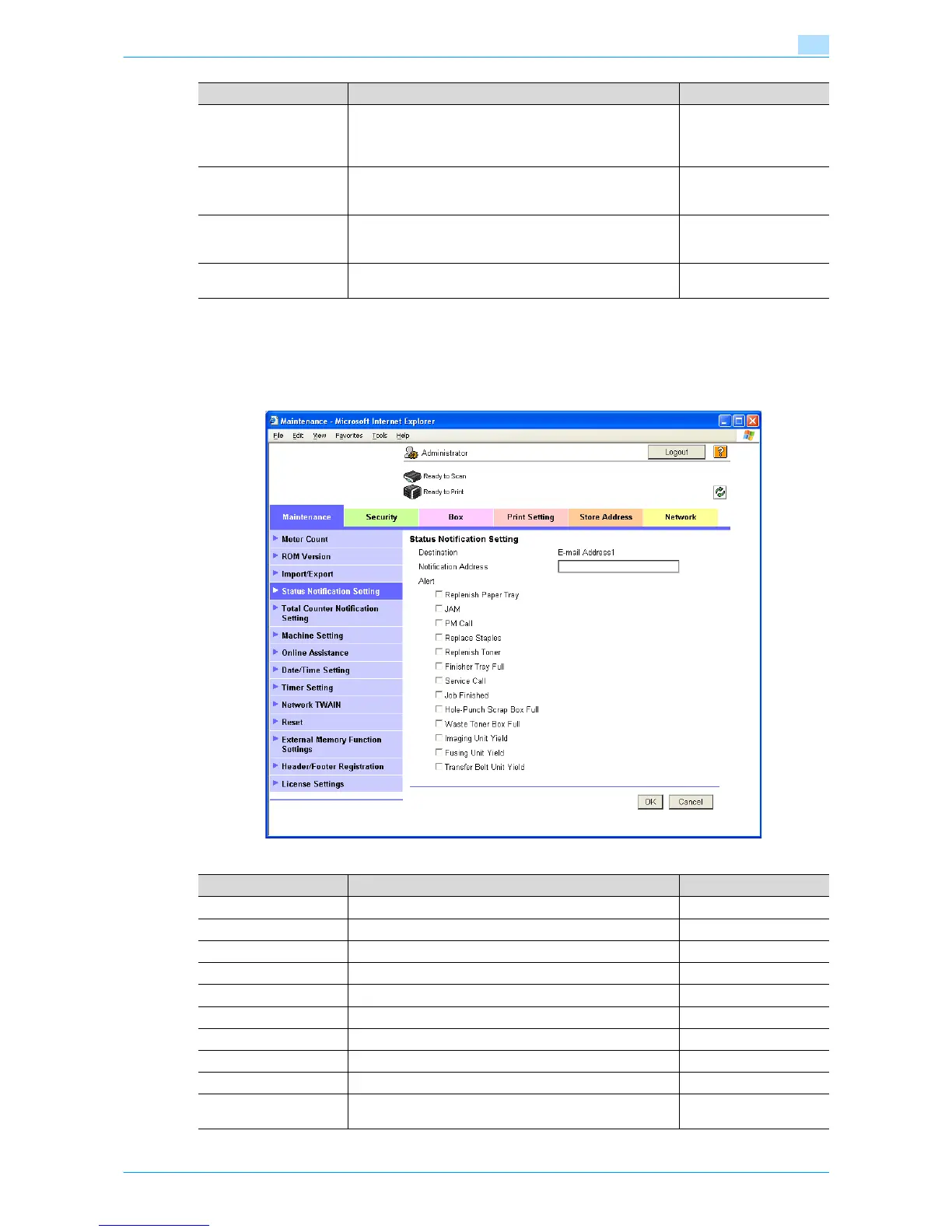
1.31.3 Status Notification Setting
In Administrator mode of Web Connection, select the Maintenance tab - "Status Notification Setting" - "E-
mail Address" - [Edit].
Specify the following settings.
Server Capacity To limit the maximum mail size, specify the max. allowance
of the mail size including the attached file.
Mails exceeding the maximum allowance are removed.
If a mail is separated, this setting is disabled.
Receiving limit of the
server
Admin. E-mail Address Displays the administrator address.
If the administrator address is not specified, specify it at
"Machine Setting".
Address for the adminis-
trator
Binary Division To divide an E-Mail, select the "Binary Division" check box.
If the mail software used for receiving mails does not have
the mail restore function, the mails may not be read.
Restore function of the
mail soft
Divided Mail Size To divide the mail, specify a divided mail size. Receiving limit of the
server
Item Definition Prior confirmation
Item Definition Prior confirmation
Notification Address Specify the notification address. Notification address
Replenish Paper Tray Provides notification when a paper-out condition occurs.
JAM Provides notification when a paper misfeed occurs.
PM Call Provides notification when a periodic inspection is required.
Replace Staples Provides notification when a staple-out condition occurs.
Replenish Toner Provides notification when a toner-out condition occurs.
Finisher Tray Full Provides notification when the finisher tray becomes full.
Service Call Provides notification when a service call occurs.
Job Finished Provides notification when the job is completed.
Hole-Punch Scrap Box
Full
Provides notification when hole-punch scraps must be re-
moved.










 To Next Page