ineo+ 353/253/203 1-16
Setup items by operation
1
1.7 Specifying the date and time on this machine
Specify the date and time of the internal clock of this machine.
The following specification methods are available: manual specification and acquisition from the NTP server
via the network.
To use the fax function on this machine, specify the date and time of this machine in advance. Also, to make
this machine log in to the Active Directory, it may be necessary to specify the date and time of this machine.
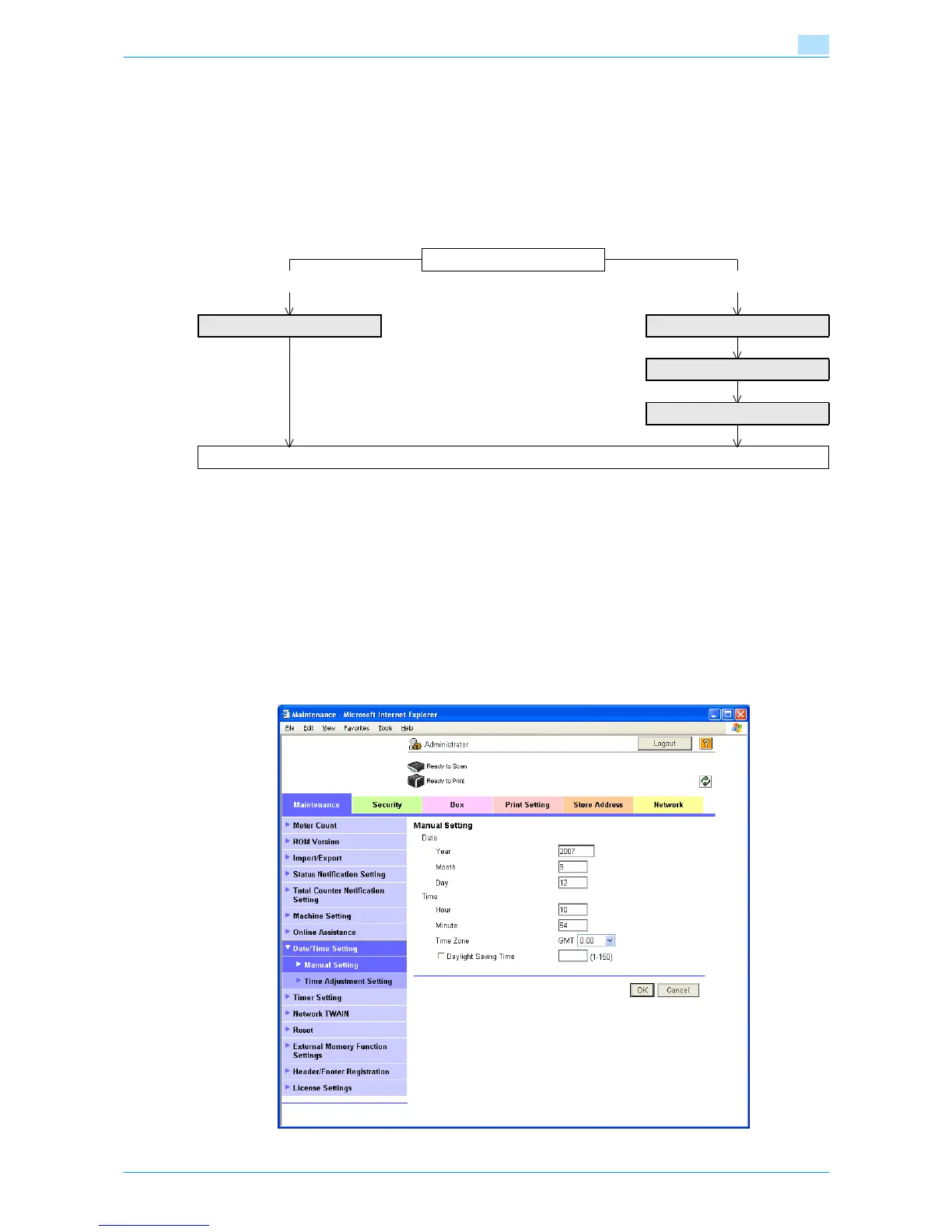
Specify the settings according to the following flowchart.
!
Detail
The following sections contain descriptions on the settings to make this machine log in to the Active
Directory. For details, refer to the respective sections.
"Searching for E-mail addresses from the LDAP server" on page 1-35
"Limiting users using this machine (Active Directory)" on page 1-102
1.7.1 Manual Setting
In Administrator mode of Web Connection, select the Maintenance tab - "Date/Time Setting" - "Manual
Setting".
Specify the following settings.
Use NTP?
No Yes
Manual Setting TCP/IP Settings
Time Zone
Time Adjustment Setting
Finish










 To Next Page