ineo+ 353/253/203 1-138
Setup items by operation
1
1.44.6 Registering the header or footer
To make copies on this machine, register a text that can be printed as a header or footer.
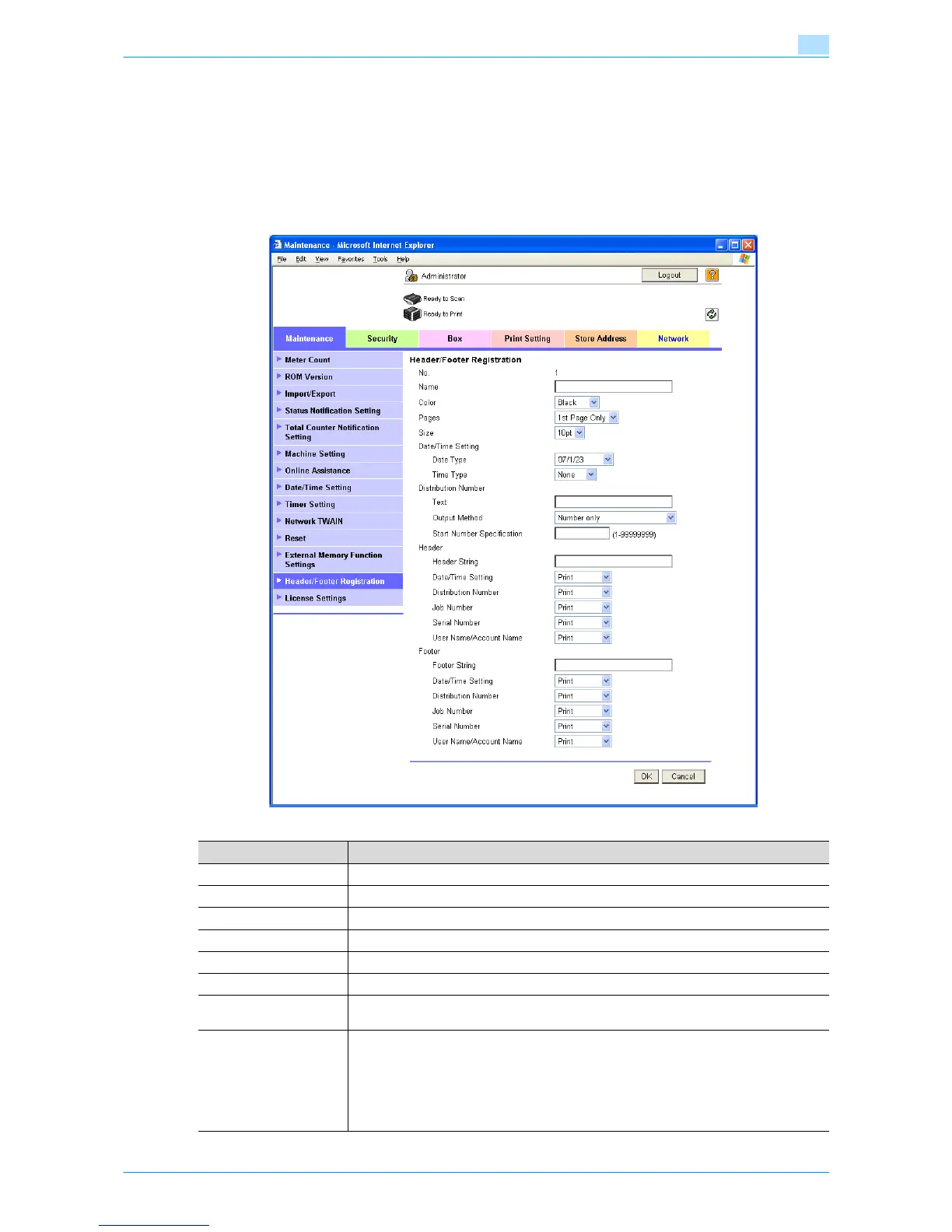
Header/Footer Registration
In Administrator mode of Web Connection, select the Maintenance tab - "Header/Footer Registration" -
[Edit].
Specify the following settings.
Item Definition
No. Displays the registration number.
Name Specify the registration name.
Color Specify the color.
Pages Select the pages to be printed.
Size Specify the size.
Date/Time Setting Specify the date and time formats.
Distribution Number Specify the distribution number text. Select the output format, and then specify the start-
ing number.
Header/Footer Specify whether to print the following items.
• Header String/Footer String (up to 40 characters each)
• Date/Time Setting
• Distribution Number
•Job Number
• Serial Number
• User Name/Account Name










 To Next Page