ineo+ 353/253/203 1-153
Setup items by operation
1
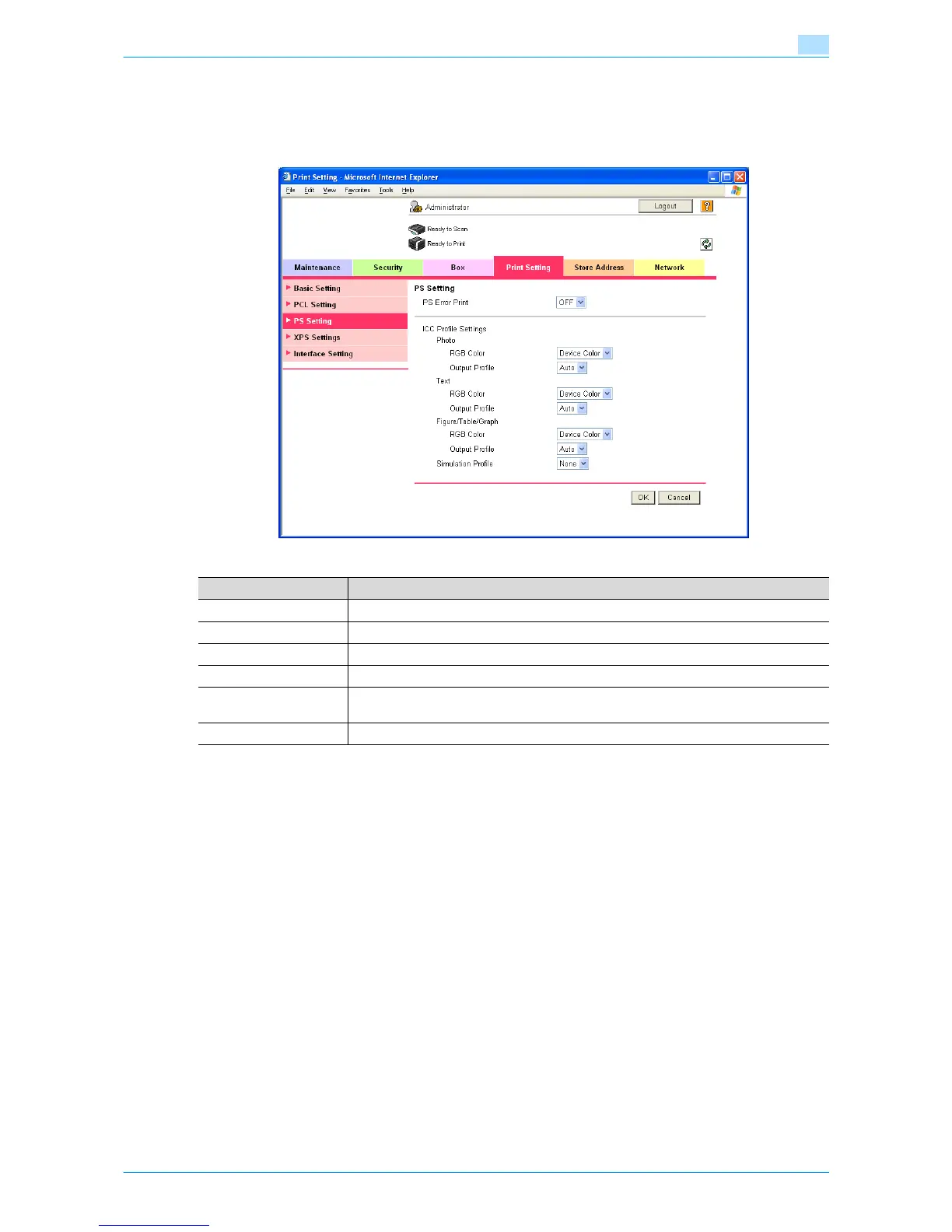
PS Setting
In Administrator mode of Web Connection, select the Print Setting tab - "PS Setting".
Specify the following settings.
Item Definition
PS Error Print Specify whether to print error message when an error occurs during PS rasterization.
ICC Profile Settings Specify the ICC profile.
Photo Specify the default value of the profile when "Photo" is selected by the printer driver.
Text Specify the default value of the profile when "Text" is selected by the printer driver.
Figure/Table/Graph Specify the default value of the profile when "Figure/Table/Graph" is selected by the print-
er driver.
Simulation Profile Specify the default value of the ICC profile for simulation.










 To Next Page