ineo+ 353/253/203 1-31
Setup items by operation
1
1.10 Sending scan data by E-mail (With the digital signature attached)
Specify settings for sending scan data by E-mail with the digital signature attached.
When scan data is sent by E-mail, it can be sent with the digital signature attached.
The certificate for this machine can be sent to the user by sending a message with the digital signature
attached. Users can encrypt the message to send to this machine using the received certificate.
Communication by combining POP before SMTP, APOP, SMTP authentication or encryption using SSL/TLS
is available. For details, refer to "Sending scan data by E-mail" on page 1-23.
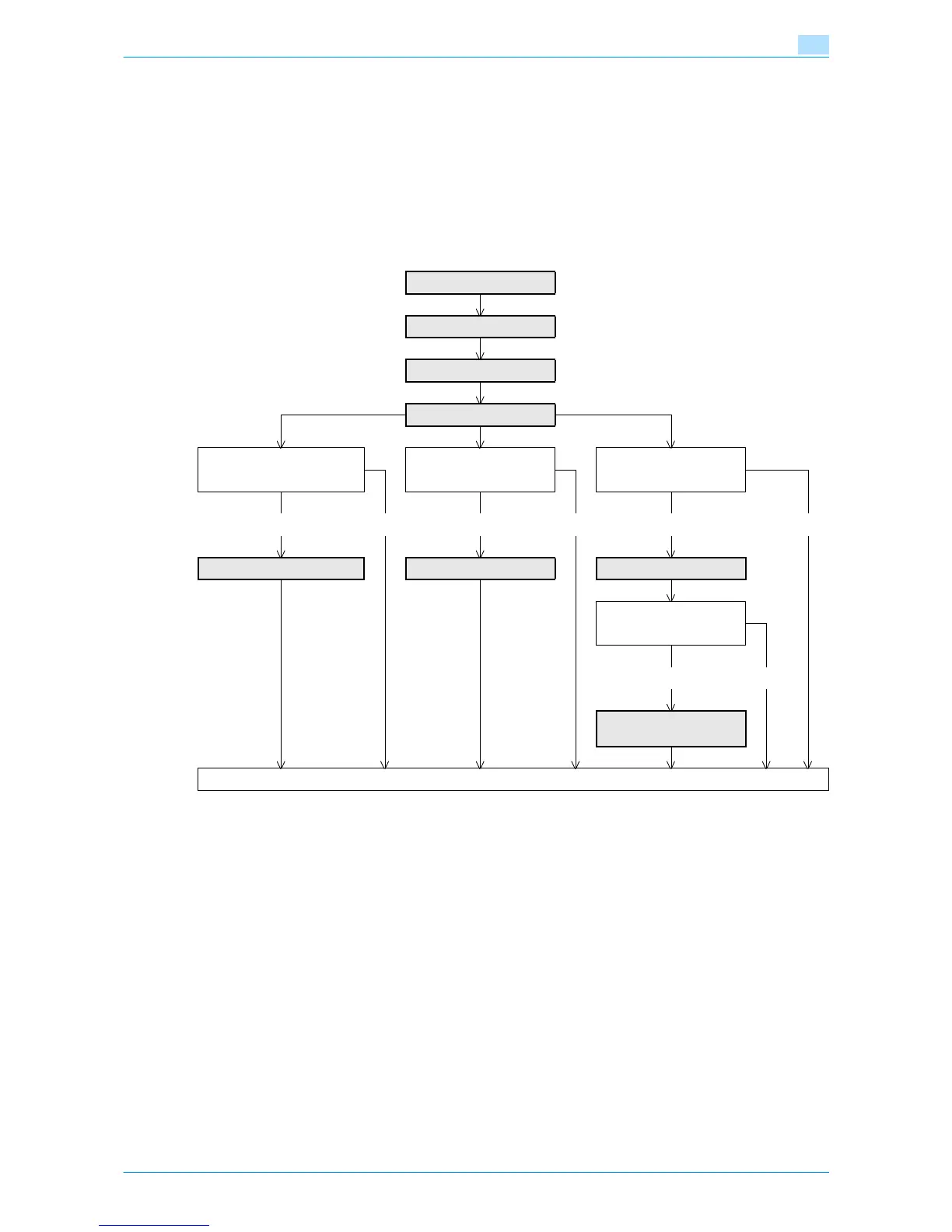
Specify the settings according to the following flowchart.
1.10.1 TCP/IP Settings
Specify settings to use this machine in a TCP/IP network environment.
For details, refer to "Specifying general settings for TCP/IP-based communication" on page 1-2.
1.10.2 E-mail TX (SMTP)
Specify settings for sending messages.
For details, refer to "E-mail TX (SMTP)" on page 1-24.
1.10.3 Create a certificate
Create a certificate for this machine.
For details, refer to "Creating a certificate for this machine for SSL-based communication" on page 1-7.
TCP/IP Settings
E-mail TX (SMTP)
Create a certificate
S/MIME
Communicate with the SMTP
server using SSL/TLS?
SMTP Authentication? POP before SMTP?
Yes No Yes No Yes No
SMTP over SSL/Start TLS SMTP Authentication POP before SMTP
➀ POP over SSL?
➁ APOP?
Yes No
➀ POP over SSL
➁ APOP Authentication
Finish










 To Next Page