ineo+ 353/253/203 1-70
Setup items by operation
1
1.24 Printing (AppleTalk)
Specify settings for printing by connecting this machine to a Macintosh computer using AppleTalk. When
connecting this machine to a Macintosh computer using AppleTalk, the AppleTalk settings must be specified.
2
Note
For details on installing the printer driver, refer to the User’s Guide [Print Operations].
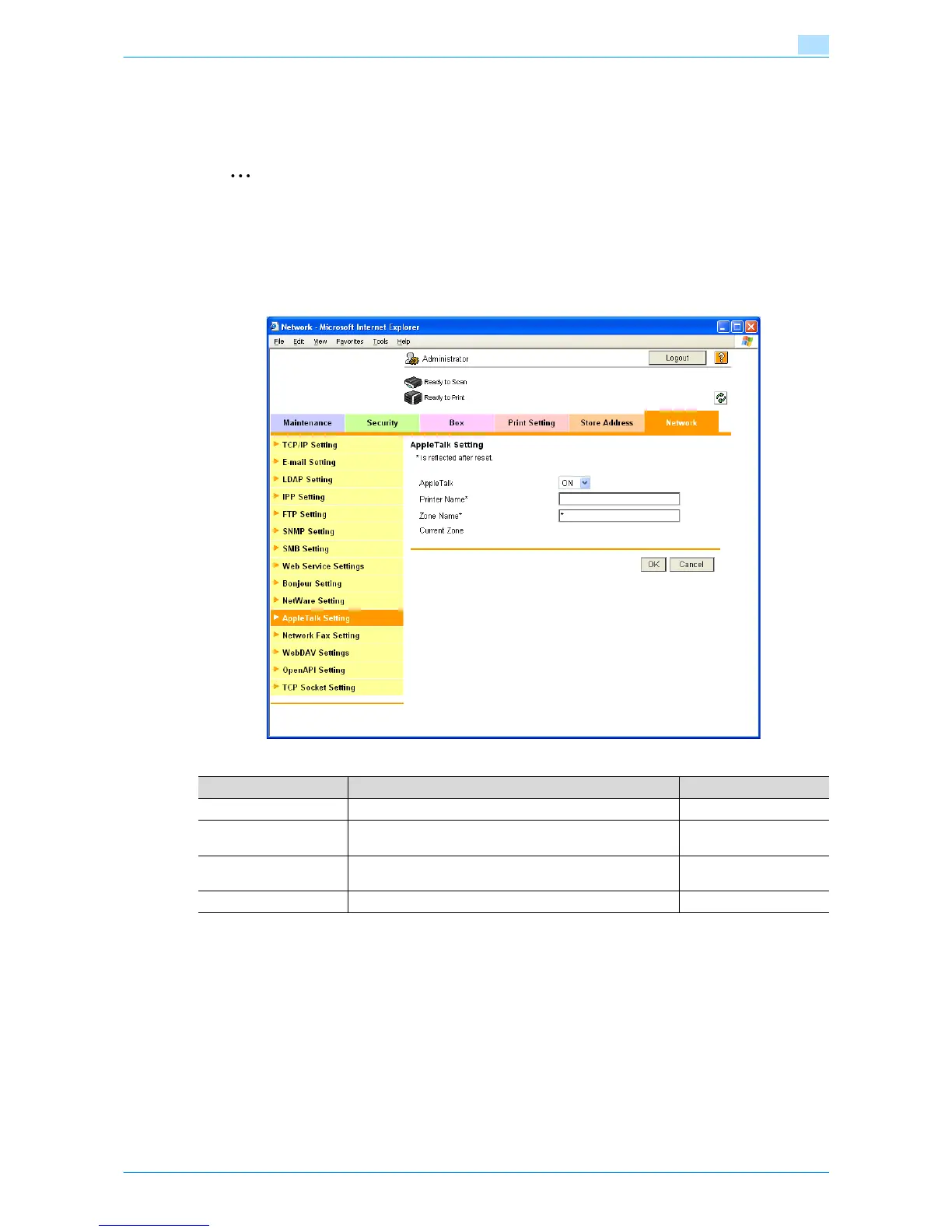
AppleTalk Setting
In Administrator mode of Web Connection, select the Network tab - "AppleTalk Setting".
Specify the following settings.
Item Definition Prior confirmation
AppleTalk Select "ON".
Printer Name* Specify the printer name that appears on the selector (up to
31 characters).
Zone Name* Specify the zone name to which this machine belongs (up to
31 characters).
Current Zone Displays the current zone name.










 To Next Page