ineo+ 353/253/203 1-14
Setup items by operation
1
1.6 Registering a user certificate in this machine
Register a user certificate in this machine
When registering a certificate in this machine, the following methods are available: manual registration at the
time of address registration and auto registration by sending a message with a digital signature attached.
Once the certificate for this machine is registered, messages are encrypted based on the registered
certificate, and then sent from the user to this machine.
Specify the settings according to the following flowchart.
1.6.1 E-mail Address
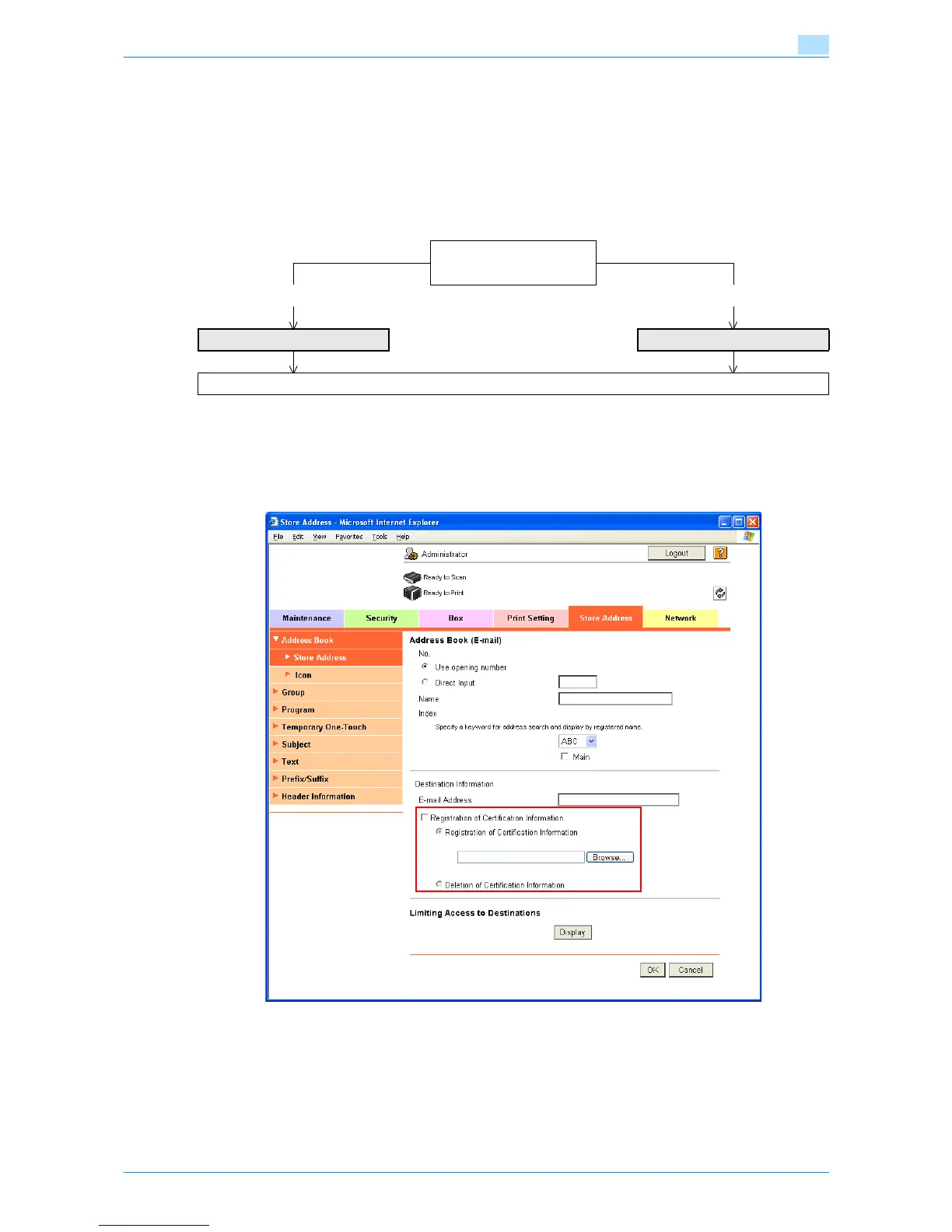
In Administrator mode of Web Connection, select the Store Address tab - "Address Book" - "Store Address"
- [New Registration] - "Address Book (E-mail)".
Specify the following setting.
➀ Manual registration
➁ Auto registration
➀ ➁
E-mail Address Automatically Obtain Certificates
Finish










 To Next Page