ineo+ 353/253/203 1-2
Setup items by operation
1
1 Setup items by operation
1.1 Specifying general settings for TCP/IP-based communication
Specify settings to use this machine in a TCP/IP network environment. To use this machine by connecting to
the network, specify these settings in advance.
2
Reminder
In order to apply all changes to the network settings, turn off this machine, then on again.
When turning off the main power switch and turning it on again, wait for 10 seconds or longer after
power-off, and then turn on the power again. The machine may not operate correctly if it is turned on
immediately after being turned off.
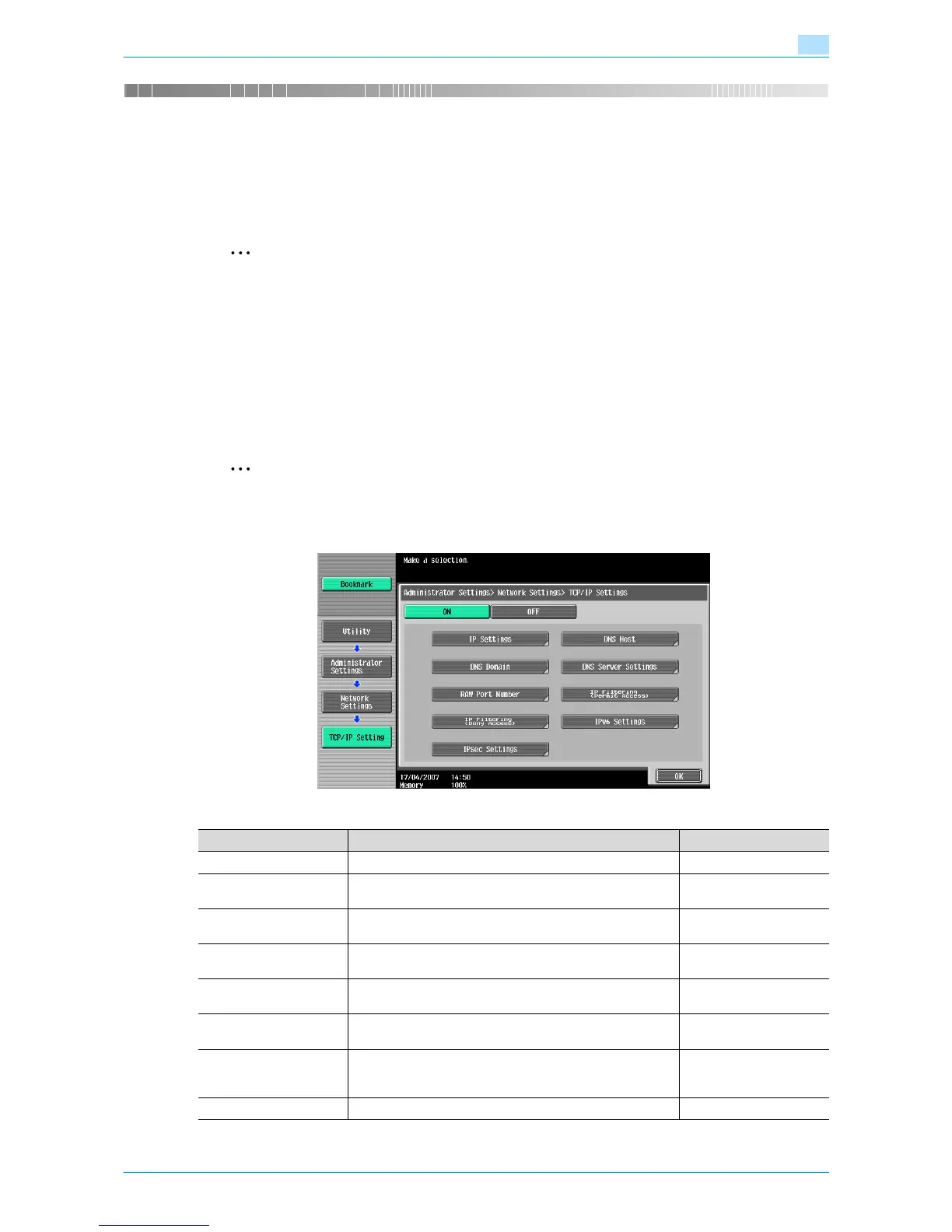
TCP/IP Settings
On the Administrator Settings screen of the control panel, select [Network Settings] - [1 TCP/IP Settings].
Specify the following settings.
2
Note
For details on displaying the Network Setting screen, refer to "Displaying the Network Settings
screen" on page 2-2.
Item Definition Prior confirmation
TCP/IP Settings Select [ON].
IP Application Method Select whether the IP address is automatically acquired or
directly specified.
IP application method to
be used
IP Application Method
Auto Setting
To automatically acquire the IP address, select the automat-
ic acquisition method.
IP Address To directly specify the IP address, specify the IP address of
this machine.
IP address of this ma-
chine
Subnet Mask To directly specify the IP address, specify the subnet mask
of the network to be connected.
Subnet mask of this ma-
chine
Default Gateway To directly specify the IP address, specify the default gate-
way of the network to be connected.
Default gateway of this
machine
Dynamic DNS Settings To automatically register the host name specified with [DNS
Host Name] for the DNS server that supports the Dynamic
DNS function, select [Enable].
Whether Dynamic DNS is
used
DNS Host Name Specify the host name of this machine (up to 63 characters).










 To Next Page