ineo+ 353/253/203 1-144
Setup items by operation
1
!
Detail
If Enhanced Security Mode is set to "ON", "Restrict" is specified.
1.45.3 Specifying the auto logout time
Specify the length of time before Administrator mode or User mode is automatically logged out.
If no operation is performed for the length of time specified here, the user will automatically be logged out.
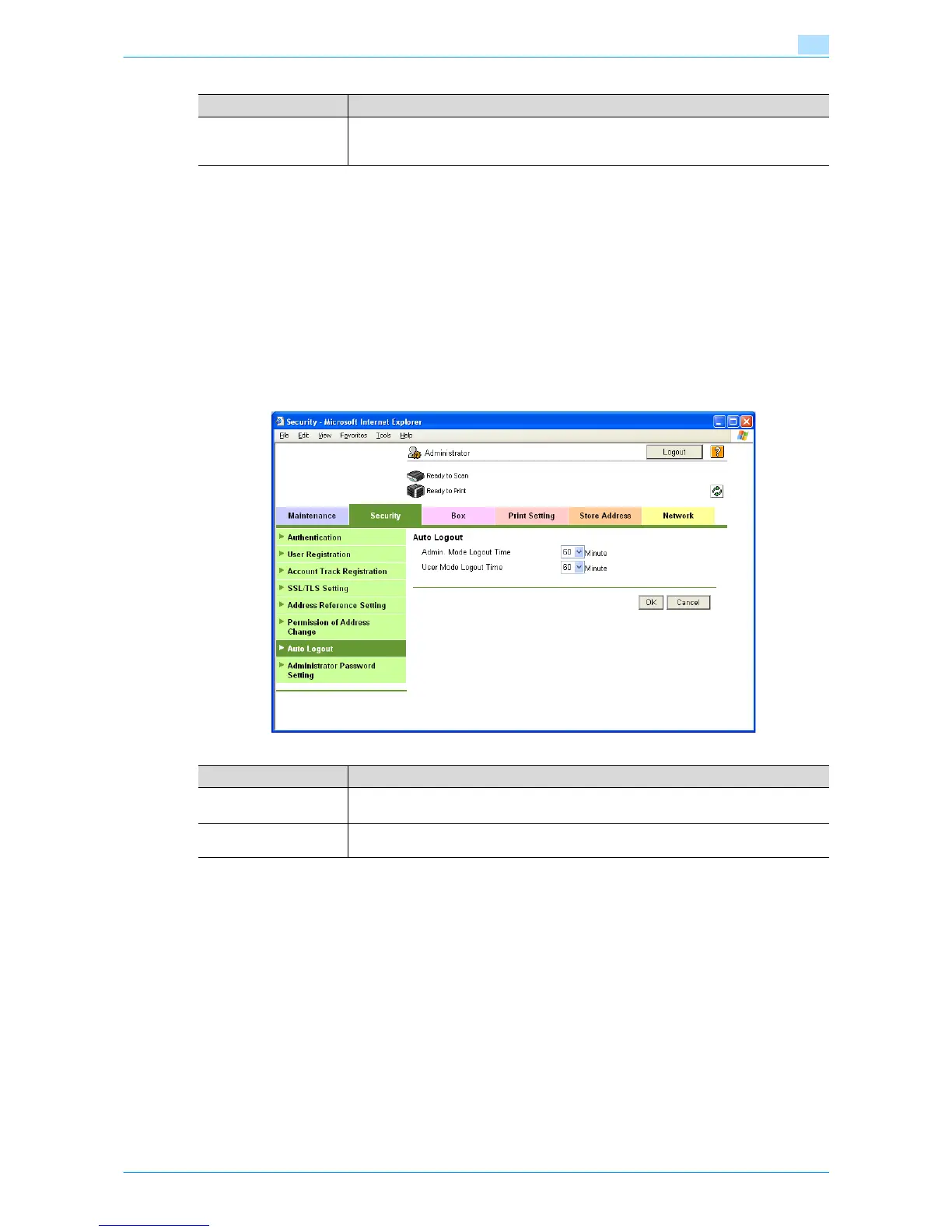
Auto Logout
In Administrator mode of Web Connection, select the Security tab - "Auto Logout".
Specify the following settings.
Item Definition
Registering and Chang-
ing Addresses
Select "Restrict".
If "Restrict" is selected, this menu item is not displayed on the Store Address tab in the
user mode.
Item Definition
Admin. Mode Logout
Time
Specify the time period before the user is automatically logged out when no operation is
performed for a certain period of time in Administrator mode.
User Mode Logout Time Specify the time period before the user is automatically logged out when no operation is
performed for a certain period of time in the user mode.










 To Next Page